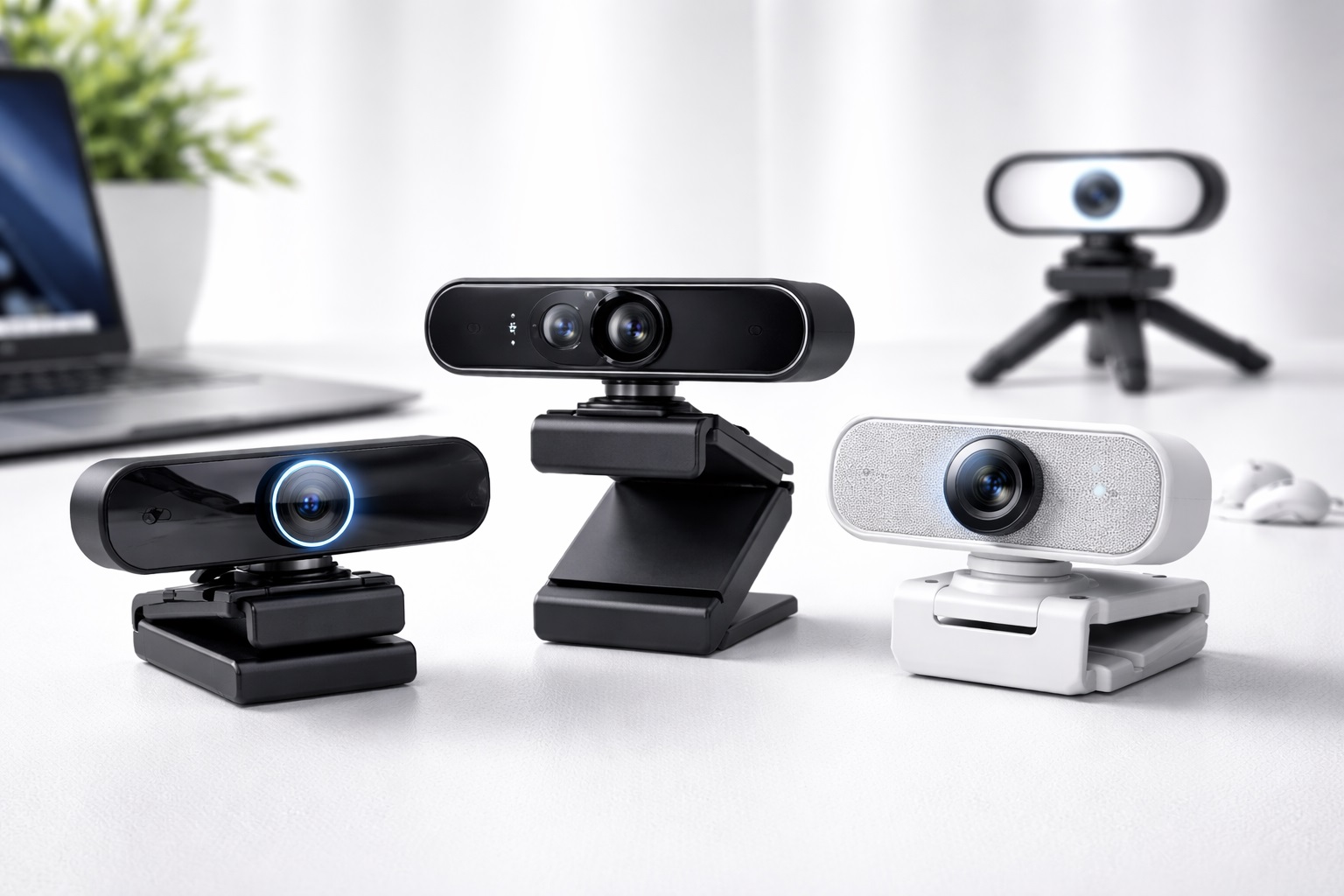
Best Webcam Under $100 in 2026: Pro Video Quality on a Budget
In 2026, you don't need to spend $300 on a DSLR setup to look professional for your virtual meetings or streams. The "sweet spot" for webcam technology is now clearly under $100, where you can find features like **1080p@60fps**, **2K resolution**, and **AI-enhanced low-light correction** that far outperform the built-in cameras on even the most expensive laptops. The **best webcam under $100** provides a clear, sharp, and natural image that makes you look energized and professional to your colleagues and clients.
We've tested dozens of models in this price range to find the units that offer the best reliability and color accuracy. We focused on brands that prioritize "Noise-Canceling" microphones and "Plug-and-Play" simplicity. Whether you're a student, a remote worker, or a new content creator, these are the top-rated picks for the best webcam value in 2026.
Top 8 Best Webcams Under $100 (Detailed Reviews)
1. Logitech Brio 500 – The All-Rounder's Champion
The Logitech Brio 500 is arguably the best webcam for most people in 2026. For under $100, it features 1080p resolution with "RightLight 4" technology, which automatically adjusts your exposure to ensure you look bright even if you have a bright window behind you. Its best "Pro" feature is **"Show Mode,"** which allows you to tilt the camera down to show your physical desk (like a notebook) during a call without the camera falling off your monitor. It’s finished in a durable, modern plastic and features a built-in privacy shutter.
- Pros: Best brand reliability, "Show Mode" for desk-sharing, excellent auto-exposure, built-in shutter.
- Cons: Fixed USB-C cable (not removable), strictly 1080p (no 2K).
Who should buy this: Professional remote workers and students who want a "set it and forget it" tool that always looks great.
2. Anker PowerConf C200 – The 2K Resolution Winner
Anker is famous for bringing "High-Spec" features to a low price point. The C200 provides **2K (1440p) resolution** for under $60—providing significantly more detail than standard 1080p cameras. It features an adjustable Field of View (65, 78, or 95 degrees), allowing you to zoom in on your face or show your whole office. It also includes "AI-Enhanced" dual microphones that do an excellent job of filtering out the sound of a fan or a distant air conditioner. It is extremely compact and professional.
- Pros: Sharp 2K resolution, adjustable field of view, excellent noise-canceling mics, very affordable.
- Cons: Mostly plastic build, 2K is limited to 30fps (not 60fps for gaming).
Who should buy this: Detail-oriented professionals and researchers who want the highest resolution for their budget.
3. Razer Kiyo (Base Model) – The Best for Content Creators
The Razer Kiyo is a legend because it features a **Built-in Ring Light**. For under $80, this solves the #1 problem of amateur video: bad lighting. You can rotate the light ring to adjust the brightness, ensuring your face is always clear and shadow-free even in a dark room. It provides smooth 720p at 60fps or sharp 1080p at 30fps. It is "Plug-and-Play" with popular streaming apps like OBS and Streamlabs, making it the perfect first camera for a new YouTuber or Gamer.
- Pros: Integrated ring light is a lifesaver, smooth 60fps option, high build quality, very stable mount.
- Cons: 1080p is only 30fps, can get warm when the light is on for long sessions.
Who should buy this: New streamers and people who take calls in dimly lit bedrooms or dorms.
4. Microsoft Modern Webcam – The Slick Business Choice
Microsoft’s entry is built for the corporate world. For under $70, it is incredibly small and tidy, featuring a very reliable **Physical Privacy Shutter**. It provides 1080p HDR (High Dynamic Range) video, which is specifically designed to prevent "Washing Out" your face if the sun is bright. It is "Certified for Microsoft Teams," which means all the buttons and specialized features work flawlessly with business software. It’s a no-nonsense, highly durable tool for the modern professional.
- Pros: Very small and portable, "Certified for Teams," HDR video balancing, highnd privacy shutter.
- Cons: Fixed field of view (78 degrees), basic microphones.
Who should buy this: Teams and Windows users who want a brand-name upgrade that fits perfectly on a laptop lid.
5. NexiGo N930P with Remote – The Teacher's Favorite
What makes the NexiGo N930P unique in the sub-$100 market is the **included Remote Control**. This allows you to Zoom, Pan, and adjust the brightness during a meeting without having to reach the camera. This is an incredible tool for teachers or presenters who stand back from their desk. It provides 1080p video and features very loud, clear microphones. For around $50, it is one of the most featured-packed webcams available.
- Pros: Remote control is extremely useful, 1080p quality is stable, very affordable, includes privacy cap.
- Cons: Plastic look, the mount can be a bit loose on very thin monitors.
Who should buy this: Teachers, presenters, and anyone who needs to "Move" while they are on camera.
6. EMEET C960 – The Budget Workhorse
For under $35, the EMEET C960 is the most popular "Economy" choice in 2026. It provides 1080p video with "Fixed Focus," meaning you don't have to worry about the camera constantly hunting for your face and blurring the background. It features "VoiceIA" dual noise-canceling microphones that are surprisingly good for such a low price. It is the perfect "Emergency" webcam or as an upgrade for a child's school computer where highnd features aren't needed.
- Pros: Cheapest reliable 1080p pick, fixed focus avoids "shimmering," very simple setup.
- Cons: Not for low-light (needs a bright room), strictly one field of view.
Who should buy this: Students and budget-conscious users who just want a working 1080p camera for the lowest price.
7. Logitech C920x HD Pro – The Time-Tested Legend
The C920 series is the most famous webcam line in history. For under $70, the C920x remains a top pick because it uses a **Glass Lens** rather than the plastic lenses found in most budget cameras. This provides a "Depth" and "Clarity" that is hard to match. It features dual stereo microphones and "Fast Auto-Focus" that is incredibly reliable. It includes a 3-month license for XSplit streaming software, adding even more value to the package.
- Pros: Real glass lens, incredible durability, huge community support, works with everything.
- Cons: Old-school design, no privacy shutter on some models (requires a separate clip).
Who should buy this: Anyone who wants a "Legacy" product that has been proven to work for 5+ years with no issues.
8. Papalook 1080p@60fps – The Smooth Motion Pick
Usually, 60fps (frames per second) is a feature only found in $150+ "Pro" cameras. Papalook has brought it to the sub-$80 market. 60fps makes your movement look perfectly life-like, without the "Choppiness" of standard 30fps webcams. For a gamer or someone who talks with their hands, this is a massive visual upgrade. It also features a built-in privacy shutter and 5-layer glass lens for highnd clarity.
- Pros: Smooth 60fps video, high-quality lens, built-in privacy door, great for movement.
- Cons: Colors can be a bit "cool" (requires adjustment in settings), brand is less known.
Who should buy this: Gamers and "Animated" talkers who value smooth motion over all other specs.
Buying Guide: Getting the Best Video for your Dollars
Price isn't everything; it’s about how the camera handles your specific environment. Here are the four things to check:
1. Resolution vs. Frame Rate
* **1080p@30fps:** The standard for most. Very reliable and won't slow down your internet. * **2K/4K@30fps:** For detail. Best if you have a high-speed fiber connection. * **1080p@60fps:** For smooth motion. Best for gaming or high-energy presenting.
2. "Light Correction" (The Real Secret)
You probably don't have professional studio lights. Look for webcams with **"Auto-Light Correction" or HDR**. Technology like Logitech’s "RightLight" ensures that even if you have one bright lamp or a window, the camera will keep your face at the right brightness automatically.
3. Field of View (FOV)
* **65-78 Degrees:** Best for one person. It crops out the clutter in your room. * **90+ Degrees:** Best for showing a whole office or a whiteboard behind you. If you can find a camera with **Adjustable FOV** (like Anker), it’s much more versatile for different situations.
4. Microphone Quality
If you don't use a headset, your webcam's microphones are your only voice. Look for **"Dual Stereo" or "Beamforming"** mics. These are designed to pick up your voice from the center while muting the "fan hum" or "street noise" from the sides.
FAQ: Expert Webcam Value Advice
Why does my 1080p webcam look "grainy"?
It’s almost always a **Lighting issue**, not a "spec" issue. Webcams have tiny sensors. If your room is dark, the camera "turns up the volume" on the signal, creating "Digital Noise" (grain). To fix this, simply point a desk lamp at your face or sit facing a window. Even a $500 camera looks bad in the dark!
Is "Privacy Shutter" really necessary?
Yes. Even the most secure person can accidentally "click" the camera button on Zoom before they are ready. A **Physical Privacy Shutter** is the only 100% guarantee that you aren't being seen when you don't want to be. If your camera doesn't have one, keep a Post-it note or a piece of tape over the lens.
Can I use these webcams with a Mac?
Yes. 99% of modern webcams are **"UVC Compliant,"** which means they work with Windows, Mac, and Chrome OS with zero drivers. However, some specialized software (like Logitech G-Hub) might have more features on Windows than Mac.
Does my internet speed matter for 4K video?
Yes! To stream 4K or 2K video, you need at least **20Mbps upload speed**. Most basic home Wi-Fi is about 5-10Mbps. If your internet is slow, a 4K camera will actually look *worse* than a 1080p one because the video will be "Compressed" and "Laggy."
How long will a $60 webcam last?
Webcams have no moving parts (unless they have a gimbal). A highnd camera from Logitech or Anker should last **5 to 8 years**. The only thing that usually fails is the cable. If you can find a model with a **Removable USB cable**, it will last even longer!
Final Verdict: The Best Winner for your Workspace
- The Best Overall: The Logitech Brio 500 for its perfect mix of image quality, software, and "Show Mode."
- The Resolution King: The Anker PowerConf C200 for bringing 2K clarity to a budget price.
- The Starter Streamer: The Razer Kiyo for its built-in ring light that solves every lighting problem.
Your "Virtual Presence" is your brand in 2026. By choosing a high-quality webcam for under $100, you're investing in your professional image, your communication clarity, and your daily confidence. Smile, you look great!