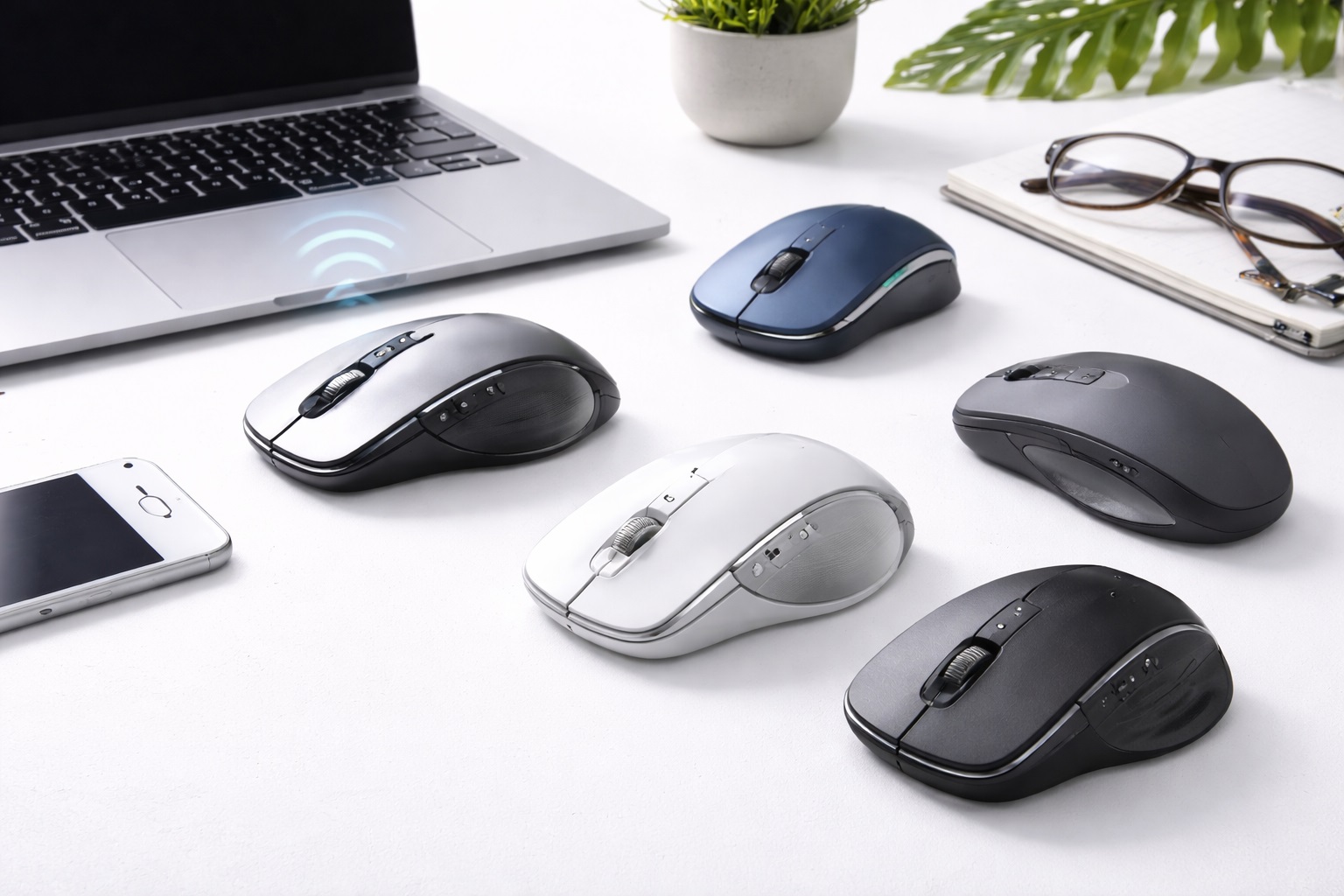
Best Wireless Mice for Laptop Users in 2026: Precision and Freedom for Every Task
While laptop trackpads have improved significantly over the years, nothing compares to the speed, precision, and ergonomic comfort of a dedicated mouse. Whether you are editing a spreadsheet, designing a graphic, or simply browsing the web, a mouse allows you to work faster and with less strain on your wrist. Finding the best wireless mouse for laptop users is the first step toward a more professional and comfortable portable setup.
In 2026, the technology behind wireless mice has reached a point where "lag" is a thing of the past. Modern mice offer multi-device pairing, hyper-fast scrolling, and track-on-glass sensors that work anywhere from a wooden desk to a marble countertop. This guide will help you navigate the sea of options to find the perfect pointing device for your specific laptop needs.
Top 8 Best Wireless Mice for Laptop Users (Detailed Reviews)
1. Logitech MX Master 3S – Best Productivity Mouse
The Logitech MX Master 3S is widely considered the ultimate productivity tool. Its standout feature is the MagSpeed Electromagnetic scroll wheel, which can silent-scroll through 1,000 lines in a second or stop on a single pixel. It features an 8K DPI sensor that works on literally any surface, including glass. The side thumb-wheel and customizable buttons make it a powerhouse for power users.
- Pros: Phenomenal ergonomics, hyper-fast scrolling, track-on-glass sensor, quiet click buttons.
- Cons: Large size is not pocket-friendly, expensive, requires horizontal scrolling learned behavior.
Who should buy this: Office professionals, analysts, and anyone who uses their laptop as a "workstation" on a desk.
Who should avoid this: Users who want a tiny, ultralight mouse for frequent travel.
2. Logitech MX Anywhere 3S – Best for Travel and Commuting
If you love the features of the MX Master but need something smaller, the MX Anywhere 3S is the answer. It fits easily into a laptop sleeve pockets and offers the same 8K DPI sensor and MagSpeed wheel. It's built like a tank, with a low-profile design that is comfortable for both claw and fingertip grips.
- Pros: Very portable, works on glass, multi-device pairing (up to 3 devices), long battery life.
- Cons: No thumb rest, less ergonomic for large hands compared to full-size mice.
Who should buy this: Commuters, travelers, and people who work from small cafe tables.
Who should avoid this: Those who need a vertical-style ergonomic support for carpal tunnel relief.
3. Razer Pro Click Mini – Best for Quiet Offices
Razer, usually known for gaming, has created a productivity masterpiece with the Pro Click Mini. It features "Silent Mechanical Switches," which provide a satisfying tactile bump without any audible clicking sound. It supports both Bluetooth and 2.4GHz wireless for an ultra-stable connection.
- Pros: Near-silent clicks, dual wireless modes, very compact, high-precision sensor.
- Cons: Uses AA batteries (not rechargeable via USB), design is very understated.
Who should buy this: People who work in quiet offices, libraries, or shared home spaces.
Who should avoid this: Users who prefer the convenience of an internal rechargeable battery.
4. Microsoft Bluetooth Ergonomic Mouse – Best Mid-Range Pick
Microsoft's Ergonomic Mouse offers a sophisticated design with a dedicated thumb rest and high-quality aluminum scroll wheel. It connects via Bluetooth Low Energy 5.0, providing a reliable connection without needing a USB dongle. It's a great "no-frills" option that looks professional and feels great in the hand.
- Pros: Excellent price, very comfortable thumb support, simple setup, lightweight.
- Cons: No "infinite scroll" wheel, doesn't work well on glass surfaces.
Who should buy this: Casual home-office workers looking for comfort on a budget.
Who should avoid this: Advanced users who need programmable macro buttons.
5. Apple Magic Mouse – Best for Mac Gestures
The Magic Mouse is polarizing but essential for some Mac users. Its entire top surface is a multi-touch trackpad, allowing you to swipe between pages, scroll in any direction, and zoom with simple finger gestures. Its slim, symmetric design makes it the most aesthetic mouse on the market.
- Pros: Native macOS gesture support, beautiful design, very thin profile.
- Cons: Ergonomics are poor for long sessions, charging port is on the bottom (unusable while charging).
Who should buy this: Apple purists who rely heavily on macOS gestures (swiping spaces, etc.).
Who should avoid this: People with large hands or those who suffer from wrist fatigue.
6. Pebble Mouse 2 M350s – Best for Students and Aesthetics
The Logitech Pebble is all about minimalism. It's flat, pebble-shaped, and comes in various trendy colors. It's the ultimate "throw in your bag" mouse. It's also virtually silent, making it perfect for taking notes in a lecture hall without annoying others.
- Pros: Ultra-slim, silent click and scroll, affordable, very long battery life (years).
- Cons: Not ergonomic for heavy use, basic tracking sensor.
Who should buy this: Students, cafe-workers, and those who prioritize desk aesthetic and portability.
Who should avoid this: Gamers or professionals who need high-speed tracking.
7. Keychron M3 Wireless – Best for Multi-OS Users
Keychron has taken their expertise in keyboards and applied it to mice. The M3 is unique because it includes both a USB-C and a USB-A receiver in the box, ensuring it works with any laptop regardless of the ports available. It's lightweight and uses a top-tier sensor (PixArt PAW3395) usually found in gaming mice.
- Pros: Dual receivers included, lightweight, extremely accurate, works wired or wireless.
- Cons: Battery life is shorter than Bluetooth-only mice, software is basic.
Who should buy this: Users who switch between old laptops (USB-A) and new ones (USB-C) frequently.
Who should avoid this: Minimalists who don't want to manage multiple dongles.
8. Anker 2.4G Wireless Vertical Mouse – Best for Wrist Pain
If you suffer from wrist strain, a vertical mouse is a life saver. It keeps your hand in a "handshake" position, which reduces pressure on the carpal tunnel. Anker offers a highly reliable and affordable wireless version that is perfect for trying out this ergonomic style.
- Pros: Reduces wrist strain, affordable, good battery management.
- Cons: Steep learning curve, large size is not portable, plastic feel.
Who should buy this: Anyone suffering from RSI or carpal tunnel issues.
Who should avoid this: People who need a mouse for fast-paced scrolling or travel.
Buying Guide: Choosing the Right Wireless Mouse
When selecting a mouse for your laptop, consider these four vital areas:
1. Connectivity: Bluetooth vs. Dongle
Most laptop users prefer **Bluetooth** because it doesn't take up a valuable USB port. However, a **2.4GHz USB Receiver (Dongle)** provides a more stable connection with zero lag—essential for gaming or precision design. The best mice offer both.
2. Sensor Technology (DPI and Tracking)
DPI (Dots Per Inch) determines how fast the cursor moves. High DPI is better for high-resolution screens. Also, if you work in cafes with glass tables, ensure the mouse has a sensor specifically designed to **track on glass** (like Logitech's Darkfield tech).
3. Ergonomics and Size
If you have large hands, a small travel mouse will cause cramping. Conversely, a huge ergonomic mouse won't fit in your laptop sleeve. Determine if you prioritize "long-term comfort" or "carrying convenience."
4. Battery Source
Some mice use **removable AA/AAA batteries**, which last for months or years but eventually need replacing. **Internal rechargeable batteries** via USB-C are more modern and eco-friendly, but you might occasionally find yourself with a dead mouse and no charger.
FAQ: Wireless Mouse for Laptop Use
Does a wireless mouse affect laptop battery life?
A Bluetooth mouse uses a very small amount of power. It's negligible and won't noticeably reduce your laptop's runtime.
Will a wireless mouse work with my iPad or Android tablet?
Yes. Any mouse that supports Bluetooth (like the MX Anywhere or Pebble) should work perfectly with modern tablets that support a cursor.
What is the difference between an optical and a laser mouse?
Laser mice are generally better at tracking on shiny or glass surfaces, while optical mice are often more precise for gaming on standard mousepads.
Why does my wireless mouse keep disconnecting?
This is often caused by **Bluetooth interference** from other devices (like Wi-Fi routers) or a low battery. Using a 2.4GHz dongle usually solves connection issues.
Are silent mice "worse" to use?
No, they just have a different feel. The "click" is replaced by a soft thud. It takes about a day to get used to, and it's much appreciated in shared workspaces.
Final Verdict: The Best Pointing Device for 2026
- The Best All-Rounder: The Logitech MX Master 3S is the gold standard for a reason.
- The Best for Travel: The Logitech MX Anywhere 3S packs desktop power into a pocket size.
- The Best for Ergonomics: The Anker Vertical Mouse is the best investment for your wrist health.
Upgrading your mouse is the easiest way to increase your laptop productivity. Once you experience the precision and freedom of a high-quality wireless mouse, you'll wonder how you ever survived with just a trackpad.