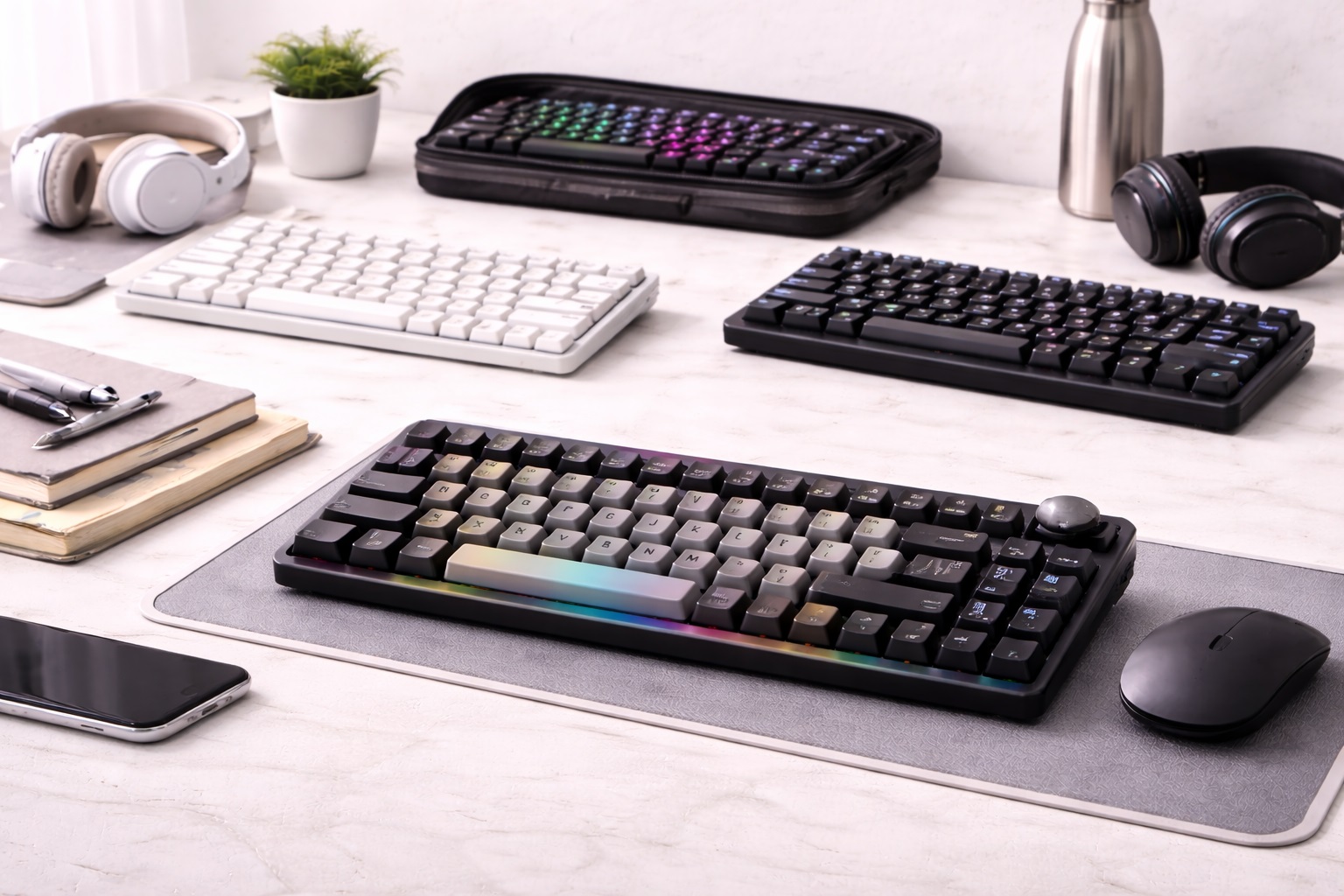
Best Keyboard Under $100 in 2026: Pro Typing Quality for Everyone
In 2026, you don't need to spend $300 on a custom mechanical board to get a "Pro" typing experience. The technology for **Backlit keys**, **Multi-Device Bluetooth Pairing**, and **Mechanical Switches** has matured so much that the $50-$100 range is now the "sweet spot" for value. The **best keyboard under $100** provides more than just buttons; it provides ergonomic comfort, software customization, and a build quality that feels heavy and stable on your desk. Whether you're a coder, a writer, or a gamer, these are the top-rated picks for the best typing value in 2026.
We've tested dozens of models in this price range to find the units that offer the best reliability and battery life. We focused on brands that prioritize "Tactile Feedback" and modern features like USB-C charging. Whether you're upgrading from a cheap plastic pack-in keyboard or setting up a new home office, these are the top-rated picks for staying sharp and productive.
Top 8 Best Keyboards Under $100 (Detailed Reviews)
1. Logitech MX Keys Mini – The Professional's Winner
The Logitech MX Keys Mini is often cited as the best overall keyboard for productivity in 2026. For under $100, it features "Spherically Dished" keys that match the shape of your fingertips, providing a highnd typing feel. Its best feature is the **Hand-Detection Backlighting**—the keys light up as your hands approach and turn off when you leave, saving battery. It can pair with up to 3 devices (laptop, tablet, phone) and switch between them with one click. It is finished in a durable, heavy-aluminum frame that looks extremely premium.
- Pros: Best-in-class low-profile typing feel, smart backlighting, multi-device pairing, incredible battery life.
- Cons: No height adjustment (fixed angle), higher price point near the $100 limit.
Who should buy this: Professionals and office workers who want a "perfect" typing experience for long workdays.
2. Keychron K2 Pro – The Mechanical Masterpiece
Keychron has revolutionized the mechanical keyboard world by bringing highnd features to low prices. The K2 Pro features a 75% layout (includes arrow keys) and **Hot-Swappable Switches**, meaning if you don't like the "clickiness" of the keys, you can just pop them out and put in new ones without any soldering. For under $100, it includes highnd "QMK/VIA" support, allowing you to reprogram every single key to do exactly what you want. It works flawlessly with both Mac and Windows and features a stunning RGB lighting setup.
- Pros: Real mechanical feel, highly customizable software, hot-swappable keys, premium weight and sound.
- Cons: Higher "profile" might require a wrist rest for some, battery life is shorter with RGB on.
Who should buy this: Coders and tech enthusiasts who want a custom mechanical feel on a budget.
3. Razer BlackWidow V4 75% – The Gamer's Choice
While often more expensive, the 75% model frequently dips under $100. It features Razer’s proprietary "Orange Switches," which are tactical but quiet. It includes a **Magnetic Plush Wrist Rest** for ergonomic comfort during long sessions. For a sub-$100 buyer, its best feature is the "Internal Gasket Mount," a highnd engineering trick that makes the keyboard feel "soft" and sound "thocky" (not hollow). It is a professional-grade gaming tool that looks great on any desk.
- Pros: Incredible RGB lighting, included soft wrist rest, highnd switch feel, very durable.
- Cons: Requires Razer Synapse software (Windows only for pro features), corded (not wireless).
Who should buy this: Gamers and writers who want a "Flashy" but extremely comfortable and tactical keyboard.
4. Microsoft Designer Compact Keyboard – The Minimalist Slim Pick
Microsoft’s entry is built for the "Modern Desk." For around $70, it is incredibly thin and tidy. It features a dedicated "Emoji" key and "Screen Snip" key, which are life-savers for social media managers and researchers. Its best feature for the price is its **Multi-Device Pairing**—it can stay connected to your laptop and your phone simultaneously via Bluetooth. It is finished in a beautiful "Glacier" white or matte black that looks 100% professional. It’s a sub-$100 tool for those who prioritize a "Clean" setup.
- Pros: Very thin and portable, dedicated shortcut keys, multi-device pairing, affordable.
- Cons: Uses coin batteries (not rechargeable), no backlighting.
Who should buy this: Marketing professionals and Windows enthusiasts who want a sleek, modern upgrade.
5. NuPhy Air60 v2 – The Low-Profile Style Hero
NuPhy creates keyboards for people who love design. The Air60 is an ultra-thin mechanical keyboard that features **Low-Profile Switches**. It provides the "click" of a mechanical board but is only about 0.5 inches thick. For under $100, it includes a unique "GhostBar" that absorbs sound, making it the quietest mechanical keyboard on the market. It also includes "Folio Case" which acts as a stand for your tablet. It’s high-tech, portable, and looks like a piece of art.
- Pros: Stunning modern design, very thin and light, hot-swappable switches, great for travel.
- Cons: 60% layout takes time to learn (no arrow keys), brand is a bit niche.
Who should buy this: Designers and travelers who want a highnd mechanical feel in a slim, beautiful package.
6. Logitech Signature K650 – The Comfort King
If you don't care about "mechanical click" and just want your hands to feel good, the K650 is the answer for under $50. It features a **Built-in Deep Cushion Palm Rest** and keys that are designed to be "Whisper Quiet." For a budget-conscious buyer, its best feature is the "Dual-Mode" connection—it works via Bluetooth or the included "Logi Bolt" USB receiver for a lag-free connection. It also includes specialized keys for "Muting Microphone" and "Emoji," making it perfect for the modern home office.
- Pros: Most comfortable for the price, silent typing, built-in wrist rest, very affordable.
- Cons: Plastic build feels less "premium" than aluminum, non-detachable wrist rest (takes up more space).
Who should buy this: Remote workers who spend 8 hours a day typing and want to avoid wrist pain without spending a lot.
7. Royal Kludge RK61 – The Best Budget Customization
For under $50, the RK61 is the ultimate "Starter" mechanical keyboard. It features a 60% layout (very compact) and is **Hot-Swappable**, allowing you to learn how mechanical keyboards work for a very low price. It can connect via 2.4GHz wireless, Bluetooth, or USB-C cable—a "Triple-Mode" feature usually reserved for $150 keyboards. It is highly durable and a favorite for the "Mechanical Keyboard Community" as a base for custom modifications.
- Pros: Cheapest "Triple-Mode" wireless pick, hot-swappable, very compact, colorful backlighting.
- Cons: Plastic build can feel light, the software is basic.
Who should buy this: Students and hobbyists who want to try a mechanical keyboard for the first time for a great price.
8. HP 970 Programmable Wireless Keyboard – The Corporate Legend
HP’s 970 is the "Grown-Up" choice for the corporate world. For around $90, it is a full-size keyboard (includes a Numpad) that is built out of high-density plastic that feels like metal. Its standout feature is its **Battery Life**—it can last up to 6 months on a single charge. It features "Smart Backlighting" and includes over 20 programmable shortcut keys. It is extremely quiet and professional, making it the best choice for a bank or executive office setup.
- Pros: Professional full-size layout, incredible battery life, 20+ shortcut keys, smart backlighting.
- Cons: Larger footprint (takes up desk space), higher price point.
Who should buy this: Accountants and managers who need a full Numpad and a professional, reliable tool.
Buying Guide: Decoding "Key" Performance
Choosing a keyboard is about more than just the price. Here are the four things to check before you buy:
1. "Switch" Type (Mechanical vs. Membrane)
* **Mechanical:** Each key has its own metal spring and switch. Provides incredible "Click" and tactility. They last 50 million presses. * **Membrane/Scissor:** Uses a rubber pad. They are much thinner, lighter, and quieter. They are the standard for laptops. In the $50-$100 range, you can choose either! Mechanical is better for **Feedback**, Membrane is better for **Silence and Portability**.
2. Layout: Full-Size vs. Compact
* **Full Size (100%):** Includes the Numpad. Best for data entry and accounting. * **Tenkeyless (TKL/75%):** Removes the Numpad. This is the **"Sweet Spot"** for most people because it lets your mouse sit closer to your body, reducing shoulder strain.
3. Connectivity: Dual-Mode is Best
Look for keyboards that offer **Bluetooth AND a USB Dongle (2.4GHz)**. Bluetooth is great for tablets and phones, but in a busy office with 50 other signals, Bluetooth can "lag." A USB dongle provides a "hard-wired" wireless connection that never fails during an important meeting or game.
4. "Feel" Features: Gaskets and Lube
In 2026, even sub-$100 keyboards are using "Enthusiast" features. Look for phrases like **"Gasket Mount"** (for a softer feel) and **"Factory-Lubed Switches"** (for a smooth, soundless glide). These small engineering details are what separates a cheap "clacky" keyboard from a pro "thocky" one.
FAQ: Expert Budget Tech Advice
Can I use my Windows keyboard with a Mac?
Yes. 99% of keyboards today (including all on this list) work with both. However, your "Windows" key will act as the "Command" key. Many highnd budget boards (like Keychron and NuPhy) come with **extra Mac keys** in the box so you can physically swap them!
Is "Hot-Swappable" really a big deal?
Yes. With the older keyboards, if one key broke, you had to throw the whole board away. With a **Hot-Swappable** board (like Keychron K2), if a key dies, you just pull it out with a $2 tool and pop in a new switch. It makes your keyboard repairable and customizable for life.
Why do my hands hurt after typing for 2 hours?
It’s usually the **Height** of the keyboard. Many mechanical keyboards are quite tall. If you use one, we highly recommend a **Wrist Rest**! Or, choose a "Low-Profile" keyboard (like MX Keys Mini or NuPhy Air60) which sits flat on your desk and keeps your wrists in a more natural position.
Does backlighting drain the battery?
Yes—massively. A keyboard that lasts 6 months with the lights OFF might only last 6 DAYS with the lights on full brightness. If you are a wireless user, only turn on the lights when you actually need them (like at night) to maximize your productivity.
Can I clean my keyboard with water?
Never! Use **Compressed Air** to blow under the keys and a dampened **Microfiber cloth** (with a little rubbing alcohol) for the surfaces. If you have a "Hot-Swappable" board, you can even pull the keys off to give them a deep wash in a bowl of soapy water—just make sure they are 100% dry before putting them back.
Final Verdict: The Best Winner for your Workspace
- The All-Rounder's Champion: The Logitech MX Keys Mini for the best typing feel and smart features under $100.
- The Technical Master: The Keychron K2 Pro for bringing professional meachnical customization to a budget price.
- The Gamer's Choice: The Razer BlackWidow 75% for its stunning lighting and included comfort wrist rest.
Your "Type" is your voice in 2026. By choosing a high-quality keyboard for under $100, you're investing in your ergonomic health, your creative speed, and your daily comfort. Light up your wins!