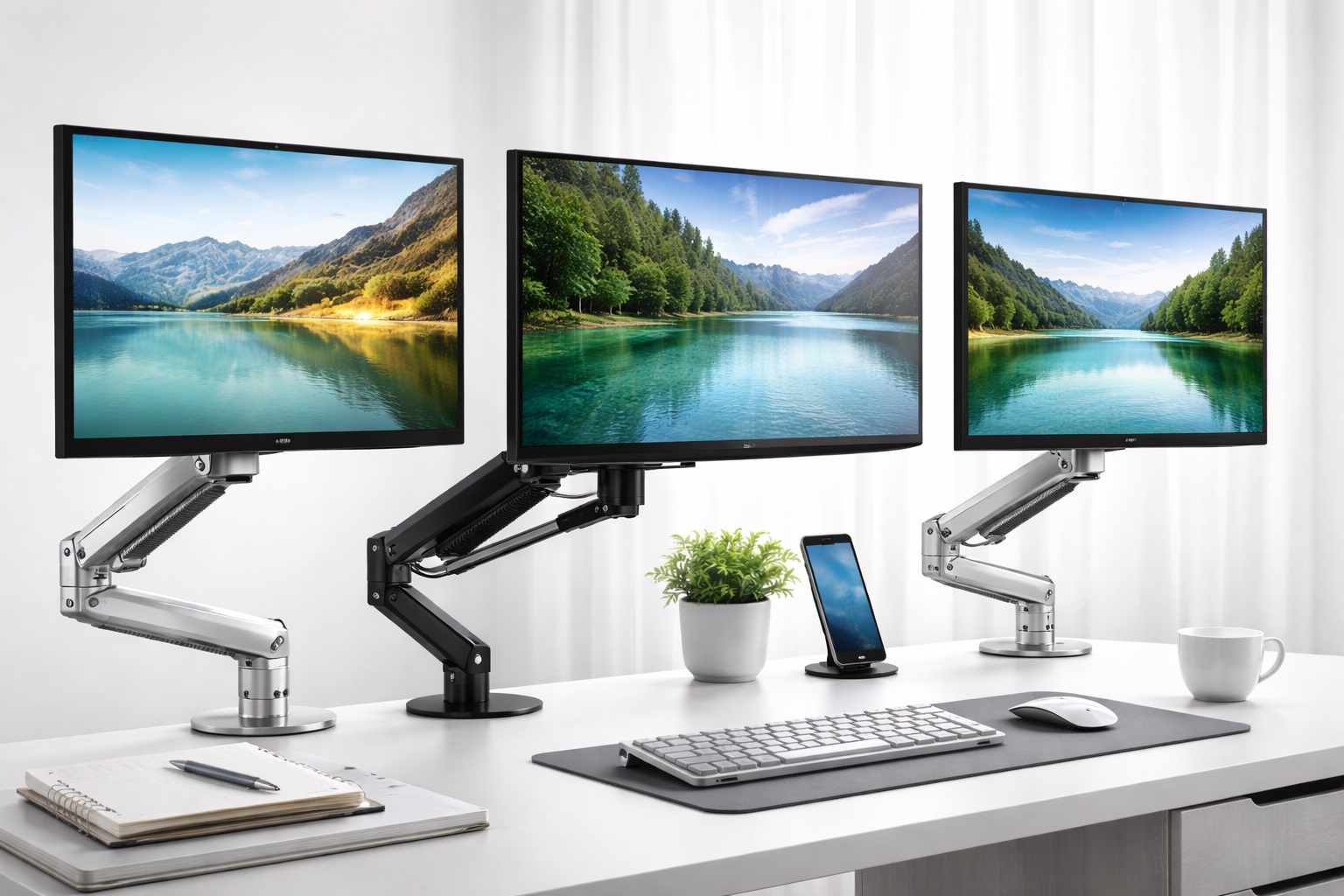
Best Monitor Arms for Small Desks in 2026: Reclaim Your Workspace with Ease
If you work from a small apartment, a dorm room, or a compact corner desk, every square inch of desk real estate is precious. The standard plastic stand that comes with your monitor is often bulky and takes up the most valuable part of your desk—the center. The best monitor arm for small desk use is the ultimate solution to this problem. By lifting your screen into the air, you not only improve your ergonomics but also free up the space underneath for your keyboard, mouse, and notebooks.
In 2026, monitor arms have become more accessible and more sophisticated. We now have ultra-thin mechanical springs, miniature gas pistons, and wall-mount hybrids that are designed specifically for shallow workspaces. This guide reviews the top-rated monitor arms that offer maximum flexibility without needing a massive desk to attach to. We've focused on stability, ease of installation, and compact "tilt and swivel" ranges.
Top 8 Best Monitor Arms for Small Desks (Reviews)
1. Ergotron LX Desk Mount – Best Premium Quality
Ergotron is the gold standard for office hardware. The LX constant-force technology allows you to move your monitor with just a light touch, yet it stays perfectly in place when you let go. For a small desk, its sleek, polished aluminum body doesn't look overwhelming. It has an exceptional range of motion, allowing you to push the monitor almost completely against the wall when more space is needed.
- Pros: 10-year warranty, incredible build quality, very smooth adjustment, saves massive space.
- Cons: Very expensive, takes time to assemble.
Who should buy this: Professionals who want the absolute best and are willing to pay for a product that lasts a decade.
Who should avoid this: Budget-conscious users or students on a short-term lease.
2. North Bayou (NB) F80 – Best Budget Performance
The NB F80 is a legendary budget choice. It uses a high-quality gas spring that feels remarkably similar to much more expensive arms. It includes built-in cable management and two USB ports in the base, which is a massive plus for small desks where charging space is limited. It's robust enough for 27-inch monitors and incredibly affordable.
- Pros: Unbeatable price, built-in USB ports, high weight capacity for the price, 360-degree rotation.
- Cons: Plastic covers feel a bit cheap, tilt adjustment requires a wrench.
Who should buy this: Students and home-workers on a budget who want the "gas spring" experience.
Who should avoid this: Those who need very precise, one-finger height adjustments.
3. Fully Jarvis Monitor Arm – Best Minimalist Design
The Fully Jarvis arm is famous for its clean lines and minimalist aesthetic. It comes in black, white, and silver to match any modern desk. For small desks, its "pole-less" design is excellent because it looks less like a piece of industrial equipment and more like a designer accessory. It's also very easy to adjust for shorter, shallower desks.
- Pros: Beautiful design, high-quality finishes, very stable, good height range.
- Cons: Can be stiff out of the box, requires a sturdy desk edge for the clamp.
Who should buy this: Designers and people who prioritize the visual look of their home office.
Who should avoid this: Users with very thin or fragile desk surfaces (like glass or light particle board).
4. Amazon Basics Single Monitor Stand – Best No-Frills Choice
This is actually a rebranded Ergotron arm, offering high-tier engineering at a slightly lower price point. It's a heavy-duty, reliable wall-of-steel that stays exactly where you put it. If you have a small, cluttered desk and just want something that won't wobble while you type, this is the most reliable workhorse you can buy.
- Pros: Extremely durable construction, high-end engineering, excellent weight support.
- Cons: Industrial look, no built-in USB or extra features.
Who should buy this: Users with heavy monitors who want absolute stability.
Who should avoid this: Someone looking for "modern" or "sleek" features like RGB or USB hubs.
5. WALI Single Monitor Gas Spring Mount – Best for Ultra-Small Spaces
WALI offers a "Short Arm" version that is specifically designed for people who sit right against a wall. Traditional monitor arms often stick out backwards, making it impossible to push your desk flat against the wall. The WALI design folds onto itself much more efficiently, making it the king of compact setups.
- Pros: Folds very flat, good for shallow desks, very affordable.
- Cons: Lower weight limit, simpler tilt mechanism.
Who should buy this: People whose desks are pushed right up against a wall in a small room.
Who should avoid this: Power users with massive 34-inch ultrawide screens.
6. HUANUO Gas Spring Monitor Arm – Best Balance of Features
HUANUO has hit the perfect middle ground between the cheap NB F80 and expensive Ergotron. It feels premium, has a wide range of motion, and include an extra-wide clamp for desks that have a thick frame underneath. It's a reliable choice for 17 to 32-inch monitors.
- Pros: Wide desk compatibility, easy tension adjustment, good looks.
- Cons: Cable management clips are small, assembly instructions could be better.
Who should buy this: Professionals who want quality without paying "Apple-level" prices.
Who should avoid this: Minimalists who want a very thin, hidden arm.
7. Mount-It! Single Monitor Arm – Best for Stability
If you live in an earthquake zone or have a very shaky desk, this arm is built for you. It uses a heavy-duty bolt-through or C-clamp system that is wider than average, ensuring the monitor doesn't vibrate when you are typing fast or gaming.
- Pros: Extremely stable, broad desk compatibility, reliable pivot points.
- Cons: A bit bulky looking, limited "extension" range.
Who should buy this: Heavy typists and gamers who use a small desk.
Who should avoid this: People who need to move their monitor across the desk frequently.
8. Loctek D7L Monitor Arm – Best for Modern Offices
Loctek is a hidden gem in the ergonomic world. Their D7L model features a built-in cable management system that is actually easy to use (unlike the frustrating clips on many other brands). It also includes an audio and mic jack in the base, which is incredibly useful for small desk users who don't want to reach behind their PC.
- Pros: Built-in audio/USB, excellent cable management, very smooth motion.
- Cons: Hard to find in some markets, takes up a slightly larger footprint in the back.
Who should buy this: Gamers and office workers who want a high-tech "command center" feel.
Who should avoid this: Minimalists who want fewer ports and gadgets on their desk.
Buying Guide: Reclaiming Your Workspace
Before you purchase an arm for your small desk, evaluate these four critical factors:
1. Clamp Type: C-Clamp vs. Grommet
Most small desks have a "lip" you can attach a **C-Clamp** to. However, if your desk has a frame underneath that blocks the lip, you might need to use a **Grommet mount**, which requires drilling a small hole in the desk surface. Ensure your desk is not made of glass or thin hollow-core (ikea Lack) material before clamping.
2. Range of Motion (Extension and Compression)
In a small space, "Compression" is just as important as "Extension." You need an arm that can fold flat against its base so you can push your monitor back when you need desk space for drawing or paperwork.
3. Weight and VESA Compatibility
Check the back of your monitor for four screw holes (usually 75x75mm or 100x100mm). This is called **VESA**. Also, check your monitor's weight without the stand. Don't buy an arm that is rated for 15 lbs if your monitor is 14.8 lbs—it will slowly sag over time.
4. Gas Spring vs. Mechanical Spring
**Gas springs** provide the smoothest motion but can eventually leak over many years. **Mechanical springs** are a bit stiffer to adjust but effectively last forever. For most home-office users, a gas spring is much more comfortable for daily adjustments.
FAQ: Choosing a Monitor Arm for Small Desks
Will a monitor arm damage my desk?
If you have a solid wood or high-quality MDF desk, no. However, if you have a cheap hollow-core desk, the pressure of the clamp can "crush" the wood. We recommend using a small piece of wood or a "reinforcement plate" between the clamp and the desk for safety.
Can I put two monitors on one arm for a small desk?
We actually recommend **two single arms** rather than one dual arm for small desks. Two arms give you much more flexibility in positioning, while a dual-arm has a larger footprint and can be more difficult to align in a corner.
Is it hard to install a monitor arm?
Most can be installed in 15-20 minutes. The only difficult part is attaching the VESA plate to the monitor. We recommend doing this on a soft surface (like a bed) to avoid scratching your screen.
Are monitor arms worth it for 24-inch screens?
Yes! Even for small screens, the space you gain underneath the monitor is life-changing for organization on a small desk.
Can I mount a monitor arm to a glass desk?
**Never clamp a monitor arm to a glass desk.** The localized pressure will shatter the tempered glass. Only use a grommet mount if the desk has a pre-drilled hole, or avoid an arm entirely for glass.
Final Verdict: The Best Choice for Your Corner Office
- The Gold Standard: The Ergotron LX is the most reliable investment for professionals.
- The Budget King: The NB F80 offers high-end performance for a student-friendly price.
- The Best for Tiny Desks: The WALI Gas Spring folds the flattest against the wall.
By lifting your monitor into the air, you are literally creating more space out of nothing. It is the most effective way to reorganize a small home office. Choose your arm, reclaim your desk, and work more comfortably today!