Best Power Bank for Calls in 2026: Never Drop a Meeting Again
In the professional world of 2026, dropping a call due to a dead battery is the ultimate "rookie mistake." Between back-to-back Zoom meetings, long-distance recruiter calls, and hours of "on-the-go" consulting, your phone and bluetooth earbuds are working overtime—and they are draining battery faster than ever. The **best power bank for calls** is a specialized tool that must be portable enough to carry while talking, powerful enough to charge both your phone and your buds simultaneously, and reliable enough to be your secondary "on-call" energy source.
We've focused our testing on power banks that offer "Low-Current" modes for sensitive earbuds, high-recharge speeds so they are always ready for the next shift, and ergonomic designs that don't get in your way. Whether you're a sales professional, a digital nomad, or a remote manager, these are the top-rated picks for staying connected when it matters most.
Top 8 Best Power Banks for Unlimited Calling (Detailed Reviews)
1. Anker Nano Power Bank (Integrated Lightning/USB-C) – The One-Handed Pro
For a sales professional who takes calls while walking, the Anker Nano is the absolute winner. It features a foldable charging tip (no cables needed) and weighs only 100g. It plugs directly into the bottom of your phone, essentially becoming a part of it. You can hold your phone to your ear for an hour-long call and barely notice the weight. It provides 5,000mAh—perfect for that "emergency" calling boost during a busy afternoon.
- Pros: No cables required, ultra-lightweight for one-handed calling, MFi certified (for iPhone), very pocketable.
- Cons: Lower capacity (one full charge), tip can be fragile if not handled carefully.
Who should buy this: Commuters and professionals who take calls while walking or in transit.
2. UGREEN Nexode 20,000mAh – Best for All-Day Meetings
If you have a 10-hour day of video calls, you need deep reserves. This UGREEN unit features a 20,000mAh capacity and three ports, allowing you to charge your phone, your tablet, and your bluetooth earbuds at the same time. It features a high-end digital display that provides the exact battery percentage, ensuring you never enter a meeting without knowing your power levels. The 45W output is fast enough to actually *increase* your phone's battery percentage even while you're in a high-drain video call.
- Pros: Massive capacity, charges 3 devices simultaneously, clear digital percentage screen, high-speed output.
- Cons: Heavier (soda can weight), requires a bag to carry comfortably.
Who should buy this: Remote workers and managers who face marathon meeting schedules.
3. iWalk LinkPod – The Most Convenient Backup
The iWalk LinkPod is a tiny "lipstick-sized" battery that plugs directly into your phone. It’s the ultimate "just in case" battery for a pocket or purse. For professionals, its main advantage is that it allows you to keep using your phone naturally. There are no dangling cords to get caught on your bag or clothing while you're focused on your conversation. It features a 4,500mAh capacity, which is just enough to get you through that final 2-hour call of the day.
- Pros: Truly tiny, no cables needed, allows natural phone usage, very affordable.
- Cons: Only one charge, slower charging speeds than premium blocks.
Who should buy this: People who take casual calls throughout the day and want a low-profile emergency solution.
4. Belkin BoostCharge Pro Magnetic – The Video Call Expert
Taking a video call on a small desk? This Belkin unit features a built-in magnetic stand. It snaps onto the back of your phone and props it up at a perfect 60-degree angle for Zoom or FaceTime. While your phone is propped up, it charges wirelessly. It also features a "Pass-Through" port, allowing you to charge your earbuds via a cable while your phone is on the stand. It’s a 10,000mAh workstation in your pocket.
- Pros: Integrated magnetic stand for hands-free video calls, high-quality MFi certification, charges 2 devices at once.
- Cons: Wireless charging is slower than wired, mostly for MagSafe-ready phones.
Who should buy this: Professionals who take many hands-free video calls and value a clean, "standing" setup.
5. Sharge Flow – The Premium "Aesthetic" Desk Power
The Sharge Flow is a compact, dense "block" that looks like a high-end piece of tech. It uses high-density EV-grade batteries, providing 10,000mAh in a tiny package. For a caller, it’s great because it has a very stable, grippy base—you can set it on a café table during a call and it won't slide around. The transparent design is a great conversation starter as well!
- Pros: Smallest 10K footprint, stunning transparent design, high-density batteries, very premium feel.
- Cons: 20W output is only for mobile devices, higher price.
Who should buy this: Style-conscious professionals who want a reliable, beautiful "desk-to-pocket" power source.
6. mophie Powerstation XXL with Internal Cable – Best for disorganized Pros
Never search for a cable during a call again. This Mophie unit features an **Integrated USB-C Cable** tucked into a hidden channel. You can charge the bank and your phone with the same built-in wire. It has a high-end fabric finish that ensures it won't scratch your phone if you hold them together during a call. The 20,000mAh capacity provides up to 72 hours of extra phone usage.
- Pros: Integrated cable, scratch-resistant fabric, huge capacity, "Priority+ Charging" (phone charges first).
- Cons: Expensive, integrated cable is a single point of failure.
Who should buy this: Travelers and busy pros who frequently forget to pack their charging cords.
7. Nimble Champ Lite – The Sustainable Call Backup
Nimble is the perfect choice for the modern conscious professional. Their Champ Lite is built from 72.5% recycled plastic and is smaller than a deck of cards. At 10,000mAh, it’s the lightest "full-capacity" bank on our list. For someone who takes many calls, it’s great because it’s totally silent and has very "clean" power delivery, ensuring no electrical interference with your mic.
- Pros: Sustainably made, incredibly small and light, powerful 18W charging, includes free recycling bag.
- Cons: Basic LED indicators, only two ports.
Who should buy this: Environmentally conscious professionals who want a simple, high-quality backup for their day.
8. Baseus Blade 2 Ultra Slim 65W – The "Mobile Office" Power
If you take calls on your laptop (Teams/Slack), you need 65W output. The Baseus Blade 2 is only 10mm thick—about the thickness of an iPad. You can keep it in your laptop case and use it to power your laptop during a long remote meeting. The digital display shows you exactly how many minutes of power you have left, which is critical for planning whether you can take that "one last call" before you need a wall outlet.
- Pros: 65W output for laptops/tablets, ultra-slim "hidden" profile, detailed digital timer/screen.
- Cons: Larger footprint than "phone-only" banks, higher price.
Who should buy this: Professionals who primarily take calls on their laptops or tablets while working remotely.
Buying Guide: Managing Power for Professional Calls
Not all power banks are equal when it comes to communication. Here are the four "Calling Specific" features to look for:
1. "Trickle-Charge" or "Low-Current" Mode
Bluetooth earbuds (especially small ones) draw very little power. Many smart power banks will "shut off" because they think no one is there. Look for a bank with a **"Low-Current Mode"** (often activated by a double-tap on the button). This ensures your earbuds keep charging while you're on a call.
2. "Pass-Through" Charging
In a hotel or at a conference, you might only have one accessible plug. A bank with **Pass-Through Charging** allows you to plug the bank into the wall and your phone into the bank. Both will charge overnight. This is essential for ensuring your "calling kit" is ready every morning.
3. Multi-Device Charging Port Mix
Ensure the bank has at least **one USB-C port** (for modern phones) and **one USB-A port** (for older accessories). Being able to charge your phone at "Fast" speed while slowly topping up your earbuds ensures that both devices reach a full charge around the same time.
4. Display Quality (Percentage vs. Dots)
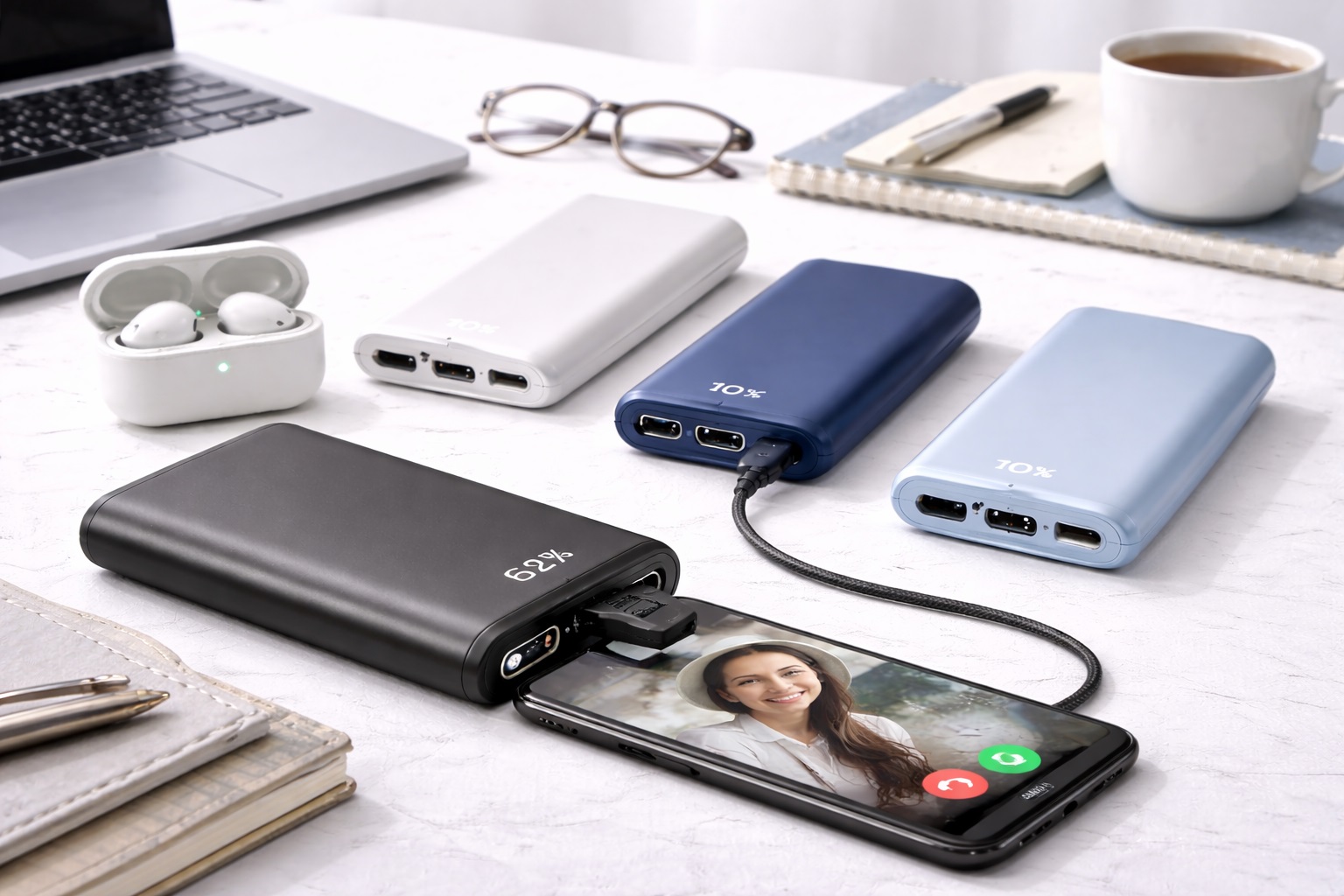
In a professional setting, a "guess" isn't good enough. A power bank with a **Digital Percentage Screen** (like UGREEN or Baseus) is worth the extra $10. Knowing you have "12%" left vs. "one blinking light" can be the difference between making a call or missing a meeting.
FAQ: Expert Power Knowledge for Pro Callers
Will a power bank interfere with my call's audio?
High-quality brands like Anker and Belkin use "Shielded Electronics." Cheap no-name brands can sometimes produce electronic "hum" or "buzz" that your microphone might pick up. If you take high-stakes calls, invest in a reputable brand to ensure clean audio.
Can I keep my phone and power bank together in my pocket?
Yes, but watch for heat! High-speed charging creates heat. If you're on an hour-long call with a power bank in your pocket, things can get hot. It’s better to have a slightly longer cable so the power bank can sit on a table or in a bag while you talk.
How do I know if my earbuds are actually charging?
Most power bank LEDs will stay lit while a device is charging. If the light goes out after 2 minutes, your earbuds aren't drawing enough power for the bank to stay "awake." Use the **Low-Current Mode** to fix this.
Is it better to charge my phone *during* the call or *before*?
Always charge **Before** if possible. Charging during a call creates extra heat, which can cause your phone to "throttle" (slow down), making your video call laggy or your voice sound distorted. Top up during breaks!
What do I do if my power bank dies mid-meeting?
If you see your bank is low, switch your phone to "Battery Saver Mode" and turn off your Video. This will reduce power drain by about 40%, giving you those precious extra 10 minutes to finish the call.
Final Verdict: The Best Winner for Connected Pros
- The Best for Mobility: The Anker Nano for its one-handed, cable-free design.
- The Marathon Pick: The UGREEN Nexode 20K for those multi-hour meeting days.
- The Professional's Choice: The mophie Integrated Cable for never having to search for a cord.
Communication is the heart of your career. By choosing a power bank that supports your "Calling Kit," you're ensuring that you are always available, always clear, and always professional. Stay charged, stay connected, and close that deal!