Best Keyboard for Travel in 2026: Typed Freedom on the Go
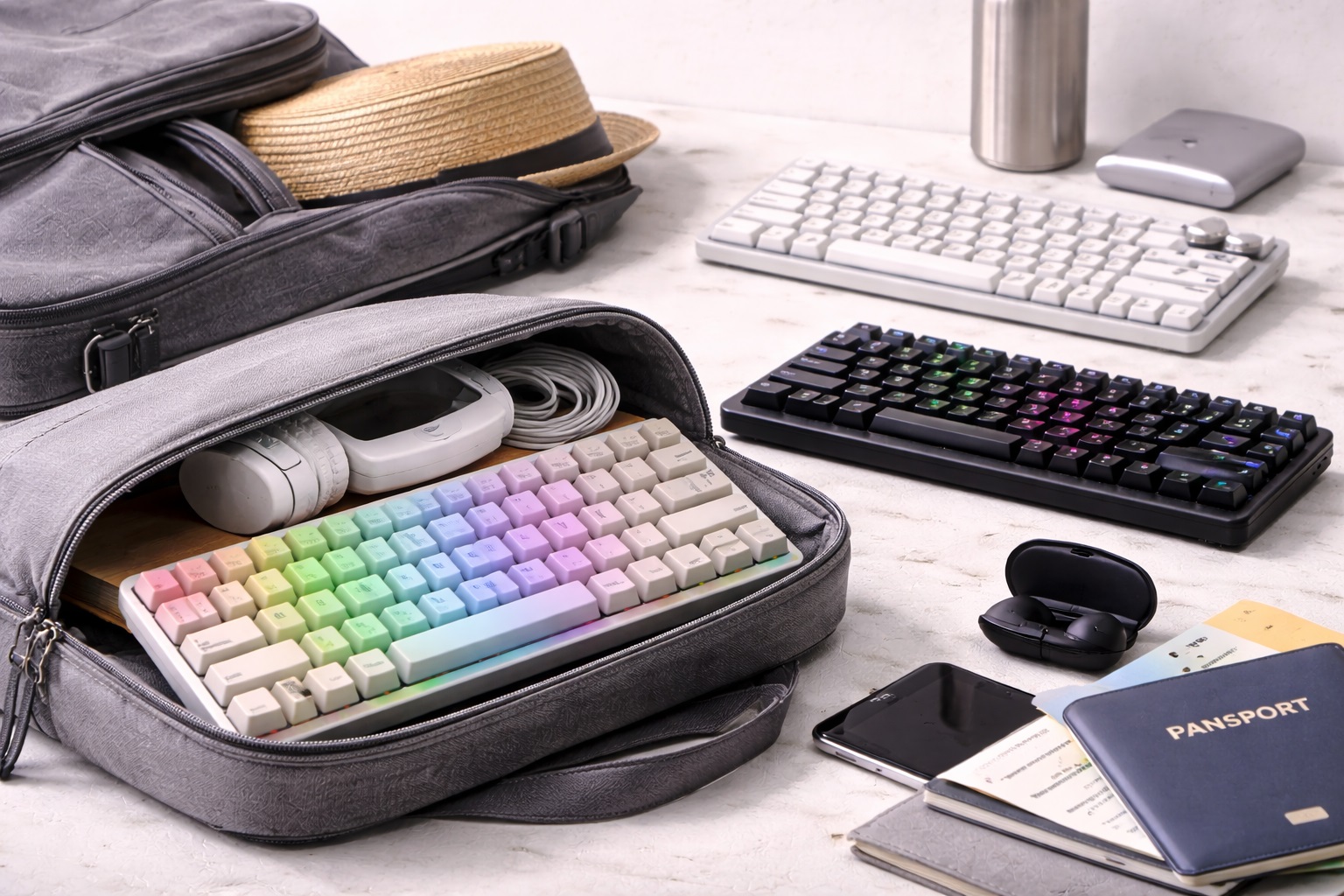
In 2026, the world is your office. Whether you're coding from an airport lounge, writing a report from a beachside cafe, or managing a team from a train, the built-in keyboard on your laptop or tablet is often a compromise. It’s either too loud for a quiet space, too mushy for fast typing, or simply too small for long-term comfort. The **best keyboard for travel** must be **Compact** (to fit in a standard laptop sleeve), **Lightweight** (to stay under baggage limits), and **Resilient** (to survive being tossed in a bag every day).
We've tested the latest ultra-portable typing tools specifically for their "Packability" and battery life. We prioritized models with **Multi-Device Pairing** (so you can switch between your laptop and phone instantly), **Silent Keys** (to keep you on good terms with your fellow passengers), and **Ergonomic Layouts** that prevent wrist strain during long sessions. Whether you're a digital nomad, a business traveler, or a student, these are the top-rated picks for staying productive from any latitude.
Top 8 Best Travel Keyboards (Detailed Reviews)
1. Logitech MX Keys Mini – The Professional's Standard
The Logitech MX Keys Mini is the gold standard for travelers in 2026. It features 70% of the size of a standard keyboard but keeps the full-size "Spherically Dished" keys that feel incredible to type on. Its standout travel feature is the **Backlighting with Proximity Sensors**—the keys light up before your hands even touch them, perfect for dark flights. It can pair with up to 3 devices via Bluetooth, allowing you to answer a text on your phone and then jump back to your laptop with one button. It is finished in a durable, premium aluminum that handles travel beautifully.
- Pros: Best-in-class typing feel, smart backlighting, pairs with 3 devices, incredible build quality.
- Cons: Heavier than plastic models, doesn't fold flat.
Who should buy this: Professional nomads and executives who want a highnd desktop typing experience in a portable size.
2. iClever BK08 Folding Keyboard – The "Pocket" Pro
The BK08 is a masterpiece of folding engineering. It folds into a package about the size of a large smartphone, featuring a **Built-in Touchpad** on the right side. For a traveler, this is a game-changer because you don't even need to carry a separate mouse. It is made of a high-density alloy that feels rugged and professional. For 2026, the hinges have been reinforced to survive over 100,000 "Folds." It connects instantly via Bluetooth and provides a surprisingly stable typing platform even on your lap.
- Pros: Folds into a pocket-sized tool, built-in mouse touchpad, durable metal hinges, very light.
- Cons: Smaller keys take time to learn, typing on soft surfaces can be tricky.
Who should buy this: "One-Bag" travelers and smartphone power-users who want a full computer setup in their pocket.
3. Keychron K3 Pro – The Mechanical Travel Master
If you love the "Click" and feel of a mechanical keyboard but hate the bulk, the K3 Pro is designed for you. It features **Low-Profile Switches** that are significantly thinner than standard mechanical keys but provide the same tactical feedback. For a traveler, its best feature is the **Hot-Swappable Switch Design**—if a key breaks in a foreign country, you can just pop it out and replace it. For 2026, it features an ultrand-thin aluminum frame and 100% compatibility with both Mac and Windows layouts.
- Pros: Real mechanical typing feel, ultra-thin and light, hot-swappable keys, customizable RGB lighting.
- Cons: Open switches can catch dust/crumbs in a bag, battery life is shorter with lighting on.
Who should buy this: Engineers, coders, and writers who refuse to compromise on "Clicky" typing feedback on the road.
4. Apple Magic Keyboard – The iPad's Natural Partner
For Apple users, the Magic Keyboard is the ultimate no-fuss tool. It is remarkably thin and uses the same "Scissor Mechanism" found in the latest MacBooks for a consistent, high-speed typing feel. For a traveler, its best feature is its **Tidy 100% Integration**—there is no software to install and no pairing code to type. It is also incredibly light (about 240 grams). For 2026, it features an improved USB-C charging port and a battery that lasts for over a month on a single charge.
- Pros: Thinnest highnd keyboard, perfect Apple ecosystem integration, very light, consistent feel.
- Cons: No backlighting, no multi-device pairing (one device at a time).
Who should buy this: iPad and Mac users who want the lightest, simplest keyboard to toss in their laptop sleeve.
5. NuPhy Air60 v2 – The Style Nomad's Choice
NuPhy is the rising star of "Aesthetic Tech." The Air60 is a 60% layout keyboard that fits perfectly on top of your laptop's built-in keyboard—allowing you to use the external keys while keeping the laptop's trackpad accessible. For a traveler, its best feature is the **included "Folio Case"**, which protects the keys in your bag and then converts into a stand for your tablet or phone. It features "GhostBar" technology which makes the spacebar silent, perfect for working in a quiet library or co-working space.
- Pros: Stunning modern design, fits on top of laptop keys, included stand/case, great sound.
- Cons: Higher price tag, higher learning curve for the 60% layout.
Who should buy this: Designers and tech lovers who want a "Statement" piece that is also highly functional.
6. Logitech Keys-To-Go 2 – The Ultra-Thin Survivor
This is the keyboard you buy if you're worried about spills or rain. The Keys-To-Go 2 features a "Fabric-Skin" cover that makes it **Spill and Dust Resistant**. You can literally wipe it clean after a coffee spill. It is about 6mm thick and weighs only 180 grams. For 2026, it includes a built-in protective cover that shields the keys when it's in your bag. While it lacks the "Deep Feel" of a mechanical keyboard, it is the most indestructible and "Smallest" full-size keyboard for a traveler.
- Pros: Spill and dust resistant, extremely thin (6mm), very long battery life, built-in cover.
- Cons: Keys have very short "travel" (shallow feel), no backlighting.
Who should buy this: Students and cafe-workers who want an indestructible tool that fits inside their smallest day-bag.
7. Microsoft Designer Compact Keyboard – The Minimalist King
Microsoft builds their "Designer" keyboard for those who want a "Desk" feel on the move. It is very slim and features a dedicated "Emoji" key and "Screen Snip" key, which are incredibly useful for social media managers on the road. For a traveler, its best feature is its **Narrow Design**—it is less than 12 inches wide, allowing it to fit into the side-pocket of most 13-inch laptop bags. It uses standard Bluetooth and stays connected to up to 3 devices simultaneously.
- Pros: Very thin and professional, dedicated shortcut keys, multi-device pairing, affordable.
- Cons: Uses coin batteries (not rechargeable), no backlighting.
Who should buy this: Marketing professionals and Windows users who want a sleek, modern upgrade for their mobile workspace.
8. Targus Antimicrobial Folding Keyboard – The Health Conscious Hero
In a post-2020 world, Targus has built a keyboard that stays clean. It features an **Antimicrobial coating** that prevents the growth of bacteria and viruses on the keys—essential if you're using it in public airports or planes. It folds into a very small "Wallet" shape and connects via Bluetooth to any device. It features a battery that lasts for 100 hours of typing. It’s no-frills, reliable, and focuses on health and hygiene for the high-frequency traveler.
- Pros: Folds for travel, antimicrobial protection, very affordable, universal compatibility.
- Cons: Plastic build feels basic, hinges are simpler than the iClever.
Who should buy this: Health-conscious travelers and students who use their equipment in multiple public locations.
Buying Guide: Choosing Your Mobile "Type"
A travel keyboard is about balancing weight with "Muscle Memory." Here are the four things to check:
1. Layout: 60% vs. 65% vs. 75%
* **60% Layout:** Smallest. No "Arrow" keys or "Home" keys. Best for minimalists but has a learning curve. * **65% / 75% Layout:** Adds dedicated arrow keys. This is the **"Sweet Spot"** for most travelers because it allows for fast editing without using "Fn" keys constantly.
2. Connectivity: Bluetooth vs. Dongle
Always choose a keyboard with **Bluetooth Low Energy (BLE)**. This allows you to connect to your iPad, phone, or laptop without needing a USB dongle. However, for 2026, look for keyboards that *also* include a "Logi Bolt" or "2.4GHz Dongle" for environments with heavy Wi-Fi interference (like airports).
3. Backlighting: The Luxury Trap
If you work on night flights or dark trains, **Backlighting is essential**. However, keep in mind that lighting drains the battery 10 times faster. Look for keyboards with "Smart Sensors" (like Logitech) that turn off the light when you're not typing to save power while you're on a long trip.
4. "Feel" vs. "Fold"
* **Folding Keyboards:** Best for pocketability, but the "split" in the middle can be annoying for fast touch-typists. * **Fixed Keyboards (Thin):** Better typing feel and "stability" but require a longer space in your bag. If you type more than 1,000 words a day, a **fixed thin keyboard** (like MX Keys Mini) is worth the extra space.
FAQ: Expert Traveler Tech Advice
Can I use my Bluetooth keyboard on a plane?
Yes. Bluetooth is a "short-range" signal and is universally allowed on planes after takeoff. However, some airlines ask you to turn it off during taxi and landing. Most travel keyboards have a physical "Off" switch—use it to save battery during transit!
Is a "Mechanical" keyboard too loud for a library?
Usually, yes. However, in 2026, many brands (like NuPhy or Keychron) offer **"Silent Red" or "Brown" switches**. These have a tactical feel but make very little sound. If you are a student, always look for "Silent" or "Quiet" in the product description.
How do I protect my keyboard from getting crushed in my bag?
Never toss a keyboard loosely into a stuffed backpack—the keys can be popped off. Always use a **Hard-shell sleeve** or the "Folio case" that comes with highnd models. If you have a folding keyboard, ensure it is folded *keys-inward* before packing.
Do I need a keyboard with a "NumPad"?
For travel, almost never. A Numpad makes the keyboard 4-5 inches wider, which prevents it from fitting in most bags. If you are an accountant on the move, it's better to buy a **separate wireless Numpad** that you can keep in a different pocket.
What do I do if my keyboard won't connect?
The #1 cause of connection issues in 2026 is "Bluetooth Interference." Modern airports are filled with signals. Try **Turning off your phone's Bluetooth** briefly to let your laptop find the keyboard. If that fails, using a wired USB-C connection is the fastest "fix" for a mission-critical meeting.
Final Verdict: The Winner for Your Next Adventure
- The Performance Leader: The Logitech MX Keys Mini for its professional feel and smart lighting.
- The Portability King: The iClever BK08 Folding Keyboard for carrying a mouse and keyboard in your pocket.
- The Indestructible Hero: The Logitech Keys-To-Go 2 for its spill-proof skin and ultra-thin design.
Your workspace is limited only by your imagination. By choosing a high-quality travel keyboard, you're making your workday smoother, your posture better, and your creative output faster. Type your way around the world!