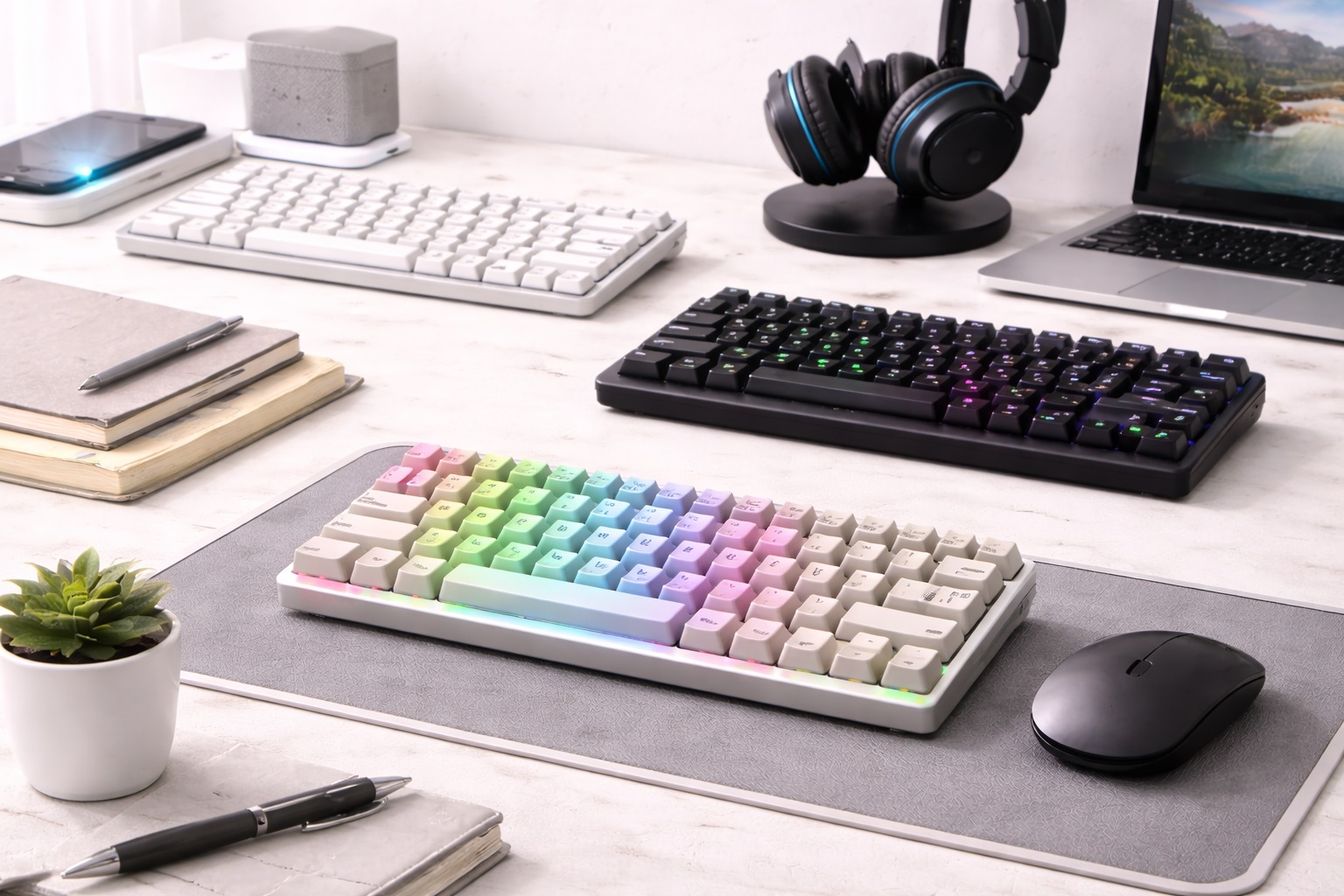
Best Keyboard for Small Desk Setups in 2026: Typed Freedom in Tight Spaces
In 2026, the "Small Desk" movement has turned corners of living rooms, narrow hallways, and "cloffices" into high-powered workspaces. When your desk is only 30 or 40 inches wide, every centimeter of surface area is precious. A bulky "Full-Size" keyboard with a dedicated Number Pad is the enemy of productivity—it pushes your mouse too far to the side, causing shoulder strain, and leaves no room for your coffee or notebook. The **best keyboard for small desks** must be **Compact** (leaving more room for your mouse), **Slim** (for better ergonomics), and **Versatile** (often featuring multi-device switching to replace several tools).
We've tested the latest ultra-compact typing tools specifically for their "Physical Footprint" and how they maximize desk space. We looked for models with **75% and 60% layouts** that provide all the essential keys in a much smaller frame. Whether you're a minimalist student, a remote professional in a tiny apartment, or a streamer in a small booth, these are the top-rated picks for reclaiming your desk while maintaining your speed.
Top 8 Best Keyboards for Small Workspaces (Detailed Reviews)
1. Logitech MX Keys Mini – The Professional's Standard
The Logitech MX Keys Mini is the ultimate "Compact Pro." It takes up approximately 30% less space than a standard keyboard but keeps the full-size "Spherically Dished" keys that feel incredible to type on. For a small desk, its best feature is the **Hand-Detection Backlighting**—it only lights up as your hands approach, keeping your desk looking "Clean" and minimal when not in use. It features dual-mode Bluetooth connectivity for up to 3 devices, allowing you to use one keyboard for your laptop, tablet, and phone.
- Pros: Best-in-class low-profile feel, smart backlighting, multi-device pairing, incredible build quality.
- Cons: No height adjustment (fixed angle), higher price point.
Who should buy this: Professional nomads and office workers who want a "perfect" typing experience that respects their limited desk surface.
2. Apple Magic Keyboard (75% Layout) – The Slim Aesthetic King
Apple’s Magic Keyboard is the definition of "Invisible Tech." It is remarkably thin (less than 0.5 inches) and weighs almost nothing. For a small desk, its best feature is its **Tidy 100% Integration**—there are no wires and no extra bulk. It uses the same "Scissor Mechanism" found in the latest MacBooks for a consistent, high-speed typing feel. For 2026, it features an improved USB-C charging port and a battery that lasts for over a month on a single charge. It’s finished in a stunning aluminum that matches modern premium hardware perfectly.
- Pros: Thinnest highnd keyboard, perfect Apple ecosystem integration, very light, consistent feel.
- Cons: No backlighting, no multi-device pairing (one device at a time).
Who should buy this: iPad and Mac users who want a highnd, minimalist upgrade that "disappears" on their small desk.
3. Keychron K3 Pro – The Low-Profile Mechanical Choice
If you love the "tactical click" of a mechanical keyboard but hate the bulk, the K3 Pro is designed for you. It features **Low-Profile Switches** that are significantly thinner than standard mechanical keys but provide the same tactical feedback. For a small desk, its best feature is the **75% Layout**—it includes the arrow keys and "Home/End" keys but removes the Numpad, making it about 4 inches narrower than a standard board. It is 100% compatible with both Mac and Windows and features customizable RGB lighting.
- Pros: Real mechanical typing feel in a slim frame, hot-swappable keys, customizable RGB, Mac/Win support.
- Cons: Open switches can catch dust/crumbs, battery life is shorter with lighting on.
Who should buy this: Coders and writers who refuse to sacrifice the "clicky" feel even on a tiny workspace.
4. Microsoft Designer Compact Keyboard – The Minimalist King
Microsoft builds their "Designer" keyboard for those who want a "Desk" feel on a very small budget. It is very slim and features a dedicated "Emoji" key and "Screen Snip" key, which are incredibly useful for social media managers. For a small desk, its best feature is its **Narrow Design**—it is less than 12 inches wide, allowing it to fit into the side-pocket of a bag or tucked under a monitor stand. It uses standard Bluetooth and stays connected to up to 3 devices simultaneously.
- Pros: Very thin and professional, dedicated shortcut keys, multi-device pairing, affordable.
- Cons: Uses coin batteries (not rechargeable), no backlighting.
Who should buy this: Marketing professionals and Windows enthusiasts who want a sleek, modern upgrade for their mobile workspace.
5. NuPhy Air60 v2 – The Style Nomad's Choice
NuPhy creates keyboards for people who love design. The Air60 is a 60% layout keyboard—meaning it is the absolute smallest a keyboard can be while still having letters. For a small desk, its best feature is that it **fits perfectly on top of your laptop's keys**—allowing you to use the external keys while keeping the laptop's trackpad accessible. It features "GhostBar" technology which makes the spacebar silent. It’s high-tech, portable, and looks like a piece of art.
- Pros: Stunning modern design, very thin and light, fits on top of laptop keys, hot-swappable switches.
- Cons: Higher price tag, 60% layout takes time to learn (no arrow keys).
Who should buy this: Designers and tech lovers who want a "Statement" piece that maximizes every millimeter of their desk.
6. Logitech Signature K650 – The Comfort Choice
If you don't care about "mechanical click" and just want your hands to feel good on a budget, the K650 is the answer. While it’s technically wider, it features a **Built-in Deep Cushion Palm Rest** and "Whisper Quiet" keys. For a small desk user, its best feature is the **"Quiet-Click" technology**—you can type at 2 AM without disturbing anyone in your apartment. It also features specialized keys for "Muting Microphone" and "Emoji," making it perfect for the modern home office.
- Pros: Most comfortable for the price, silent typing, built-in wrist rest, very affordable.
- Cons: Plastic build feels less "premium," larger footprint than the "Mini" models.
Who should buy this: Remote workers who spend 8 hours a day typing and want to avoid wrist pain without spending a lot.
7. Royal Kludge RK61 – The Best Budget "Custom"
For under $50, the RK61 is the ultimate "Starter" mechanical keyboard for a small desk. It features a 60% layout (very compact) and is **Hot-Swappable**, allowing you to change the keys easily. It can connect via 2.4GHz wireless, Bluetooth, or USB-C cable—a "Triple-Mode" feature usually reserved for $150 keyboards. It is highly durable and a favorite for the "Mechanical Keyboard Community" as a base for custom modifications. For a small desk, its tiny footprint leaves massive room for your mouse.
- Pros: Cheapest "Triple-Mode" wireless pick, hot-swappable, very compact, colorful backlighting.
- Cons: Plastic build can feel light, the software is basic.
Who should buy this: Students and hobbyists who want to try a mechanical keyboard for the first time for a great price.
8. HyperDrive SLIM LED Desk Bar Keyboard – The "Visible" Solution
While usually a laptop brand, HyperDrive’s 2026 keyboard is designed to sit directly under your monitor stand. It is a very thin, long "stick" of light and keys that points forward. For a small desk, this is brilliant because it illuminates your workspace while taking up the "dead space" under your screen. It is powered by USB and features touchnd dimming. It’s the ultimate "Hidden" tool for a minimalist setup.
- Pros: Hidden under-monitor design, very even light distribution, minimalist look, high efficiency.
- Cons: Doesn't work well if you don't have a monitor stand, lower maximum brightness.
Who should buy this: Minimalists who want a "Surgical" workspace where all the light and tools come from invisible sources.
Buying Guide: Maximize your Small Space
Choosing a keyboard for a crowded desk is about "Volume vs. Utility." Here are the four things to check:
1. Layout: 100% vs. 75% vs. 60%
* **100% (Full Size):** Has a Numpad. This is usually **too big** for a small desk—it forces your mouse off the side of the desk. * **75% (Compact):** Removes the Numpad but keeps the arrow keys. This is the **"Sweet Spot"** for most people. * **60% (Minimalist):** Removes almost everything except letters. Best for gamers and coders, but takes time to learn.
2. Height: Low-Profile vs. Standard
On a small desk, you often don't have room for a separate "Wrist Rest." Look for **"Low-Profile" keyboards** (like MX Keys Mini or Apple Magic Keyboard). These sit flat on the desk, keeping your wrists in a natural position and preventing pain, even if you are typing for hours.
3. Connectivity: Multi-Device Bluetooth
In a tight workspace, you don't want cables running everywhere. Look for keyboards that offer **Multi-Device Bluetooth Pairing**. This allows you to use one keyboard for your laptop, your phone, and your tablet, eliminating the need for three different keyboards and clearing massive amounts of desk clutter.
4. Battery Life: USB-C is Best
Look for keyboards that are **USB-C Rechargeable**. This allows you to plug the keyboard into your laptop to charge, eliminating the need to keep spare AA batteries in your small desk drawer. A battery that lasts 1 month or more (like Logitech or Apple) is the standard for 2026.
FAQ: Small Desk Typing Hacks
How do I stop my keyboard from sliding around on a small desk?
Small keyboards are light and can slide when you type fast. Use a **"Desk Mat"** (a large mousepad that covers the whole desk). It provides a soft, non-slip surface for both your keyboard and your mouse, and it makes the typing sound much more professional and "Thocky."
Is a mechanical keyboard too loud for a small apartment?
It can be. If you have roommates or a sleeping partner nearby, look for keyboards with **"Silent" or "Brown" switches**. Mechanical boards from Keychron and NuPhy offer silent options that have a great feel but make almost zero sound.
Can I use my iPad keyboard as my main desk keyboard?
Yes. In 2026, many iPad keyboards (like the Magic Keyboard) are powerful enough for full-time work. The only downside is the **Fixed Angle**—most iPad stands don't let you adjust the screen height, which can lead to neck pain. It’s better to have a separate, adjustable laptop stand and a dedicated keyboard.
Do I need a "Numpad" for Excel?
If you do accounting 8 hours a day, yes. But if you only use numbers occasionally, you can use the top row of keys on a compact keyboard. Alternatively, you can buy a **separate wireless Numpad** that you can keep in a drawer and only bring out when you have to do data entry.
What do I do if my keyboard won't connect?
In a small apartment building, there is often massive Bluetooth interference. Try **re-pairing** the device or using the USB receiver (if included) for a more stable "Direct" connection. Also, ensure your keyboard is fully charged—low battery is the #1 cause of connection drops!
Final Verdict: The Winner for Your Nook
- The Perfect Choice: The Logitech MX Keys Mini for its professional feel and smart multi-device features.
- The Style King: The Apple Magic Keyboard for being the thinnest and most minimalist tool for Mac users.
- The Feature Pro: The Keychron K3 Pro for bringing mechanical customization to a slim, small footprint.
Your workspace is a temple of focus. By choosing a keyboard that respects your limited space, you're making your workday smoother, your desk clearer, and your creative output faster. Type your way to success!