Best USB Hub for Small Desk Setups in 2026: Order and Efficiency in Every Nook
In 2026, the "Small Desk" movement has turned corners of living rooms, closets, and narrow hallways into high-powered offices. When your desk is only 30 inches wide, every centimeter of space matters. A bulky USB dock with a mess of tangled cables is the enemy of productivity. The **best USB hub for small desks** must be **Compact** (to disappear into your layout), **Cable-Efficient** (to reduce clutter), and **Versatile** (to handle all your devices from a single connection point).
We've tested the latest hubs specifically for their "desk footprint" and cable management features. We looked for the best "Vertical" designs that take up less desk width, "Clamp-on" hubs that attach to the edge of your desk, and minimalist "Sticks" that can be hidden behind a monitor stand. Whether you're a minimalist, a professional in a "cloffice," or a student in a dorm, these are the top picks for maximizing your equipment without cluttering your space.
Top 8 Best USB Hubs for Small Workspaces (Detailed Reviews)
1. Satechi USB-C Multi-Port Adapter with Foldable Cable – The Minimalist King
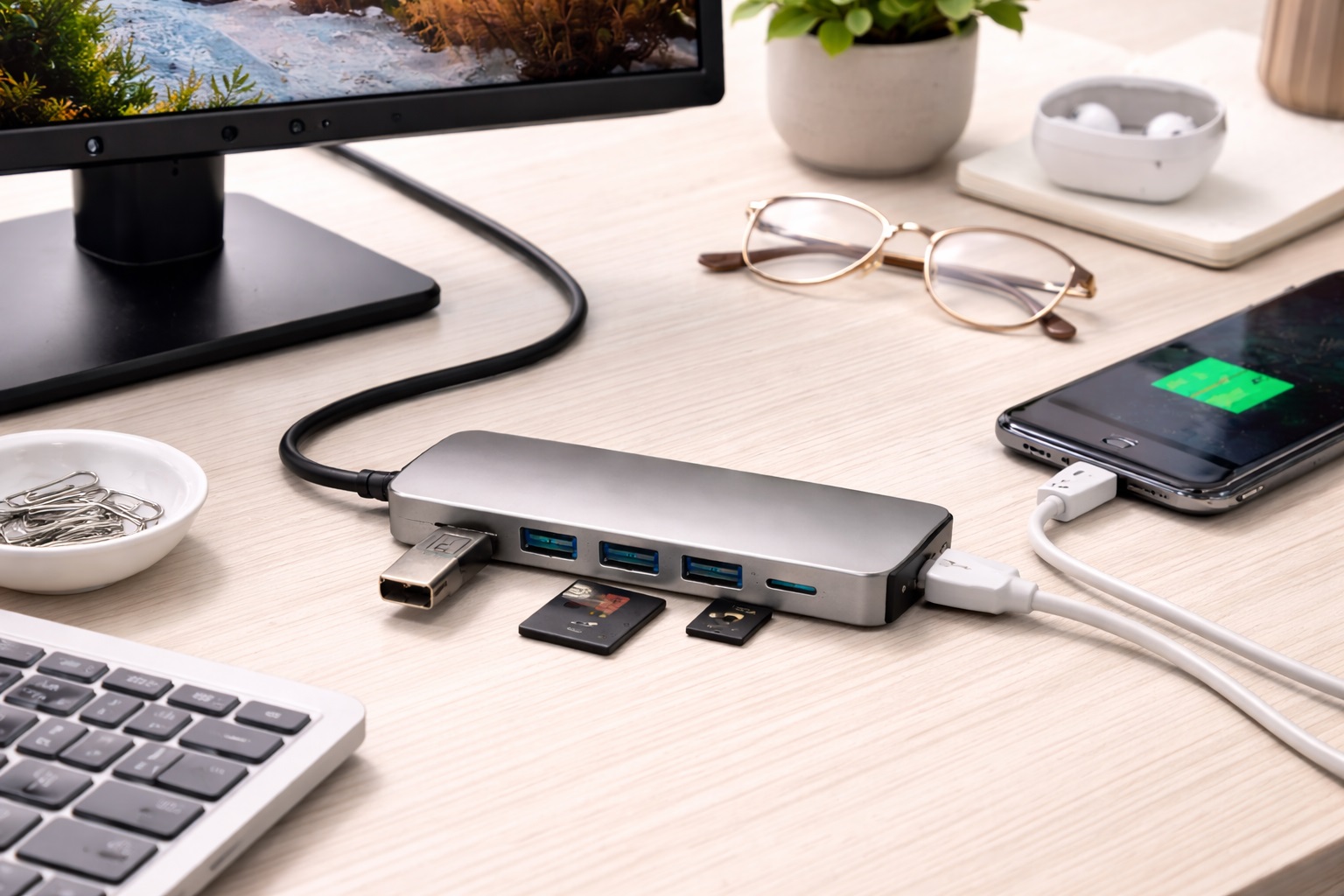
Satechi is the master of "Apple-Style" aesthetics. This specific hub is perfect for small desks because its **connecting cable is foldable**—it tucks into the side of the hub when not in use. On a small desk, this means you don't have a stiff 6-inch cable pushing the hub around. It features 4K HDMI, SD/MicroSD slots, and two USB-A 3.0 ports. It’s thin, elegant, and can be easily tucked under a monitor stand or behind your laptop, keeping your desk looking perfectly "clean."
- Pros: Foldable cable reduces clutter, stunning aluminum build, very thin profile, reliable connectivity.
- Cons: 4K is limited to 30Hz, no Ethernet port.
Who should buy this: Minimalists who want their hub to be practically invisible when their laptop isn't connected.
2. Anker 555 USB-C Hub (8-in-1) – The Performance Powerhouse
If your small desk setup includes a high-resolution 4K monitor, the Anker 555 is the winner. It is one of the few compact hubs that supports **4K@60Hz HDMI**, which makes your screen movement feel much smoother. It also features 10Gbps high-speed data ports and a Gigabit Ethernet port. Despite its power, it’s about the size of a candy bar. Its "Bar" shape allows it to sit neatly along the side of a laptop or keyboard without taking up extra width.
- Pros: 4K@60Hz video, very high-speed 10Gbps data, includes Ethernet, excellent heat management.
- Cons: Fixed cable can be stiff, higher price than basic "sticks."
Who should buy this: Professionals who need desktop-grade performance (fast data and smooth video) in a tiny package.
3. UGREEN USB-C Desk Hub (9-in-1) – The Vertical Space Saver
The UGREEN Revodok series features a unique **Vertical Stand** design. Instead of lying flat on your desk (taking up roughly 10 square inches), it stands upright (taking up about 2 square inches). This vertical orientation is a game-changer for narrow desks. It features HDMI, Ethernet, SD slots, and four USB ports. It also features a "tilted" front face, making it much easier to plug and unplug your USB drives without having to hold the hub down with your other hand.
- Pros: Vertical design saves desk space, easy-to-access front ports, massive port selection (9-in-1), affordable.
- Cons: Larger "tall" presence might be visible in photos, non-detachable cable.
Who should buy this: Users who have many USB devices and very little "left-to-right" space on their desk.
4. ORICO Clamp-On USB 3.0 Hub – The "Invisible" Solution
The ORICO hub is unique: it features a built-in **Screw Clamp** that allows it to attach to the edge of your desk or the bottom of your monitor. For a small desk, this is the ultimate hack. It takes up **zero** desk surface area. All your ports are moved to the edge of the desk, where they are easy to reach. It features four high-speed USB 3.0 ports. While it lacks HDMI or Ethernet, it's the best way to add easy-to-reach data ports to a cramped workspace.
- Pros: Zero-footprint experience, very easy to reach, stays in place (doesn't slide), very affordable.
- Cons: Strictly for USB data (no HDMI/Charging), requires a desk with a "lip" for the clamp.
Who should buy this: People who only need USB-A ports for a mouse, keyboard, and drives and want to keep their desk surface empty.
5. HyperDrive 6-in-1 USB-C Hub for iPad and MacBook – The Integrated Pro
Hyper (by Targus) is famous for its "Zero-Gap" designs. This hub is designed to **attach directly** to the side of your laptop or iPad without a cable. On a small desk, this is brilliant because it eliminates the "dongle tangle" entirely. It becomes a part of your computer. It provides 4K@60Hz HDMI, USB-A, and—most importantly—a 3.5mm audio jack for headphones. It is remarkably thin and matches the aesthetic of high-end ultrabooks perfectly.
- Pros: No cable clutter, attaches directly to the device, includes audio jack, 4K@60Hz support.
- Cons: Can block other ports on your laptop, can be "snapped" if the laptop is moved carelessly.
Who should buy this: Users who want a "seamless" look and hate dangling cables on their desk.
6. Belkin Connect 5-in-1 USB-C Hub – The Reliable "Stick"
Belkin’s standard 5-in-1 hub is purely about "Fit and Finish." It is a long, thin aluminum stick that is only about 0.5 inches thick. On a small desk, its slim profile allows it to be easily hidden behind a monitor stand or tucked under the edge of a laptop. It features HDMI, two USB-A ports, and SD slots. It has a high-quality "Soft-Touch" cable that is much more flexible than most, making it easier to arrange in tight corners without the cable pushing the hub around.
- Pros: Extremely thin and hideable, very flexible cable, world-class reliability, 2-year warranty.
- Cons: Fewer ports than competitors, standard data speeds (5Gbps).
Who should buy this: Corporate professionals who want a simple, high-quality hub that can be tucked away for a clean look.
7. uni USB-C Hub (6-in-1) – The Rugged "Hang-on" Pick
Usually, we think of "Rugged" as "Large." The Uni hub is the opposite. It features a heavy-duty aluminum shell and a **Braided Nylon Cable**. On a small desk, this is great because the cable stays in whatever shape you bend it into. You can "loop" it over the back of your monitor or "zip-tie" it to a desk leg to keep it out of the way. It features HDMI, SD slots, and two USB-A ports. It’s affordable, durable, and handles heat remarkably well.
- Pros: Near-indestructible braided cable, stays in place when bent, great heat management, affordable.
- Cons: Fixed cable, standard port speeds (USB 3.0).
Who should buy this: Students and home-workers who want a "tough" hub that can be tucked into tight, hot corners behind tech.
8. Baseus 7-in-1 USB-C Hub with Status LED – The Visual Value
Baseus has created a powerhouse for under $40. This hub features a unique LED indicator that tells you if your fast-charging is active and if your data is transferring. This is helpful on a small desk where you might be hiding the hub behind something; you can see the light reflecting off the wall to know everything is working. It provides 100W Power Delivery and three USB 3.0 ports. For 2026, it features an improved controller that keeps it cool even in narrow spaces with poor airflow.
- Pros: Very affordable, 100W Power Delivery, status indicator lights, slim design.
- Cons: 4K HDMI is limited to 30Hz, plastic end-caps.
Who should buy this: Users on a budget who want to keep their small desk efficient and monitor their connection status visually.
Buying Guide: Organizing a Small Workspace
Efficiency in a small space isn't just about the hub; it's about the **system**. Here are the four things that will make the biggest difference:
1. Cable "Memory": Braided vs. Rubber
On a small desk, a stiff rubber cable is a nightmare—it will push your hub around and knock over your pens. Look for hubs with **Braided Nylon Cables** (like Uni) or **"Soft-Touch" Flexible Cables** (like Belkin). These "stay where you put them," allowing you to route the hub precisely where you want it.
2. The "Vertical" Advantage
If you choose a horizontal hub, you are using "Width." If you choose a **Vertical/Standing Hub** (like UGREEN), you are using "Height." Since you have infinite vertical space but limited desk surface, a vertical hub is always the smartest choice for a narrow desk.
3. "Power Delivery" is Key
Don't use two cables (one for power and one for the hub) to connect your laptop. Get a hub with **100W Power Delivery (PD) Pass-Through**. This allows you to plug your laptop's power cord into the hub, and then only ONE single cable goes into your laptop. This reduces your "Desk Tangle" by 50% immediately.
4. HDMI Refresh Rate (The "Smoothness" Factor)
If you're using a second monitor on a small desk, you're close to the screen. Every "hiccup" or "lag" in the mouse movement will be visible. Look for **4K@60Hz** (found on Anker and Satechi models). A 30Hz hub will make your workstation feel like it's from 2015.
FAQ: Small Desk Tech Management
How do I stop my hub from sliding around my desk?
Small hubs are lightweight, and the cables are often heavier than the hub itself. Use a small piece of **Reusable Museum Gel** or a **Velcro Dot** to stick the hub to your desk surface or monitor stand. This keeps the hub exactly where you want it while allowing you to remove it when you travel.
Will a hub make my small desk hotter?
Yes. Hubs convert electricity and signals into data, which creates heat. In a small space (especially a closet or a corner), heat can build up. Always choose a hub with an **Aluminum Shell** (not plastic), as aluminum pulls the heat away from the sensitive electronics and keeps the hub running faster for longer.
What do I do if my hub "disconnects" when I move my laptop?
This is usually due to a loose USB-C port or a poor-quality connector. On a small desk, you are often moving your laptop just a few inches to reach things. Look for a hub with a **"Reinforced Connector"** (like Satechi or Belkin) or use a "Zero-Gap" hub (like HyperDrive) that attaches firmly to the side of the machine.
Can I hide my USB hub in a drawer?
Only if your cables are long enough! If you have a longer (3-foot) USB-C extension cable, you can put the hub in a drawer and just run the one cable to your laptop. However, be careful about heat—if the drawer is airtight, the hub could overheat and shut down.
Is "Clamp-on" the best for everyone?
Only if you primarily use USB-A (regular USB) devices. Almost all clamp-on hubs lack HDMI and SD slots because those ports are too large for the thin clamp design. If you need a monitor, you will likely need a standard "Stick" or a "Vertical" hub.
Final Verdict: The Winner for Your Nook
- The All-Rounder: The Satechi Multi-Port Adapter for its foldable cable and slim look.
- The Space Champion: The UGREEN Vertical 9-in-1 for saving desk surface area.
- The Integrated Pick: The HyperDrive 6-in-1 for eliminating the cable tangle entirely.
A small desk shouldn't mean a small workflow. By choosing a USB hub that is built for order and efficiency, you're turning your "limited" space into a high-performance office. Clear your clutter, focus your mind, and get the job done!