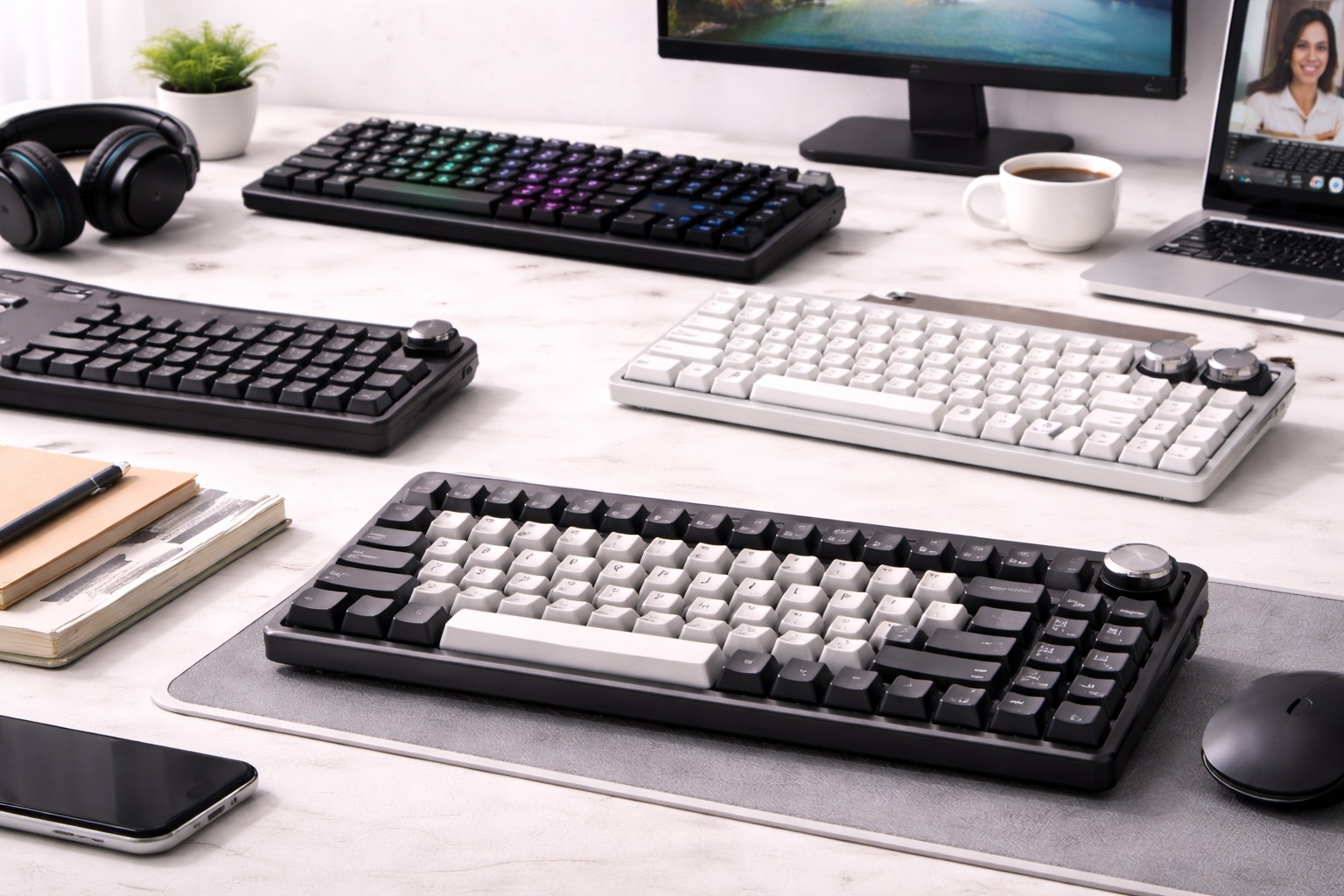
Best Keyboard for Calls in 2026: Typed Silence and Professional Control
In the digital-first professional landscape of 2026, your "virtual image" includes more than just your video—it includes your sound. We've all been in a meeting where someone is typing a loud "Clack-Clack-Clack" while their microphone is active, or where they can't find the "Mute" button fast enough. The **best keyboard for calls** is designed to solve these specific problems: it features **Whisper-Quiet keys** (so you can take notes during a call without distracting others) and **Dedicated Meeting Controls** (like physical buttons to Mute, Snip Screen, or open the Emoji panel).
We've tested the latest typing tools specifically for their "Professional Performance" in business apps like Zoom, Microsoft Teams, and Google Meet. We prioritized models with **Soft-Touch switches**, **Reliable Bluetooth connectivity**, and **Ergonomic designs** that support your wrists during long presentation days. Whether you're an executive, a salesperson, or a remote manager, these are the top-rated picks for staying silent and powerful online.
Top 8 Best Keyboards for Professional Calls (Detailed Reviews)
1. Logitech Signature K650 – The Silent Call Champion
Logitech is the most trusted name in office gear for a reason. The K650 is arguably the "perfect" keyboard for calls in 2026. It features **"Whisper-Quiet" keys** that utilize a dampened membrane, making them nearly inaudible to most microphones. For professional callers, its best feature is the **Dedicated Row of Mute and Meeting Keys**—you can Mute your mic, turn your camera off, or snip a screen instantly without searching for the mouse. It also includes a built-in deep-cushion palm rest for long-term comfort.
- Pros: Most silent typing experience, dedicated Row of Meeting shortcut keys, built-in wrist rest, affordable.
- Cons: Plastic build feels less "premium" than aluminum, non-detachable wrist rest.
Who should buy this: Professional remote workers and managers who take notes live during client meetings.
2. Logitech MX Keys S – The Executive's Control Center
The MX Keys S is the gold standard for highnd office work. It features "Spherically Dished" keys that look and feel extremely premium while remaining very quiet. For professional calls, its best feature is **Customizable "Smart Actions"**—you can program one key to open Zoom, Mute your Mic, and open your "Today's Agenda" document all at once. It features "Hand-Detection Backlighting" which turns on as your hands approach, perfect for dimly lit presentation rooms. It connects to 3 devices and is finished in a heavynd aluminum.
- Pros: Premium build quality, customizable "onend-touch" meeting macros, smart backlighting, multi-device.
- Cons: Higher price point, no height adjustment (fixed angle).
Who should buy this: Executives, doctors, and highnd consultants who want a sleek, multi-functional tool for their career.
3. Microsoft Designer Compact Keyboard – The Slick Minimalist
Microsoft builds their "Designer" keyboard for those who want a "modern" and tidy desk. It is very slim and features **Dedicated Emoji and Screen Snip keys**, which are life-savers for creative directors. For a caller, its best feature is the **Bluetooth Multi-Device Pairing**—you can stay connected to your laptop and your tablet (for notes) and switch between them with one click. It is extremely small, professional, and fits perfectly in a laptop bag.
- Pros: Very thin and professional, dedicated shortcut keys, multi-device pairing, very light.
- Cons: Uses coin batteries (not rechargeable), no backlighting.
Who should buy this: Marketing professionals and Windows enthusiasts who want a sleek, modern upgrade for their mobile workspace.
4. Microsoft Modern Wireless Keyboard with Fingerprint ID
Security is a huge part of professional life. This keyboard includes a **Hidden Fingerprint ID sensor** on one of the keys, allowing you to sign into your PC and your secure call software with one touch. It is "Teams-Certified," meaning its buttons work flawlessly with Microsoft software. It features a very thin profile and high-quality aluminum construction. The typing feel is very similar to a highnd Surface Pro, providing a crisp, fast, and quiet experience.
- Pros: Fingerprint security, "Teams-Certified," extremely thin and professional, durable aluminum.
- Cons: Higher price, works best with Windows only.
Who should buy this: Business professionals and IT managers who prioritize security and highnd Microsoft integration.
5. Apple Magic Keyboard – The iPad's Natural Partner
For Apple users, the Magic Keyboard is the ultimate no-fuss tool for FaceTime and Zoom. It is remarkably thin and uses a specialized "Scissor Mechanism" for a consistent, highnd typing feel. For a caller, its best feature is its **Tidy 100% Integration**—there is no software to install and no bulk. It is also incredibly light (about 240 grams). For 2026, it features an improved USB-C charging port and a battery that lasts for over a month on a single charge.
- Pros: Thinnest highnd keyboard, perfect Apple ecosystem integration, very light, consistent feel.
- Cons: No backlighting, no multi-device pairing (one device at a time).
Who should buy this: iPad and Mac users who want a highnd, minimalist keyboard that "disappears" in their bag.
6. NuPhy Air60 v2 – The Style Nomad's Choice
NuPhy creates keyboards for people who love design and weight savings. The Air60 is a 60% layout keyboard that fits perfectly on top of your laptop's keys. For professional calls, its best feature is the **"GhostBar" Technology**—the spacebar (the loudest key) is specially dampened to be almost silent. This allows you to space-out your notes during a call without the listener hearing a regular "thump." It features hot-swappable low-profile switches and customizable lighting.
- Pros: Stunning modern design, very thinnnd and light, fits on top of laptop keys, silent spacebar.
- Cons: Higher price tag, learning the "60%" layout takes a week.
Who should buy this: Designers and tech lovers who want a "Statement" piece that is also highly functional for quiet meetings.
7. Microsoft Ergonomic Keyboard – The Health Choice
If you take calls for 8 hours a day, the Microsoft Ergonomic is the industry standard for comfort. It features a "Split" design and a curved shape that keeps your arms in a natural position. For a caller, its best feature is the **Dedicated Row of Shortcut Keys**—allowing you to Mute, Search, and open Calculator instantly. It is a "Wired" keyboard, ensuring you never "lose connection" during a mission-critical presentation. It features a massive, soft-touch fabric wrist rest.
- Pros: Best for wrist health, huge cushioned palm rest, dedicated Row of Meeting keys, indestructible.
- Cons: Very large (takes up a lot of desk space), requires a cable.
Who should buy this: Professionals who spend all day on video calls and want to avoid wrist pain and technical drops.
8. HyperDrive SLIM LED Desk Bar Keyboard – The "Visible" Solution
While usually a laptop brand, HyperDrive’s 2026 keyboard is designed for professional streamers and presenters. It is a very thin, long "stick" of keys that includes a **Physical Dimming Dial** and a **Mute Slide**. For a caller, this is brilliant because you can physically slide a button to ensure you are muted—providing 100% peace of mind. It illuminates your workspace while taking up the "dead space" under your monitor stand. It’s the ultimate "Professional Control" tool for a minimalist setup.
- Pros: Physical Mute Slide for security, built-in light for workspace visibility, minimalist look.
- Cons: Doesn't work well if you don't have a monitor stand, lower maximum brightness.
Who should buy this: Minimalists and privacy-conscious callers who want physical sliders to control their camera and microphone.
Buying Guide: Decoding "Professional" Typed Sound
Meeting environments are sensitive. Here are the four things to check before you buy a keyboard for calls:
1. "Switch" Type vs. Sound
* **Membrane/Scissor:** (Logitech K650, Apple) – The standard for silence. They use rubber pads to dampen the sound, making them very quiet. * **Silent Mechanical:** (Logitech MX Keys, NuPhy) – Provides the "Feel" of a mechanical keyboard but uses "Silent" switches to prevent the "Click-Clack" sound. If you take notes during calls, **never use a "Blue" mechanical switch**—it is loud enough to be heard across a room!
2. Dedicated Meeting Buttons
In the heat of a call, searching for the "Mute" icon on your screen with a mouse is slow. Look for keyboards with **Physical Mute, Speaker, and Camera buttons** (like Logitech K650 or Microsoft Ergonomic). This allows you to Mute instantly without moving your eyes from the client.
3. Multi-Device Connectivity
In 2026, many professionals use a Tablet for their meeting video and a Laptop for their work. Look for keyboards with **Multi-Device Pairing (Logi Flow or Bluetooth 5.0)**. This allows you to type a message on your laptop, then press one button to type a note on your tablet instantly.
4. Battery Life and USB-C
A keyboard that "dies" in the middle of a call is a disaster. Look for **USB-C Rechargeable** keyboards with at least 1 month of battery life. Alternatively, a keyboard with **3-year AA battery life** (like Logitech K650) is the most "stress-free" option for a home office.
FAQ: Expert Video Call Typing Advice
How do I stop my keyboard sound from "bleeding" into my mic?
Use a **"Desk Mat"** (a large mousepad that covers the whole desk). It provides a soft, non-slip surface that dampens the vibrations of your typing, making the sound much more professional and quiet to the listener.
Is "Bluetooth" or a "USB Receiver" better for calls?
A **USB Receiver** (like Logi Bolt) is usually better. It is a "direct" connection that isn't affected by other Bluetooth signals in your house. Bluetooth is fine for tablets, but if your internet is also on 2.4GHz Wi-Fi, it can sometimes "lag" during a high-speed meeting.
Why do my hands hurt after taking long meeting notes?
It’s usually the **Height** of the keyboard. Many mechanical keyboards are quite tall. If you use one, we highly recommend a **Wrist Rest**! Or, choose a "Low-Profile" keyboard (like MX Keys Mini or Apple Magic) which sits flat on your desk and keeps your wrists in a natural position.
Can I use my laptop keyboard for meetings?
Yes, but it puts your face at a bad angle (looking down). It is much better to put your laptop on a **Stand** (at eye level) and use a separate, dedicated keyboard and mouse. This is better for your posture and makes you look more professional on camera.
What do I do if my keyboard won't connect?
In a home building, there is often massive signal interference. Try **re-pairing** the device or using the USB receiver (if included) for a more stable "Direct" connection. Also, ensure your keyboard is fully charged—low battery is the #1 cause of connection drops during calls!
Final Verdict: The Winner for Your Career
- The Silence King: The Logitech K650 for its whisper-quiet keys and dedicated meeting controls.
- The Professional Edge: The Logitech MX Keys S for its premium build and customizable "one-touch" macros.
- The Minimalist Pro: The Microsoft Designer Compact for its slim, professional design and multi-device pairing.
Your "Type" is your professional voice in 2026. By choosing a high-quality keyboard designed for calls, you're making your communication clearer, your presence more powerful, and your daily work-life more efficient. Present with power!