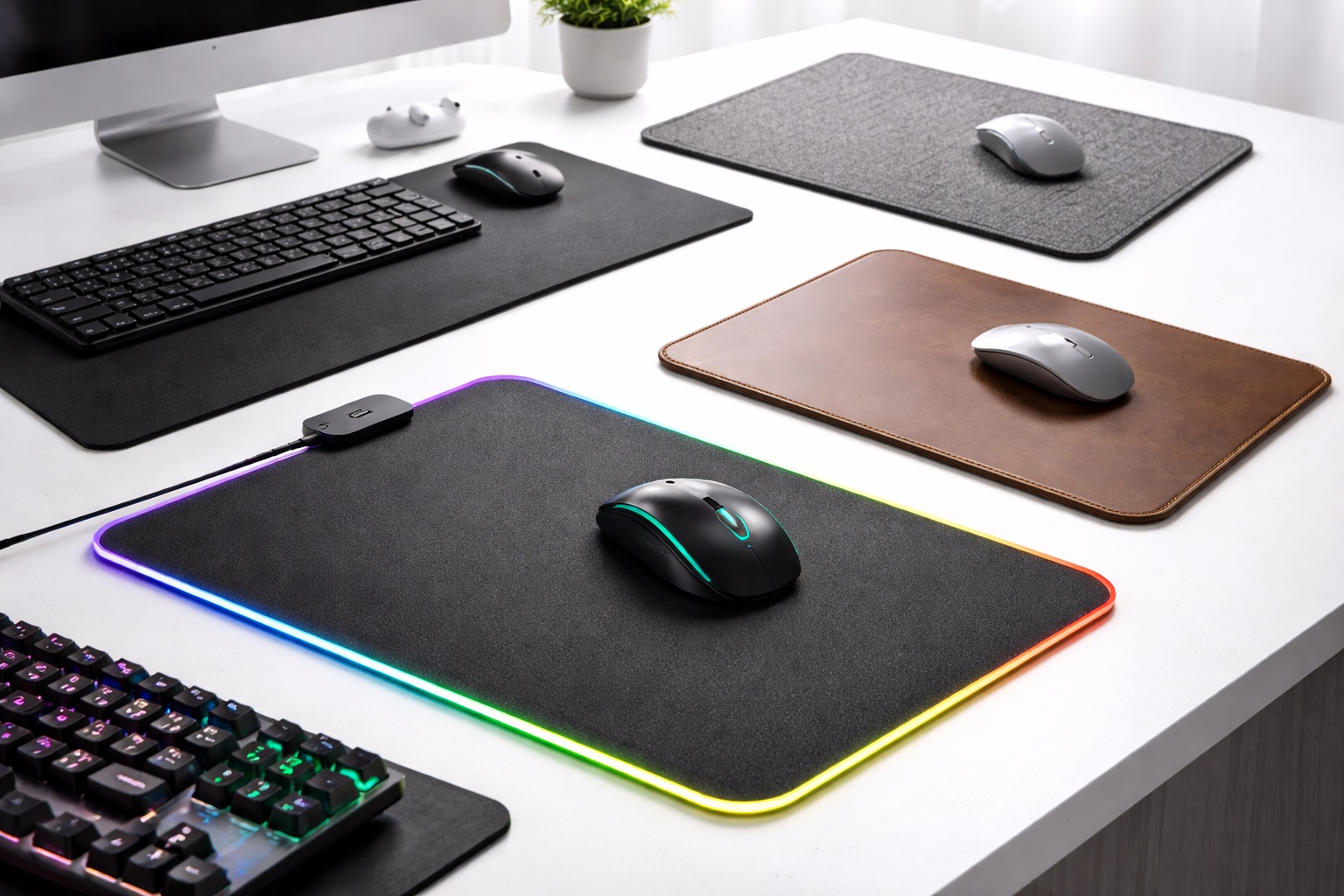
Best Mouse Pads for Gaming and Work in 2026: Smooth Glides and Desk Protection
Many people treat the mouse pad as an afterthought, often using a cheap, frayed scrap of cloth or even just their bare desk surface. However, if you are a gamer who needs pixel-perfect accuracy or a professional who spends 10 hours a day moving a cursor, your mouse pad is a critical interface. The best mouse pad for gaming and work provides a consistent surface for your mouse's optical sensor, reduces wrist friction, and protects your desk from scratches. In 2026, we've moved beyond simple "pads" into **desk mats**, **hybrids**, and **glass surfaces**.
Finding a pad that looks professional enough for an office meeting while providing the high-speed tracking needed for an evening session of *Valorant* or *League of Legends* is a balance of aesthetics and material science. We have tested over 30 surfaces—from Cordura fabric to tempered glass—to find the ones that offer the best "stopping power" and "glide." This guide will help you find a surface that makes your mouse feel like it's floating on air.
Top 8 Best Mouse Pads for Gaming and Productivity (Reviews)
1. SteelSeries QcK Heavy – Best All-Rounder
The QcK is the most famous mouse pad in the world for a reason. Specifically, the "Heavy" version is extra thick (6mm), which acts as a cushion for your wrist and hides any bumps or imperfections on your desk surface. The micro-woven cloth is optimized for both low and high DPI movements. It's affordable, incredibly reliable, and looks perfectly professional in any office environment.
- Pros: Excellent cushioning, huge range of sizes, washable, very reliable tracking.
- Cons: Edges are not stitched (can fray over 2-3 years), simple black design.
Who should buy this: Anyone who wants a reliable, soft, and high-performance surface that works for absolutely everything.
Who should avoid this: Those who want "ultra-fast" speed or a pad that will last 10 years without fraying.
2. Razer Strider – Best Hybrid Surface
The Razer Strider is a "hybrid" mat, meaning it combines the smoothness of a cloth pad with the speed and durability of a hard pad. It's made from a proprietary polyester weave that is water-resistant. If you spill coffee during a work meeting, it wipes right off. It offers a very fast glide but enough friction to stop your mouse exactly where you want it—perfect for both spreadsheets and shooters.
- Pros: Water-resistant, stitched edges prevent fraying, very fast yet controllable, doesn't collect dust easily.
- Cons: Surface can feel a bit "rough" or grainy on sensitive skin.
Who should buy this: Productive gamers who want a durable, easy-to-clean mat that can handle heavy daily use.
Who should avoid this: People who prefer a very soft, "sweater-like" feel for their wrists.
3. Logitech G840 XL – Best Desk-Sized Mat
Why stop at a small pad when you can cover your entire desk? The G840 XL is a massive mat that sits under your keyboard and mouse. For work, it creates a uniform "aesthetic" for your desk and prevents your keyboard from sliding around. For gaming, it gives you an infinite area to move your mouse without ever hitting the edge. The surface is tuned specifically for Logitech G sensors but works beautifully with all mice.
- Pros: Covers the whole desk, provides a soft surface for arms, very consistent texture.
- Cons: Harder to wash due to its size, can take up a lot of room.
Who should buy this: Users who want a clean "setup" look and those who play with low mouse sensitivity.
Who should avoid this: People with very small desks or those who need a portable pad.
4. Artisan FX Hayate Otsu – Best for Enthusiasts
Artisan is a Japanese brand that many consider to be the "Rolex" of mouse pads. The Hayate Otsu uses a unique weave that is unlike anything from mass-market brands. It has almost zero initial friction, making it feel like your mouse is on ice, yet it has incredible stopping power. For work, it makes your cursor feel incredibly responsive; for gaming, it's a competitive advantage.
- Pros: World-class build quality, incredible "performance" feel, non-slip base is like glue.
- Cons: Very expensive, hard to find in stock, surface can wear down over 18 months.
Who should buy this: Serious gamers and professionals who want the absolute peak of Japanese engineering on their desk.
Who should avoid this: Casual users who aren't bothered by a standard $15 cloth pad.
5. Corsair MM350 Pro – Best for Durability
The MM350 Pro features a spill-proof and stain-resistant coating. It's a "heavy-duty" pad that can handle the abuse of a busy office and an intense gaming station. The 360-degree precision-stitched edges ensure that the top layer never peels away from the rubber base. It usually features a "graphic" design that hides dust and skin cells better than plain black pads.
- Pros: Spill-proof (water beads up), very durable stitched edges, thick and comfortable.
- Cons: Graphic design may be "too much" for some professional office settings.
Who should buy this: Users who eat/drink at their desks and need a "tank" of a mouse pad.
Who should avoid this: Minimalists who want a completely clean, solid-color look.
6. SkyPAD Glass 3.0 – Best Glass Pad
In 2026, glass pads have become a mainstream alternative. The SkyPAD 3.0 is made of tempered glass that will literally never wear out. Unlike cloth, it doesn't collect dead skin or oils. It provides the fastest glide possible. While it sounds "loud," it's remarkably smooth. It is the ultimate investment for someone who never wants to buy another mouse pad again.
- Pros: Lasts a lifetime, easiest to clean (Windex!), zero friction.
- Cons: Very expensive, cold to the touch in winter, noisy if you drop your mouse.
Who should buy this: High-speed gamers and people who value "hygiene" and longevity above all else.
Who should avoid this: People who prefer a "soft and warm" surface for their hands.
7. Glorious Stitch Cloth – Best Budget Desk Mat
Glorious provides a premium "stitched edge" experience for a very low price. Their pads are available in a huge variety of sizes, from small to "3XL" (which covers almost a whole L-shaped desk). It's a high-quality, standard cloth surface that is reliably soft and machine washable.
- Pros: Incredible value, huge size range, machine washable, stitched edges.
- Cons: Logo is a bit visible, base is a bit thinner than the SteelSeries.
Who should buy this: Students and home-workers who want a large desk mat without spending $50+.
Who should avoid this: Those who need specialized "ultra-fast" or "ultra-slow" control surfaces.
8. BenQ ZOWIE G-SR – Best for Control
If you find that your mouse is "slippery" and you keep overshooting your buttons or icons, the ZOWIE G-SR is the answer. It is a "control" pad with a higher degree of friction. This is perfect for precision tasks like photo editing (Photoshop) or tactical shooters (CS:GO / Valorant). It provides a very steady, reliable resistance that helps with muscle memory.
- Pros: Best stopping power in the industry, very consistent surface, deep black professional look.
- Cons: Can feel "muddy" or slow if you are used to speed pads, affected by humidity.
Who should buy this: Photo editors and gamers who prioritize precision over speed.
Who should avoid this: People who play fast-tracking games (like Apex Legends) or who want an effortless glide.
Buying Guide: Choosing the Right Surface for 2026
When selecting a pad, don't just look at the brand. Consider these three material factors:
1. Speed vs. Control
This is the most important decision.
- Speed Pads: Hard plastic or tight-weave polyester. Best for fast movements and reducing fatigue.
- Control Pads: Rougher cloth or thick weaves. Best for precision and stopping the mouse exactly on target.
- Hybrid Pads: A mix of both. Best for users who do both work and gaming on one machine.
2. Size and "Real Estate"
If you have a small desk, a **Medium (32x27cm)** pad is perfect. If you play games with a low mouse sensitivity (meaning you have to move your arm a lot), you **must** get a **Large (45x40cm)** or an **XL Desk Mat (90x40cm)**. A desk mat also acts as a coaster for your keyboard, making it quieter to type on.
3. Edge Treatment: Stitched vs. Non-Stitched
Always look for **Stitched Edges**. Without stitching, the cloth top layer will eventually peel off the rubber base (delaminate) due to your arm rubbing against the edge. Stitched edges extend the life of a pad by years.
4. Thickness (2mm vs. 6mm)
A **2mm or 3mm** pad is standard. A **5mm or 6mm** pad (like the QcK Heavy) is better for people with bony wrists or desks that have slightly uneven surfaces.
FAQ: Mouse Pad Care and Performance
How do I clean my cloth mouse pad?
Do NOT put it in the dryer. The best way is to soak it in a bathtub or sink with warm water and a tiny bit of dish soap. Scrub it gently with a soft sponge, rinse it thoroughly, and let it **air dry** for 24 hours.
Why does my mouse pad feel "slow" after a few months?
This is usually due to a buildup of **humidity and dead skin cells**. Cloth pads act like a sponge for oils from your arm. Cleaning it usually restores the original glide.
Does an expensive mouse pad actually make me a better gamer?
It won't give you "aimbots," but it provides **consistency**. If your mouse surface is uneven, your hand can't build reliable muscle memory. A professional pad ensures that a 2-inch movement always results in the same distance on screen.
Are RGB mouse pads worth it?
For office work, no. They require a wire on your desk and the lighting doesn't improve performance. For a gaming aesthetic, they look cool, but the light strips can sometimes make the edges feel uncomfortable against your wrist.
How often should I replace my mouse pad?
A standard cloth pad usually lasts **1 to 2 years** of heavy daily use before the texture changes or it becomes too dirty to clean effectively. A glass or hard pad can last 5+ years.
Final Verdict: The Best Surface for Your Desk
- Best for Everyone: The SteelSeries QcK Heavy is the most comfortable and reliable choice.
- Best for Longevity: The Razer Strider offers weather-resistance and amazing speed.
- Best for Precision: The BenQ ZOWIE G-SR is the ultimate tool for steady, precise movements.
Don't let a bad surface limit your mouse's potential. By choosing a high-quality pad or desk mat, you are protecting your gear and ensuring that every movement you make—whether it's for a high-stakes meeting or a clutch gaming moment—is smooth and accurate.