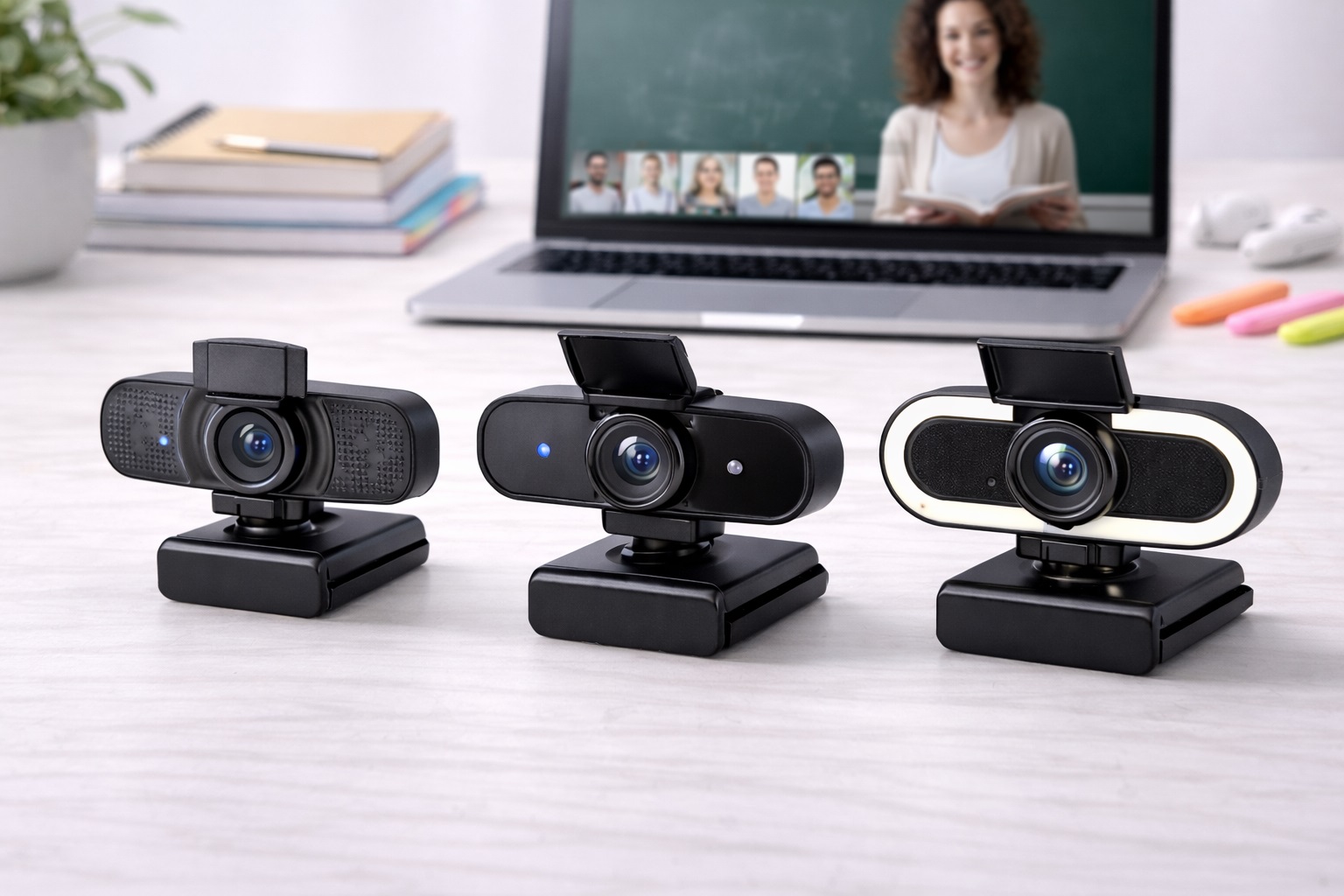
Best Webcam for Students in 2026: Be Seen and Heard in Every Lecture
In 2026, the life of a student is hybrid. Your "classroom" could be a dorm room desk, a library booth, or even a corner of a busy cafe. But while education has moved online, the built-in cameras on most student laptops haven't kept up—they often make you look grainy, dark, and hard to hear during important presentations or group projects. The **best webcam for students** must more than just a camera; it must be an **Affordable**, **Highly Portable**, and **Durable** tool that helps you project a professional image to your professors and peers.
We've focused our research on webcams that solve the specific problems of student life: **Poor lighting** in dorms, **Background noise** in shared spaces, and **Limited desk space**. We prioritized models with **"Plug-and-Play" simplicity** (no complicated software needed) and **Integrated Privacy Features** (essential for shared living). Whether you're a high-schooler, a med student, or a PhD candidate, these are the top-rated picks for staying sharp and productive.
Top 8 Best Student Webcams (Detailed Reviews)
1. Anker PowerConf C200 – The Best Overall Student Choice
Anker is the king of budget "Pro" gear. The C200 is their masterpiece of value, offering **2K (1440p) resolution** for often under $60. For a student, its best feature is the **Adjustable Field of View (FOV)**. You can set it to a narrow 65 degrees, which "crops out" your messy dorm bed or laundry pile, leaving only your face visible. It features dual microphones that use AI to "Mute" the sound of your roommate or a distant TV. It is extremely small, fits any laptop lid, and features a physical privacy shutter.
- Pros: Sharpest image for the price (2K), adjustable "Hide-the-Mess" FOV, very small, great mics.
- Cons: Plastic build, 2K video can be demanding on very old laptops.
Who should buy this: Students in shared dorms or small apartments who want the sharpest image and a tidy background.
2. Logitech C920s HD Pro – The Reliable Legend
The Logitech C920 series has been the world's most popular student webcam for a decade. In 2026, the "s" model remains a top pick because it uses a **Glass Lens** rather than the plastic found in most budget cameras. This provides a "Depth" and "Clarity" that is hard to beat for under $70. It features dual stereo microphones and a **Built-in Privacy Shutter**. These cameras are famous for their "indestructibility"—many students buy one freshman year and it lasts them all the way through their Master’s degree.
- Pros: Real glass lens for clarity, incredible brand reliability, dual mics, works with everything.
- Cons: Fixed field of view (78 degrees), larger old-school design.
Who should buy this: Students who want a "once-and-done" purchase that they know will work perfectly every time they open Zoom.
3. EMEET C960 – The Best for Under $35
If you have less than $40 to spend, the EMEET C960 is the most popular choice in 2026. It treats webcams as a simple tool: you plug it in, and it works. It features **Fixed Focus**, which is actually better for many students. Why? Because "Auto-Focus" cameras can sometimes get "confuse" if you move your hands, causing the image to blur. Fixed focus ensures your face is always in focus. It features dual microphones and a very stable clip that fits any monitor or shelf.
- Pros: Cheapest reliable 1080p pick, fixed focus avoids blurry shimmers, very robust clip.
- Cons: Requires a bright room (not for dark basements), basic colors.
Who should buy this: High-schoolers and as an emergency backup webcam to keep in your laptop sleeve.
4. Razer Kiyo (Base Model) – The Best for "Dorm Lighting"
If you take calls in a dimly lit bedroom or basement, the #1 problem is lighting. The Razer Kiyo (often on sale for under $60) features a **Built-in Ring Light** around the lens. You just twist the side of the camera to make the light brighter or dimmer. For a student, this is brilliant because it means you don't need to buy separate desk lamps or face a window to look professional. It provides highnd 1080p video and is incredibly stable on top of thick monitors or thin laptops.
- Pros: Integrated ring light is a lifesaver, very stable mount, highnd build quality.
- Cons: 1080p is only 30fps (standard), can get warm when the light is on at 100%.
Who should buy this: Night-owl students and those in dark rentals who want a "built-in" lighting solution.
5. Microsoft Modern Webcam – The Slick and Small Pick
Microsoft builds their "Modern" webcam to be the perfect companion for Windows and Surface laptops. It is about the size of a box of matches and weighs almost nothing. For a student, its best feature is the **Integrated Status Light**—a small white light that glows clearly when the camera is "On-Air," so you'll never stay on camera by mistake. It provides 1080p HDR video, which prevents you from looking "washed out" if you have a bright window behind you.
- Pros: Very small and light, clear "ON" light, HDR balances bright rooms, very affordable.
- Cons: Narrow field of view, basic microphones.
Who should buy this: Modern college students who want a tiny, reputable upgrade that fits in their pencil case.
6. Logitech Brio 500 – The "Presentation" Pro
While a bit more expensive, the Brio 500 is the best choice for students who do a lot of "Physical Presenting." It features **"Show Mode"**, where you can tilt the camera all the way down to look at your physical notebook or a calculator on your desk. The image automatically flips so your classmates can read your writing. It also features "RightLight 4," which automatically fixes the lighting in your room to look natural. It’s finished in a beautiful matte material and uses a USB-C connection.
- Pros: Best-in-class auto-light correction, "Show Mode" for sharing, high-design, built-in shutter.
- Cons: Higher price, requires a USB-C port on your computer.
Who should buy this: Engineering, math, and art students who need to show their "work-in-progress" on camera.
7. Papalook 1080p@60fps – The "Life-Like" Motion Pick
Most basic webcams record 30 "Photos" a second (30fps). The Papalook records **60fps**. Why does this matter for a student? It makes your movement look perfectly natural and "smooth," like a professional TV broadcast. If you are an animated presenter or a teacher, this camera makes you look much more "vibrant" and "present." It includes a privacy cap and a 5-layer glass lens for superior clarity for under $50.
- Pros: Very smooth 60fps video at a budget price, high-quality lens, built-in privacy door.
- Cons: Brand is less known, colors can be a bit "cool" (blueish) without adjustment.
Who should buy this: High-energy talkers and students who want the look of a $150 "Pro" camera for their presentations.
8. Newhouse Lighting Clamp-on – The Spaceless Choice
If your student desk is covered in books and coffee, you don't want another object on your monitor. The Newhouse Flex features a massive **"Spring Clamp"** that can attach to the edge of your desk or a bookshelf beside you. This allows you to position the camera at eye-level without it touching your monitor at all. For under $25, it provides a stable 1080p image and a flexible neck that allows you to point it anywhere. It's a "hack" that works surprisingly well for tiny dorm setups.
- Pros: Completely customizable height and angle, very cheap, takes up 0% of monitor space.
- Cons: Requires a place to "clamp," larger total size than slim webcams.
Who should buy this: Students with tiny desks and those who want a "unique" camera angle for their calls.
Buying Guide: Choosing Your Academic Camera
A good webcam is a tool for your education. Here are the four things to check before you buy:
1. Resolution: 1080p vs. 2K
In 2026, 1080p is the "Standard." It works perfectly for Zoom, Teams, and Canvas. 2K (like the Anker) provides more detail, which is great if you want to record yourself for a project and "Zoom in" later. Don't trust any $20 camera that says it's 4K—those are usually fake and look blurry!
2. "Flicker-Free" Performance
Dorm room lights are often old fluorescent tubes that "Flicker." Cheap webcams will show "Moving Horizontal Bars" on your video because of this. Look for cameras from **Anker, Logitech, and Microsoft**, which have "Anti-Flicker" software built-in to keep your video looking steady and professional.
3. Field of View (FOV)
* **65-78 Degrees (Narrow):** Best for students in shared rooms. It shows just your face and shoulders, hiding your bed and roommate. * **90+ Degrees (Wide):** Best if you are presenting with a whiteboard or a group of friends. Always choose **Narrow** if you have a messy room!
4. "Physical Privacy Shutter"
In a shared dorm, privacy is everything. A **Physical** shutter (a sliding door or a cap) is much safer than just trusting software. When the door is closed, it is physically impossible for anyone to see into your room. 100% of our recommended student cameras have a privacy solution.
FAQ: Student Webcam Hacks
How do I stop my webcam from "glaring" on my glasses?
Move the lamp! Never put a bright light directly behind the camera. Move your desk lamp **to the side** and **higher than your head**. The light will still hit your face, but it won't reflect directly back into the camera lens from your glasses.
Is my laptop camera "enough" for college?
In a bright sunlit room, yes. But in the evening or a basement library, laptop cameras are terrible. Upgrading to a dedicated webcam for $30-$50 makes you look significantly more "awake" and professional, which can leave a better impression on professors and interviewers.
Can I use my webcam for a "Security Camera"?
Yes. Many students use apps like "ManyCam" to record their desk or door while they are at class. However, webcams aren't designed to be on 24/7. It's better to only use them when you are actually sitting at the desk.
Why do I look "Blue" or "Gray" on camera?
This is usually due to "White Balance." If your desk is lit only by your monitor, it is a very "Cool" blue light. To fix this, point a **Warm Desk Lamp** at your face or use a webcam with "Natural Skin Tone" software like Logitech or Anker.
What do I do if my webcam doesn't fit on my thin laptop?
Use a small piece of **"Reusable Museum Gel"** or "Blu-Tack" under the camera mount. This creates a secure, non-permanent bond that keeps the camera perfectly level even if you move your laptop.
Final Verdict: The Best Winner for Your Degree
- The Student Standard: The Anker C200 for its "Hide-the-Mess" fied of view and sharp 2K quality.
- The Reliability King: The Logitech C920s for its real glass lens and 10-year reputation for durability.
- The Lighting Hero: The Razer Kiyo for its built-in ring light that solves all your dorm lighting problems.
Your "Virtual Presence" is your brand in 2026. By choosing a high-quality, reputable webcam, you're simplifying your life, protecting your privacy, and making your academic presentations much more professional. Light up your wins!