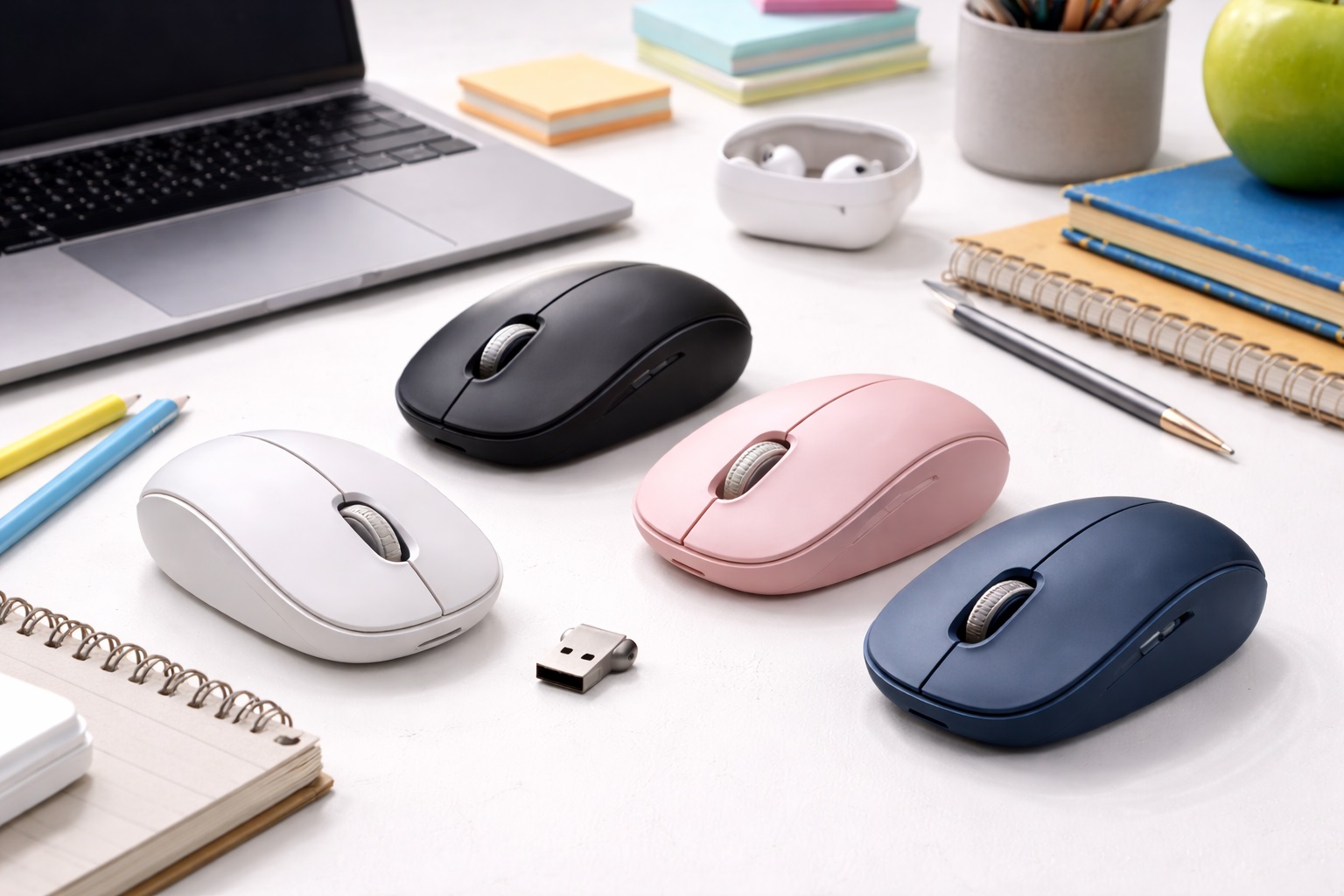
Best Wireless Mouse for Students in 2026: Simplify Your Study Sessions
For the student of 2026, a wireless mouse is more than just a desk accessory—it's a productivity multiplier. Whether you're navigating a massive online textbook, editing a high-res presentation, or trying to find your flow in a crowded campus café, a dedicated mouse is faster and more ergonomic than any laptop trackpad. The **best wireless mouse for students** must be **Affordable**, **Portable** (to move between classes), **Durable** (to survive being tossed in a backpack), and **Silent** (to not disturb your fellow students in the library).
We've focused our research on mice that respect the student budget without sacrificing the "pro" features you need for university life. We looked for the best "Multi-Device" connectivity (so you can switch from your laptop to your tablet), the longest battery lives, and the most comfortable designs for 4-hour study marathons. Whether you're an art student in a design lab or a science major in a research nook, here are our top-rated picks for staying efficient throughout the semester.
Top 8 Best Student Wireless Mice (Detailed Reviews)
1. Logitech Pebble 2 M350s – The Library Favorite
The Pebble 2 is arguably the most popular student mouse of 2026. It is shaped like a smooth, flat river stone and is incredibly quiet—perfect for those "Silent Zones" in the campus library where even a loud breath can be annoying. Its flat profile makes it remarkably easy to slide into the same pocket as your pens or your tablet. For 2026, it adds a "Customizable Middle Button" that can be used to launch an AI assistant or a "Dictionary" shortcut. It comes in variety of variety of colors to match your backpack or aesthetic.
- Pros: Ultra-quiet operation, very slim and portable, beautiful color choices, affordable.
- Cons: Flat shape isn't ideal for 8-hour ergonomic shifts, sensor is basic and doesn't work on glass.
Who should buy this: Students who prioritize style, quietness, and portability for a cafe/library lifestyle.
2. Logitech MX Anywhere 3S – The "Study Anywhere" Pro
If you're a student who works on many different surfaces—from the wooden tables of a student lounge to the glass desks of a modern lab—the MX Anywhere 3S is worth the investment. It features an 8,000 DPI "Darkfield" sensor that tracks on **Any Surface**, including glass. Its "MagSpeed" scroll wheel allows you to scroll through a 500-page PDF in seconds. It connects to up to three devices (laptop, tablet, phone) simultaneously, a lifesaver for those who take notes on an iPad while working on a Mac or PC.
- Pros: Tracks on any surface, incredible scrolling wheel, 3-device pairing, very high build quality.
- Cons: Expensive for a student budget, small size can be tiring for very large hands.
Who should buy this: Power users and research students who need a high-performance tool for serious academic work.
3. Rapoo M100 Silent – The Best Budget All-Rounder
Rapoo is the king of value, and the M100 is great for students because it offers **Dual-Mode Connection**. It includes a small USB plug but can also connect via **Bluetooth**. This is a great "fail-safe"—if you lose the tiny USB plug in your backpack, the mouse isn't broken! You can just switch to Bluetooth. It’s also nearly silent and very compact. For under $20, it provides a "Pro" feel on a "Ramen" budget.
- Pros: USB + Bluetooth connectivity, silent clicks, very compact, extremely affordable.
- Cons: Generic plastic feel, battery life is shorter than Logitech’s.
Who should buy this: Budget-conscious students who want a reliable, quiet, and "un-losable" mouse connection.
4. Microsoft Surface Arc Mouse – The "A+ for Portability"
The Arc Mouse is for the student who truly hates bulk. It features a unique bending design: you curve it to turn it on, and you **flatten it out** to turn it off. When it’s flat, it’s about the thickness of a pencil, meaning it can slide into the back pocket of your jeans or a thin laptop sleeve without creating a bulge. For 2026, it features improved haptic scrolling and a longer-range Bluetooth 5.2 connection. It’s the ultimate "space-saving" companion.
- Pros: Folds completely flat, ultra-minimalist design, easy to carry, turns off automatically when flat.
- Cons: Higher price, less ergonomic for long writing shifts, requires AAA batteries (not rechargeable).
Who should buy this: Minimalists who want their backpack to be as light and thin as possible.
5. Keychron M3 Wireless – The Gamer/Student Hybrid
Many students are also gamers. The Keychron M3 offers a high-end 19,000 DPI sensor (gaming grade) in a professional, clean shape that looks great in a classroom. It weighs only 79g, reducing hand fatigue during long study sessions. It includes two receivers in the box (USB-C and USB-A), ensuring it works with both your old desktop and your new laptop without adapters. For under $50, it is the best "performance-per-dollar" student mouse on the market.
- Pros: Gaming-grade precision, professional look, includes USB-C and USB-A receivers, very responsive.
- Cons: Software is just okay, larger than the Pebble 2.
Who should buy this: Engineering, CS, and design students who need high precision for their software and a bit of gaming in their downtime.
6. Kensington Pro Fit Ergo Wireless – The All-Nighter Expert
If you're facing a 4-year degree, you should think about your wrist health now. The Kensington Pro Fit is an **Ergonomic** mouse that keeps your arm in a natural "handshake" position. It features silent clicks and a built-in "DPI Switch" to slow down the cursor during detailed work. It’s the best way to prevent carpal tunnel and wrist pain before it starts. For around $35, it’s a small investment in your long-term success.
- Pros: Superior ergonomic comfort, silent clicks, very stable connection, improves wrist health.
- Cons: Large size (strictly for the desk, not for a pants pocket), feels strictly like a plastic tool.
Who should buy this: Graduate students and anyone who spends 6+ hours a day writing or coding.
7. JLab Go Wireless Mouse – The Stress-Free Pick
JLab is famous for building "hassle-free" tech. This mouse features a **Built-in USB Charging Cable** that is tucked into the side. You will never be that student in the coffee shop begging someone for a charging cord. It’s a compact, reliable unit with silent clicks and a 2000 DPI sensor. For the price, it’s one of the most reliable tools on the market for a student on the move.
- Pros: Integrated cable (never lose it), silent clicks, very affordable, 2-year warranty.
- Cons: Plastic build feels a bit light, simple sensor.
Who should buy this: Disorganized students and those who move between many different campus buildings every day.
8. Amazon Basics Wireless Mouse – The "First Year" Choice
Sometimes you just want the absolute cheapest reliable option. The Amazon Basics mouse is strictly "no-frills." It features three buttons, a scroll wheel, and a USB receiver. It's built to take a beating—if you drop it, it usually just keeps working. It’s the perfect "starter" mouse for a new student who just needs to get things done without thinking about it. It’s reliable, stable, and incredibly cheap.
- Pros: Cheapest functional pick, durable plastic, standard simple connection, replaceable.
- Cons: Loud clicking sound, very basic tracking, requires a USB-A port.
Who should buy this: As an emergency spare or as a "disposable" mouse for someone who loses things frequently.
Buying Guide: Choosing Your Student Study Mate
University life is the ultimate test for your gear. Here are the four "Student-Critical" factors you should check:
1. Silent Clicks (The "Library Rule")
Public workspaces are quiet. A standard mouse makes a distinct "click-click-click" sound that can be very annoying to someone sitting 3 feet away. Look for mice that advertise **"Silent Switches" or "90% Noise Reduction."** Modern silent mice still feel crisp to you, but they are nearly inaudible to those around you. This is non-negotiable for library use.
2. Multi-Device Connectivity
Most 2026 students use both a laptop (for writing) and a tablet (for notes). Look for a mouse with **Multi-Device Pairing**. Using a button on the mouse (like the MX Anywhere) or even moving the cursor off the edge of one screen can automatically jump to the other device. This saves you from having two mice on your small dorm desk.
3. Connection Type: USB-A vs. USB-C vs. Bluetooth
Check your laptop ports! * **New MacBooks/iPads:** You want **Bluetooth** (no dongle) or a **USB-C** mouse. * **Standard Windows Laptops:** A **USB-A (Nano Receiver)** is the most stable and easiest setup. If you're unsure, get a mouse that offers **Both Bluetooth and USB**, like the Rapoo M100 or Keychron M3.
4. Battery Source: Built-in vs. Replaceable
**Built-in (Rechargeable):** More convenient and environmentally friendly. You avoid carrying spare batteries. **AA/AAA Batteries:** Better for long-term durability. If the internal battery in a mouse dies after 3 years, the mouse is trash. A mouse with AA batteries can last 10 years. For students, **USB-C Rechargeable** is usually the most popular choice.
FAQ: Expert Student Tech Advice
Can I use a wireless mouse with my tablet?
Yes! Every mouse on this list with **Bluetooth** is compatible with iPadOS and Android tablets. It makes working on a tablet feel remarkably like using a real computer, especially when combined with a keyboard.
Why is my mouse "lagging" or skipping on my desk?
This is often due to **Bluetooth interference** (too many devices in one room) or a **surface issue**. If you're on a shiny or white desk, the optical sensor might get confused. To fix this, use a $5 **Mousepad**. It provides a consistent surface for the sensor and makes the mouse more responsive.
How do I stop losing the tiny USB receiver?
Almost every mouse that comes with a USB receiver has a **storage slot** inside the mouse (usually near the battery). Always put the receiver back into that slot when you're moving between classes. Or, choose a **Bluetooth mouse** to eliminate the dongle entirely!
Are ergonomic mice "weird" to use?
It takes about **24 to 48 hours** for your brain to "re-learn" the hand position. After that, most people find they NEVER want to go back to a flat mouse. If you write many essays, your hand will thank you by the end of the semester.
What do I do if my mouse dies in the middle of an exam?
Always keep a spare AA battery in your bag (if your mouse uses them) or a short USB-C cable for a quick top-up. Many modern mice (like the Pebble 2) give you a warning light when they reach 10% battery, so pay attention to those signals!
Final Verdict: The Winner for Your Success
- The All-Rounder: The Logitech Pebble 2 for its quietness, style, and portability.
- The Powerhouse: The Logitech MX Anywhere 3S for its precision and surface technology.
- The Best Value: The Rapoo M100 Silent for its versatility on a student budget.
University is a marathon, and your gear should help you finish strong. By choosing a wireless mouse that is built for your student lifestyle, you're simplifying your study sessions and making your academic life more comfortable. Stay focused, work fast, and enjoy the graduation!