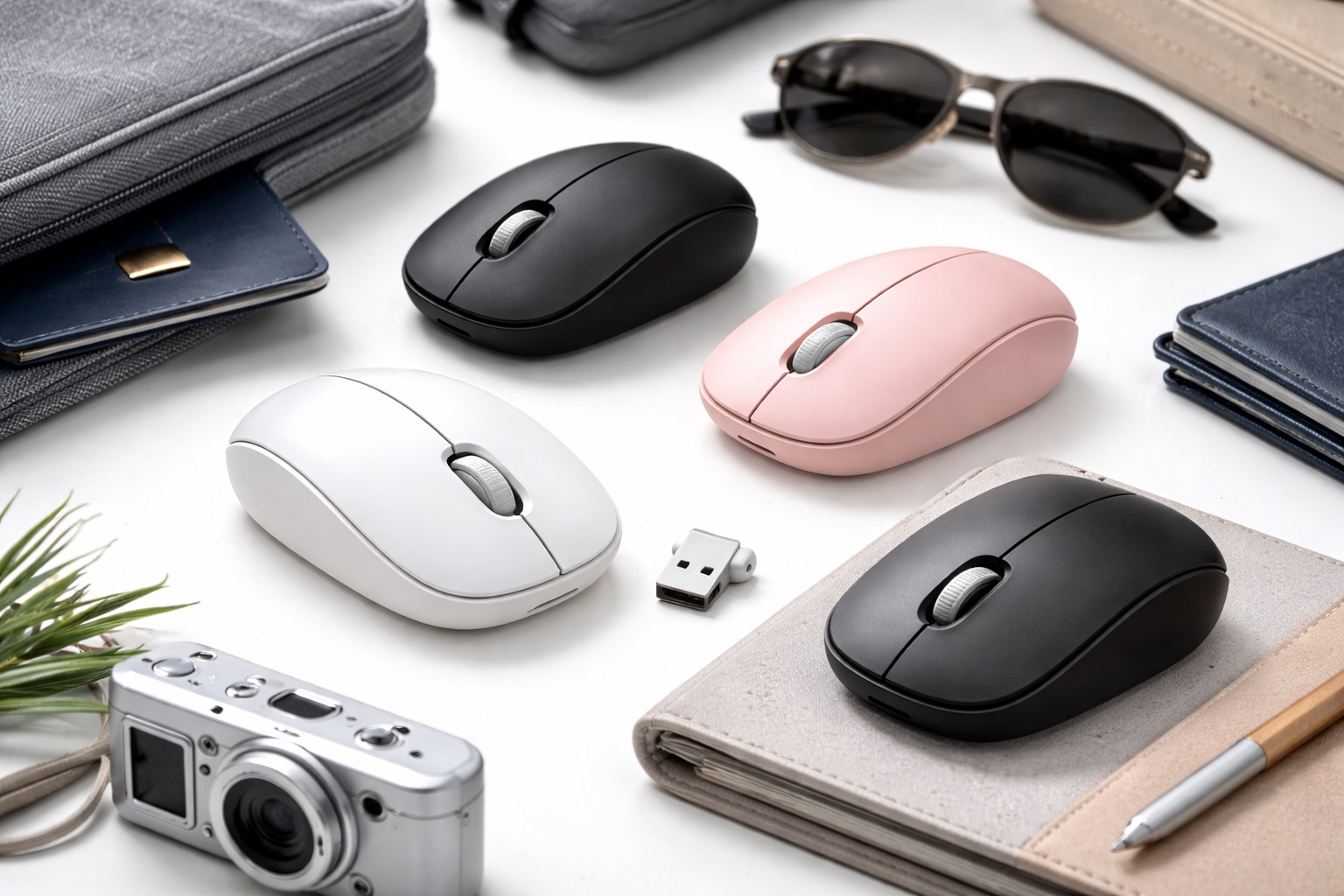
Best Wireless Mouse for Travel in 2026: Productivity Without the Bulk
In 2026, the world is your office. From the cramped tray tables of a long-haul flight to the bustling communal tables of a co-working space in Bali, the ability to work comfortably anywhere is a superpower. While laptop trackpads have improved, nothing beats the precision and ergonomic relief of a dedicated mouse. The **best wireless mouse for travel** must be three things: **Ultra-Compact** (to fit in a pocket), **Multi-Surface Ready** (to work on glass, wood, or stone), and **Silent** (to not annoy the person sitting next to you).
We've tested the latest travel-specific models through multiple time zones and luggage types. We looked for the best "Folding" designs, long-term battery life (no more AA batteries!), and "Multi-Device" switching that lets you jump from your laptop to your tablet with one click. Whether you're a digital nomad, a business executive, or a student traveling on weekends, here are the top picks that will make your mobile workflow more efficient than ever.
Top 8 Best Travel Wireless Mice (Detailed Reviews)
1. Logitech MX Anywhere 3S – The Unchallenged Champion
The MX Anywhere 3S is widely considered the gold standard for travelers. It features "MagSpeed" electromagnetic scrolling, which is fast enough to scroll through 1,000 lines in a second but silent enough for a library. Its standout feature is its 8,000 DPI sensor that tracks on **Any Surface**, including glass—which is essential for hotel desks and airport lounges. It can pair with up to three devices and features a 70-day battery life (USB-C rechargeable). This is the mouse for the serious professional.
- Pros: Tracks on glass, incredible scrolling wheel, 3-device multipoint, very durable build.
- Cons: High price tag, no "storage" for the USB dongle (it relies on Bluetooth).
Who should buy this: Digital nomads and executives who need 100% reliability on any surface.
2. Microsoft Surface Arc Mouse – The Ultimate Space Saver
If you prioritize "flatness" above all else, the Arc Mouse is a piece of engineering magic. When you're using it, it "snaps" into an ergonomic arc shape. When you're done, you **flatten it out** to turn it off. It becomes roughly the thickness of a few credit cards, making it the only mouse that can comfortably fit in the pocket of your jeans or a slim tablet sleeve. It features a large "Touch Surface" instead of a scroll wheel, allowing for both vertical and horizontal scrolling.
- Pros: Folds completely flat, ultra-portable, elegant design, easy to turn on/off.
- Cons: Touch scrolling can be hit-or-miss for some, uses AAA batteries (not rechargeable), less ergonomic for 8-hour shifts.
Who should buy this: Minimalists who want the most "invisible" mouse in their bag.
3. Razer Pro Click Mini – The Performance Travel Hub
Don't let the "Razer" brand fool you; this isn't just for gaming. The Pro Click Mini is a productivity beast. It features "Silent Mechanical Switches," which provide a satisfying tactile click without any sound. It is remarkably small but includes 7 programmable buttons. For a traveler, its best feature is the "Dual-Mode" connectivity: use Bluetooth for your tablet and the 2.4GHz dongle for your laptop to ensure zero lag. It’s the perfect blend of gaming-grade precision and office-ready design.
- Pros: Silent clicks, 7-button customization, dual-mode (Bluetooth/Dongle), very ergonomic for its size.
- Cons: Requires 2x AA batteries, might feel too small for users with very large hands.
Who should buy this: Spreadsheet power users and gamers who want a high-precision tool that fits in their pocket.
4. Pebble Mouse 2 M350s – The Minimalist Budget Pick
Logitech’s Pebble 2 is an aesthetic masterpiece. It is shaped like a smooth river stone and is incredibly quiet (90% noise reduction). It is lightweight, slim, and comes in variety of "aesthetic" colors like Sand and Rose. For 2026, it adds a "Customizable Middle Button" that can trigger an AI shortcut or a mute button for calls. It’s affordable, durable, and the most "fun" travel mouse on our list.
- Pros: Very affordable, ultra-quiet, unique flat design, great color choices.
- Cons: Standard optical sensor (doesn't work well on glass), not for long-term ergonomic use.
Who should buy this: Students and casual travelers who prioritize style and quietness on a budget.
5. Rapoo M600 Mini – The "Luxury" Compact
Rapoo’s M600 features a stunning CNC-machined aluminum shell that feels like a piece of high-end jewelry. It is remarkably thin and supports three different wireless modes (Bluetooth 3.0, 4.0, and 2.4GHz), making it compatible with literally any computer from the last 15 years. It’s balanced, premium, and small enough to fit inside a mint tin. It’s a great choice if you want something that matches a premium metal laptop like a MacBook or XPS.
- Pros: Beautiful aluminum build, extremely compact, multiple wireless modes, very durable.
- Cons: Edges of the aluminum can feel sharp, low DPI (not for gaming).
Who should buy this: Users who want a premium "metal-on-metal" aesthetic and world-class connectivity.
6. Kensington Pro Fit Ergo Wireless – The "Mini" Ergonomic
Usually, "ergonomic" means "huge." Kensington has managed to pack a full "Hand-Shake" grip into a mouse that is 40% smaller than a standard ergo mouse. It features a built-in "Silent Click" and a "Bluetooth 5.0" connection that is incredibly stable. It’s one of the few travel mice that provides real support for your wrist, making it a great pick if you plan to work 8-hour days while traveling.
- Pros: Best ergonomics for travel, silent buttons, very reliable Bluetooth, 2.4GHz dongle storage inside.
- Cons: Bulkier than "flat" mice, won't fit in a pants pocket.
Who should buy this: Travelers with wrist pain who refuse to sacrifice comfort for portability.
7. Apple Magic Mouse – The Multi-Touch Master
For Mac and iPad users, the Magic Mouse remains a unique choice. While its "charging port on the bottom" is still a point of debate, its "Multi-Touch" surface is unmatched. You can swipe through pages, scroll in any direction (360 degrees), and use gestures to switch between desktops. Its flat profile makes it very easy to slide into a laptop sleeve. For 2026, it features improved battery life and a recycled aluminum base.
- Pros: Best gestures for macOS, ultra-slim profile, high-quality build, seamless iPad support.
- Cons: Cannot be used while charging, sharp edges aren't ergonomic for everyone, expensive.
Who should buy this: Mac power users who rely on gestures and horizontal scrolling for their workflow.
8. Lenovo Go USB-C Wireless Mouse – The Modern Standard
Lenovo’s "Go" series is designed specifically for remote work. This mouse is unique because it features a **USB-C Dongle**, which is perfect for new laptops that don't have the old, large USB ports. It also supports "Fast Charging"—just 15 minutes of charging via USB-C gives you a full week of use. It features a programmable utility button on the side that is preset to "Open Teams" or "Mute Microphone," which is a lifesaver for business calls.
- Pros: USB-C dongle is a rarity, very fast charging, great for video calls, affordable.
- Cons: Very light plastic feel, simple design.
Who should buy this: Business travelers who live in a "USB-C only" world and take many remote meetings.
Buying Guide: Choosing Your Travel Companion
When you're shopping for a travel mouse, don't just look at the price. Here are the four "Travel Specific" features that matter most:
1. Connectivity: Bluetooth vs. Dongle
The best travel mice offer **Both**. Bluetooth is great because you don't have a tiny part to lose. However, in crowded airports (with 1,000 devices in one room), Bluetooth can get "laggy." A 2.4GHz USB dongle provides a "wired-like" connection that never skips. Always look for a mouse with a **Storage Slot** for the dongle inside the mouse.
2. Sensor Technology (DPI and Surfaces)
Traditional "Optical" mice (the ones with red lights) are terrible on hotel glass desks or shiny airport tables. Look for **"Laser" or "Blue Track" or "Darkfield"** sensors. These are designed to work on almost any surface, ensuring you don't have to carry a separate mousepad.
3. Sound (The "Coffee Shop" Test)
Public workspaces are quiet. A "click-click-click" sound can be surprisingly annoying to others. Look for mice that advertise **"Silent Switches" or "90% Noise Reduction."** Modern silent mice still feel "clicky" to you, but they are nearly inaudible to those around you.
4. Battery Source: Rechargeable vs. Alkaline
For 2026, **USB-C Rechargeable** is the winner. Carrying spare AA batteries is a hassle. However, some people prefer AA batteries because if the mouse dies, you can just buy a new battery at any convenience store. Choose based on your preference for convenience vs. sustainability.
FAQ: Expert Travel Mouse Advice
Will these mice work with my iPad or Android Tablet?
Yes! As long as the mouse has **Bluetooth**, almost every modern tablet since 2024 supports native mouse input. It even gives you a "circular cursor" that makes working on a tablet feel like a real computer.
How do I transport my mouse so it doesn't get damaged?
Mice have sensitive buttons and scroll wheels. If you are tossing it in a backpack, look for a mouse that includes a **Hard Shell Case** or buy a small universal "hardshell pouch" for $10. This prevents the buttons from being "clicked" inside your bag, which can actually drain the battery.
Why is my mouse lagging on my laptop?
This is often due to "Bluetooth Interference" from other devices or your Wi-Fi. Try using the 2.4GHz dongle if your mouse has one. Also, ensure your mouse's battery is above 20%—many mice enter a "Low Power Mode" that reduces the polling rate (speed), making it feel laggy.
Can I use a travel mouse for gaming?
You can! However, travel mice usually have a lower "Polling Rate" than gaming mice. For casual games (Sims, Minecraft, Hearthstone), they are perfect. For competitive shooters (Valorant, CS2), you may find the response time slightly too slow and the shape too small.
What is horizontal scrolling?
Some travel mice (like the MX Anywhere or Arc) allow you to scroll side-to-side. This is essential for **Excel spreadsheets** and video editing timelines. If you work in finance or creative media, this feature is a "must-have."
Final Verdict: The Winner for Your Next Adventure
- The Professional's Choice: The Logitech MX Anywhere 3S for its "works on anything" sensor.
- The Space Saver: The Microsoft Surface Arc for fitting into anything.
- The Smart Budget: The Logitech Pebble 2 for its silence and style.
Productivity shouldn't be limited by your location. By choosing a wireless mouse that is built for the road, you're giving yourself the precision you need to finish your work faster so you can spend more time enjoying your destination. Pack light, work fast!