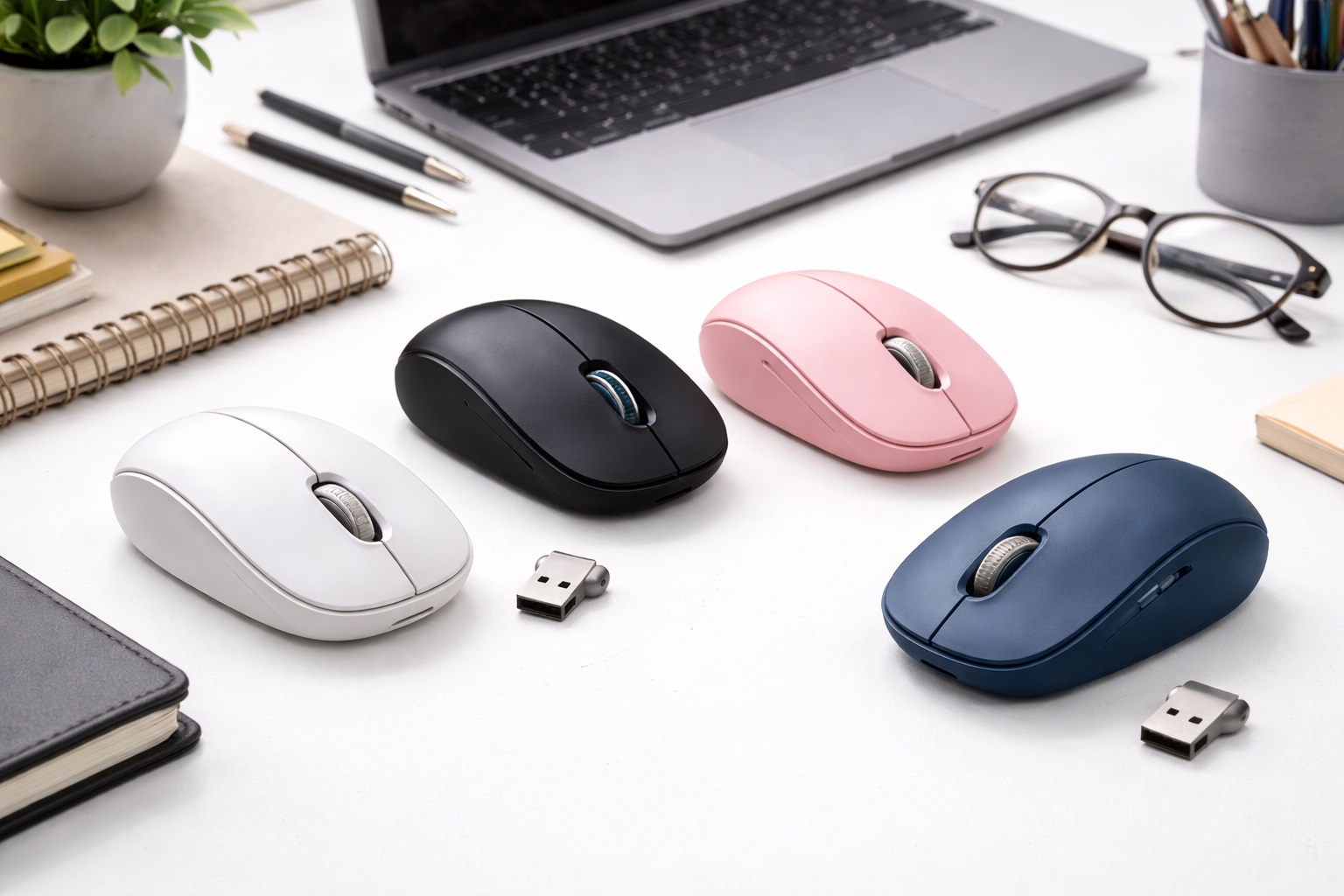
Best Budget Wireless Mouse in 2026: Professional Precision for Every Desk
In 2026, you don't have to spend $100 to get a reliable, high-performance wireless mouse. The technology for "entry-level" sensors and wireless chips has improved so much that a $20 to $30 mouse today performs better than a $80 mouse from five years ago. The **best budget wireless mouse** is the one that offers **Stable Connectivity** (no skipping), **Long Battery Life** (months, not days), and a **Comfortable Shape** that doesn't cause fatigue during long hours of browsing or working.
We've tested dozens of affordable mice to find the "hidden gems" of 2026. We focused on brands that prioritize durability over flashy lights and software. We looked for models with "Silent Clicks" (perfect for offices/libraries), "Auto-Sleep" features to save battery, and high-quality scroll wheels that don't feel "mushy." Whether you're a student, a home-office worker, or just looking for a backup for your travel bag, these are the top-rated budget picks for 2026.
Top 8 Best Budget Wireless Mice (Detailed Reviews)
1. Logitech M185 – The Ultimate Reliable Classic
The M185 is widely considered the best beginner/budget mouse in history. For usually under $15, it is the definition of "just works." You plug the tiny USB receiver into your computer, and the mouse is active instantly—no pairing, no settings, no fuss. It features a contoured shape that is comfortable in both left and right hands. Its biggest feature is its internal efficiency: a single AA battery can last for an incredible **12 months** of regular use. It is a no-nonsense, durable tool that every desk should have.
- Pros: Incredibly cheap, 1-year battery life, simplest setup in the world, very durable.
- Cons: Loud "clicky" sound, basic tracking (doesn't work on glass), requires a USB-A port.
Who should buy this: Anyone who wants the simplest, most reliable mouse possible for the lowest price.
2. Rapoo M100 Silent – The Best Feature Mix
Rapoo is a global leader in value peripherals. The M100 is a "budget powerhouse" because it offers **Dual-Mode Connection**. It includes a USB receiver but can also connect via **Bluetooth**. This means you can use it on your laptop with the USB plug and then instantly switch to your tablet via Bluetooth! It also features "Silent Clicks," which reduce the sound of your work by 90%—perfect for shared apartments or libraries. For under $20, its versatility is unmatched.
- Pros: USB + Bluetooth connectivity, silent clicks, very compact for small hands, great price.
- Cons: Battery door can feel a bit loose, generic brand name.
Who should buy this: Students and multi-device users who want a quiet, versatile mouse on a budget.
3. Logitech Pebble 2 M350s – The Aesthetic Minimalist
The Pebble 2 is shaped like a smooth, flat river stone. It is designed to be ultra-portable and ultra-quiet. For 2026, it adds a "Customizable Middle Button" that you can set to trigger an AI assistant or a "Mute" toggle for your calls. It connects solely via Bluetooth, making it a "cable-free" and "dongle-free" solution. It comes in variety of beautiful, high-end colors like Tonal Blue, Sand, and Rose. For around $25, it’s a stylish piece of tech that looks twice as expensive as it is.
- Pros: No USB plug needed, ultra-quiet, stunning modern design, very slim for bags.
- Cons: Flat shape isn't for 8-hour ergonomic shifts, sensor is basic.
Who should buy this: Style-conscious users and tablet owners who prioritize portability and silence.
4. TeckNet M002 – The "Fast Browser" Hero
TeckNet is a massive favorite for budget buyers because they provide "extra" buttons for very little money. The M002 features two **"Side Buttons"** that act as "Back" and "Forward" for your web browser. This one feature speeds up your surfing and research by 50%. It also features an "Auto-Sleep" mode and a 2000 DPI sensor—which is much more precise than standard budget mice. For under $15, it’s a "performance" mouse at a "utility" price.
- Pros: Back/Forward side buttons, very precise for a budget mouse, auto-sleep battery saving, extremely affordable.
- Cons: No Bluetooth (USB only), build is strictly plastic.
Who should buy this: People who spend hours browsing the web or doing research and want it to be faster.
5. HP 280 Silent Wireless Mouse – The Trusted Workhorse
HP is a brand that everyone trusts for school and office gear. Their 280 Silent model is a strictly professional tool. It features a "Silent Click" mechanism and a very long 18-month battery life. For a budget user, its best feature is its "Comfort Grips" on the sides—they are textured to ensure your hand doesn't slip even when your palms are sweaty. It’s a solid, heavy-duty choice for a home office setup that will easily last 3-4 years.
- Pros: 18-month battery life, very quiet, high-quality side grips, trusted brand.
- Cons: Larger "old-school" shape, strictly USB (no Bluetooth).
Who should buy this: Office workers and writers who want a quiet, long-lasting mouse from a big brand.
6. Kensington Pro Fit Ergo Wireless – The Healthy Budget Pick
If you're starting to feel hand strain, you need an **Ergonomic** mouse. Kensington managed to build a professional "Handshake-grip" mouse for often under $35. It keeps your wrist in a natural position to prevent pain. For a budget pick, it’s remarkable for including "Silent Clicks" and a very high-quality scroll wheel. It's the most affordable way to get real health benefits at your desk without spending $100 on a fancy Logitech vertical.
- Pros: Superior ergonomics for health, silent clicks, very stable connection, affordable.
- Cons: Large size (strictly for the desk, not for travel), requires a USB-A port.
Who should buy this: Writers, programmers, and anyone who uses their mouse for 6+ hours a day on a budget.
7. Amazon Basics Compact Wireless Mouse – The "Emergency" King
Sometimes you just want the absolute minimum price for a functioning tool. The Amazon Basics mouse is no-frills and nearly indestructible. For around $10, it offers a stable 2.4GHz connection and three basic buttons. It is a "set it and forget it" tool that is perfect for a spare laptop, a child's computer, or to keep in a drawer as a backup in case your main mouse breaks. It’s reliable, stable, and incredibly cheap.
- Pros: Cheapest functional pick, very durable, standard simple connection, replaceable.
- Cons: Loud clicking sound, very basic tracking, plastic feel.
Who should buy this: As an emergency spare or for someone who just wants a basic, reliable clicking tool.
8. Microsoft Bluetooth Mouse – The Simple Windows Choice
For around $20, this Microsoft mouse is a masterpiece of "balanced" design. It connects solely via Bluetooth, meaning no USB plugs to lose. It features their proprietary "BlueTrack" sensor, which works on many surfaces where other cheap mice fail (though still not glass). It is lightweight, compact, and features a very clear "clicking" wheel. It’s the perfect "default" mouse for someone with a new Windows laptop.
- Pros: Bluetooth (no dongle), simple elegant design, 12-month battery life, brand reputation.
- Cons: Simple features only, plastic body.
Who should buy this: Windows laptop users who want a clean, wireless setup from a brand they know.
Buying Guide: Getting the Most Out of a Budget Mouse
When you're shopping for a bargain, you need to check for these three "Gotchas" that cheap brands use:
1. Connection Type (USB vs. Bluetooth)
* **USB (Nano Receiver):** Best for reliability and desktop PCs. No pairing is needed. **Downside:** If you lose the tiny USB plug, the mouse is trash. * **Bluetooth:** Best for laptops and tablets with limited ports. **Downside:** Can sometimes be "laggy" in rooms with many other devices. If you can, find a mouse that offers **Both**, like the Rapoo M100.
2. "Silent" Buttons
A "loud" click isn't just annoying; it’s a sign of older, cheaper switch technology. In 2026, many budget mice include **"Silent Switches"**. They still feel "clicky" to you, but they are 90% quieter to people around you. It's a massive quality-of-life upgrade for school and shared offices.
3. Battery Management
Avoid any "rechargeable" budget mouse that costs under $15. The internal batteries in those are often low-quality and die within 6 months. A **Standard AA or AAA battery** is actually better for budget mice—it will last longer and you can easily replace it when it finally dies next year.
FAQ: Expert Budget Advice
Why is my mouse cursor jumping around the screen?
This is usually due to a low battery or dust on the bottom "eye" (the sensor). Try a fresh battery first. If that doesn't work, ensure you're using a **Mousepad**. Many budget mice struggle with the "grain" of wood desks or reflections from white tables.
Will a $15 mouse work with my Mac?
Yes. USB and Bluetooth are universal. Almost every mouse on this list works perfectly with macOS, Windows, and even iPads. However, the "Forward/Back" side buttons on the TeckNet might require extra software on a Mac.
How do I turn the mouse OFF to save battery?
Look for a small switch on the bottom of the mouse. Even if it has "Auto-Sleep," turning it OFF at night or when you put it in a bag will ensure your battery lasts the full 12 months.
Can I use these for gaming?
Casual gaming (Minecraft, Sims, Puzzle games)? Yes. Fast-paced shooters (Valorant, CS2)? No. Budget mice have a slower "Response Time" (polling rate), meaning there is a tiny delay between your hand moving and the screen reacting. For real gaming, you need a high-performance gaming mouse.
Is a "Small" mouse bad for me?
Small mice are better for **Travel and Portability**. However, if you have large hands and work for 8 hours a day, a small mouse can cause hand cramps. If you're working at a desk, always choose a "Full-Size" or "Ergonomic" option like the Kensington.
Final Verdict: The Best Winner for Your Dollars
- The Best Value: The Logitech M185 for its legendary reliability and simplicity.
- The Feature Winner: The Rapoo M100 Silent for its Bluetooth + USB versatility.
- The Healthy Choice: The Kensington Pro Fit Ergo for saving your wrist on a budget.
You don't need to spend much to get a great clicking experience. By choosing a high-quality, reputable budget mouse, you're making your daily computer time more efficient and more comfortable. Spend less, click more!