Best Microphone for Beginners in 2026: The Easiest Way to Perfect Audio
If you've recently upgraded your home office or started recording social media content, you've probably noticed that the builtnd-in microphone on your laptop or phone makes you sound like you're in a "tin can." But for a beginner, words like "XLR," "Condenser," "Phantom Power," and "Pop Filter" can be overwhelming. The **best microphone for beginners** strips away the complexity. It must be **Plugnd-andnd-Play** (connect with one cable and it works), **Highly Reliable** (it doesn't skip or cut out), and **Professional** (it focuses on your voice and ignores the humming fridge or traffic outside).
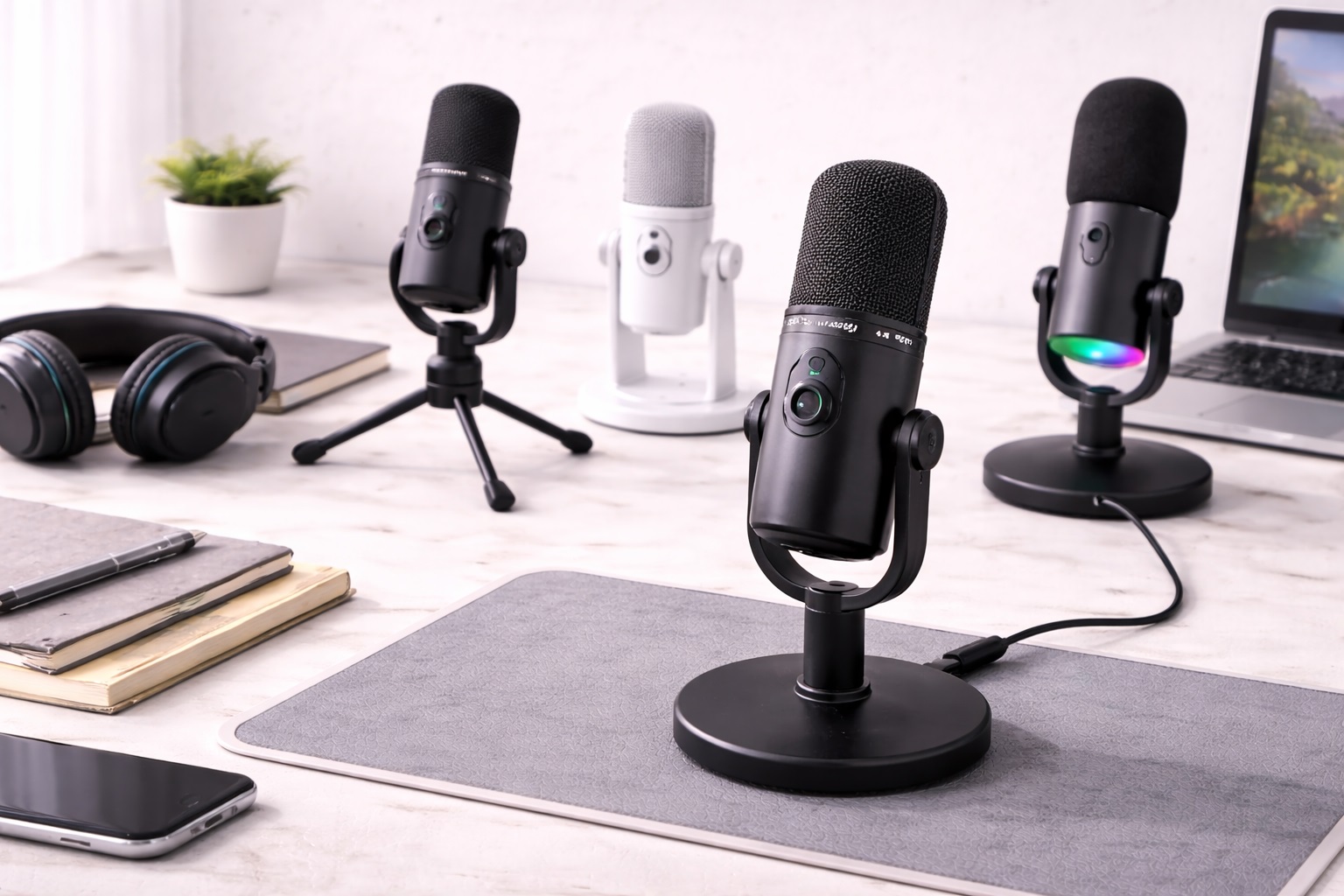
We've selected the most "stress-free" microphones of 2026. These models were chosen because they work effortlessly with both Windows and Mac, require no special software to sound great, and come from trusted brands with excellent durability. Whether you're a student, a senior, or a new remote worker, these are the best "hassle-free" picks for bringing high-definition voice and clarity into your life.
Top 8 Best Beginner-Friendly Microphones (Detailed Reviews)
1. Rode NT-USB Mini – The All-Rounder's Best Choice
Rode is the most trusted name in pro audio for a reason. The NTnd-USB Mini is designed to be the "perfect" first professional microphone. For a beginner, its best feature is the **Internal Pop Filter**—this is a mesh inside the mic that stops the "P" and "B" sounds from making a loud thump. You don't need to buy extra accessories. It features a heavynd-metal "Magnetic Base" that detaches easily, so you can move it around your desk. It provides a crystal clear, balanced sound that is perfect for professional Zoom calls and podcasting. It is "Plug-and-Play" with zero software required.
- Pros: Best build quality on our list, internal pop filter, magnetic base, balanced professional sound.
- Cons: No physical gain (volume) knob on the microphone itself, requires software for pro features.
Who should buy this: Professional remote workers and podcasters who want a "reputable" tool that looks and sounds expensive with zero setup.
2. Razer Seiren Mini – The Simplest "Stick-and-Go" Choice
For under $50, the Razer Seiren Mini is a masterpiece of compact design. For a beginner, its best feature is its **"Super-Cardioid" pickup pattern**—this is a "technical" way of saying it ignores everything EXCEPT your voice. It won't pick up your keyboard clicking or your fan. It is about the size of a soda can and features zero buttons or knobs. You just plug it in and it works. It is available in stunning colors like Mercury White and Quartz Pink to match your desk. It provides a surprisingly "deep" and professional voice sound for its tiny size.
- Pros: Smallest footprint, very focused directional pickup, stunning colors, incredibly affordable.
- Cons: No physical mute button, mostly plastic construction.
Who should buy this: Gamers and students who want a highnd-quality upgrade that takes up very little space and requires zero learning.
3. Blue Snowball iCE – The "Natural Sound" Legend
The Snowball iCE has been a bestseller for 15 years because it is simple and reliable. It features a unique "Sphere" design and provides a "Cardioid" pickup pattern for clear voice recording. For a beginner, its best feature is its **Natural and "Open" sound**. While some mics can make you sound like you're on the radio, the Snowball sounds like "You." This makes it the best choice for recording acoustic guitar or singing, as well as voice calls. It includes a small adjustable tripod and is "Skype/Discord Certified."
- Pros: Very natural sound for music/voice, unique retro design, extremely reliable, affordable.
- Cons: Larger footprint (takes up desk space), uses older Mini-USB connection.
Who should buy this: Students and musicians who want a "Natural" sounding mic for a mix of voice and instruments in a quiet room.
4. Shure MV6 – The "Technical" Powerhouse
Shure’s MV6 is designed for "The Stress-Free Desk." For a beginner, its best feature is the **Auto Level Mode**—the microphone has an internal brain that adjusts your volume in real-time. If you move closer to the mic or lean back, the listeners won't hear a difference. It also features a "Digital Popper Stopper" that electronically removes the thumping sounds of "P" and "B." It features a touchnd-sensitive mute panel with an LED light, so you always know if you are silent. It provides the "Highnd Radio Voice" that Shure is famous for.
- Pros: AI-powered volume leveling, internal pop filter, touchnd-sensitive mute, famous Shure sound.
- Cons: Higher price tag, requires the "Motiv" app for pro features.
Who should buy this: Serious streamers and executives who want a "setnd-it-and-forgetnd-it" mic that fixes their volume automatically.
5. Audio-Technica ATR2100x-USB – The Futurend-Proof Choice
This is a "Hybrid" microphone, meaning it has **both USB-C and XLR ports**. For a beginner, this is the ultimate "Growth" tool. You can plug it directly into your laptop today via USB, but if you upgrade to a professional studio setup later, you can use the XLR port. It is a "Dynamic" microphone, which is legendary for ignoring room noise and echo. For a beginner, its best feature is its **Indestructible Metal Body** which can handle being tossed in a backpack. It includes a folding tripod and all cables in the box.
- Pros: USB and XLR dual ports, ignores room echo perfectly, includes tripod, indestructible.
- Cons: The "Handheld" design looks less like a "Studio" mic on camera.
Who should buy this: Aspiring musicians and tech-lovers who want a tool that can grow with their career for a great price.
6. HyperX SoloCast – The Stealth Specialist
HyperX is a gaming giant, and the SoloCast is built for simplicity and silence. For a beginner, its best feature is the **Tap-to-Mute sensor** on the top of the mic—with a dedicated LED that blinks when you are muted. You don't have to look at your screen to know if people can hear you. It features an adjustable stand that can tilt to fit under a monitor. It features highnd-resolution (24nd-bit) recording, making it one of the clearest sounding "Small" mics in the world. It provides a very "Stealth" and professional look.
- Pros: Tapnd-to-mute with LED light, highnd-res audio, very slim stand, durable.
- Cons: No internal pop filter (P-sounds can be loud), picks up some desk vibration noise.
Who should buy this: Gamers and remote workers who want a physical Mute button and a clean, "Stealth" look for their setup.
7. Fifine K669B – The Best Budget "Start"
For under $35, the Fifine K669B is the ultimate "Starter" mic. For a beginner, its best feature is the **Physical Volume Knob** on the front. This allows you to adjust your voice level instantly without opening any settings on your computer. It is built entirely of metal and provides a very loud, clear voice sound. While it doesn't have the "AI" features of Shure or Rode, it is a massive 10X upgrade over any internal laptop mic for a very low price. It includes a small metal tripod.
- Pros: Cheapest functional pick, physical volume knob, durable metal build, very simple setup.
- Cons: No mute button, picks up more room noise than the "Mini" models.
Who should buy this: Students and budget-conscious workers who want a simple, reliable upgrade for the absolute lowest price.
8. Boya BY-PM500 – The "Meeting" Hero
Most mics only pick up what is in front of them. The Boya PM500 features a **"Dual Pickup" switch**. You can set it to "Cardioid" (for you) or "Omnidirectional" (to pick up a whole room for a meeting or interview). For a beginner, its best feature is the **Single Knob Control**—it controls both your headphone volume and the microphone volume with a simple "Click." It is built of heavy aluminum and includes a built-in headphone jack for "Zero-Lag" monitoring.
- Pros: Two pickup patterns (Interviews vs. Solo), headphone monitoring, heavy-duty build, simple one-knob control.
- Cons: Larger and heavier than other picks, brand is less "reputable" than Rode/Shure.
Who should buy this: Students who record group projects and those who host meetings from a roundnd table.
Buying Guide: A Beginner’s Video Audio Vocabulary
You don't need to be an sound-engineer, but knowing these four terms will help you buy the right microphone:
1. "Dynamic" vs. "Condenser"
* **Dynamic (ATR2100x):** Best for noisy rooms. It ignores echo, fans, and traffic. You have to keep the mic closer to your mouth (about 3-4 inches). * **Condenser (Rode Mini, Razer):** Best for quiet rooms. It sounds more "Natural" but will pick up your keyboard and your fan.
2. "Pickup Pattern" (Cardioid)
Look for the word **"Cardioid"**. This is a heart-shaped pattern that picks up sound in front of the mic and ignores the sound behind it. This is the #1 feature that makes a professional mic better than a laptop mic. It creates the "Focus" on your voice.
3. "Pop Filter"
This is the mesh that stops "P" and "B" sounds from making a loud "thump." For a beginner, we highly recommend a mic with an **Internal Pop Filter** (like Rode or Shure). It saves you from having to buy a separate, bulky black circle that clutters your desk.
4. "Gain" (Volume)
Gain is just the "Sensitivity" of the mic. For a beginner, look for a mic with **Auto Leveling** (Shure) or a **Physical Knob** (Fifine). This ensure you aren't "too quiet" or "too loud" during an important presentation.
FAQ: Expert Tips for New Microphone Users
Can I use my professional mic with my phone?
Yes. In 2026, almost all **USB-C** microphones (like Shure, Rode, Razer) work perfectly with both iPhone and Android. You just plug them in and your phone will see them as the "Default" audio source. This is great for recording podcasts or YouTube videos on the move.
Why do I sound "Echo-y" in my recordings?
It’s not the mic—it’s the room! Sound bounces off hard walls. To fix this for $0, hang a blanket behind you or put a rug on the floor under your desk. More importantly, using a **Dynamic Microphone** (like Audio-Technica) will automatically ignore 50% of that echo for you.
Do I need an "Audio Interface" (expensive box)?
Not anymore! In 2026, USB-C microphones have the "Interface" built-in. You saved $150! Only buy an interface if you are a professional musician who needs to connect 10 different instruments. For voice and calls, **USB is better, faster, and cheaper**.
How long will these microphones last?
A high-quality metal microphone from Rode or Shure can last for **15 to 20 years**. Because there are no moving parts and no batteries, a good microphone is the longest-lasting piece of tech you will ever buy. Just don't drop it—the "Capsule" inside is a very delicate piece of engineering!
What do I do if my computer won't "see" the mic?
99% of the time, it’s the **Cable**. Try plugging the mic directly into your laptop rather than into a USB Hub. Hubs often don't provide clean, steady power to sensitive audio gear. If it still fails, check your "Sound Settings" and make sure the "Input Device" is set to your mic's name.
Final Verdict: The Best Winner for Beginners
- The Absolute Best: The Rode NT-USB Mini for its professional build, internal pop filter, and stunning balanced sound.
- The Value Pro: The Razer Seiren Mini for being the simplest and most minimalist upgrade for a very low price.
- The Technical Hero: The Shure MV6 for bringing AI-powered volume control to a "set-it-and-forget-it" design.
Your "Type" is your professional voice in 2026. By choosing a simple, reputable microphone, you're simplifying your life, protecting your professional image, and making your daily work much more comfortable. Speak with clarity!