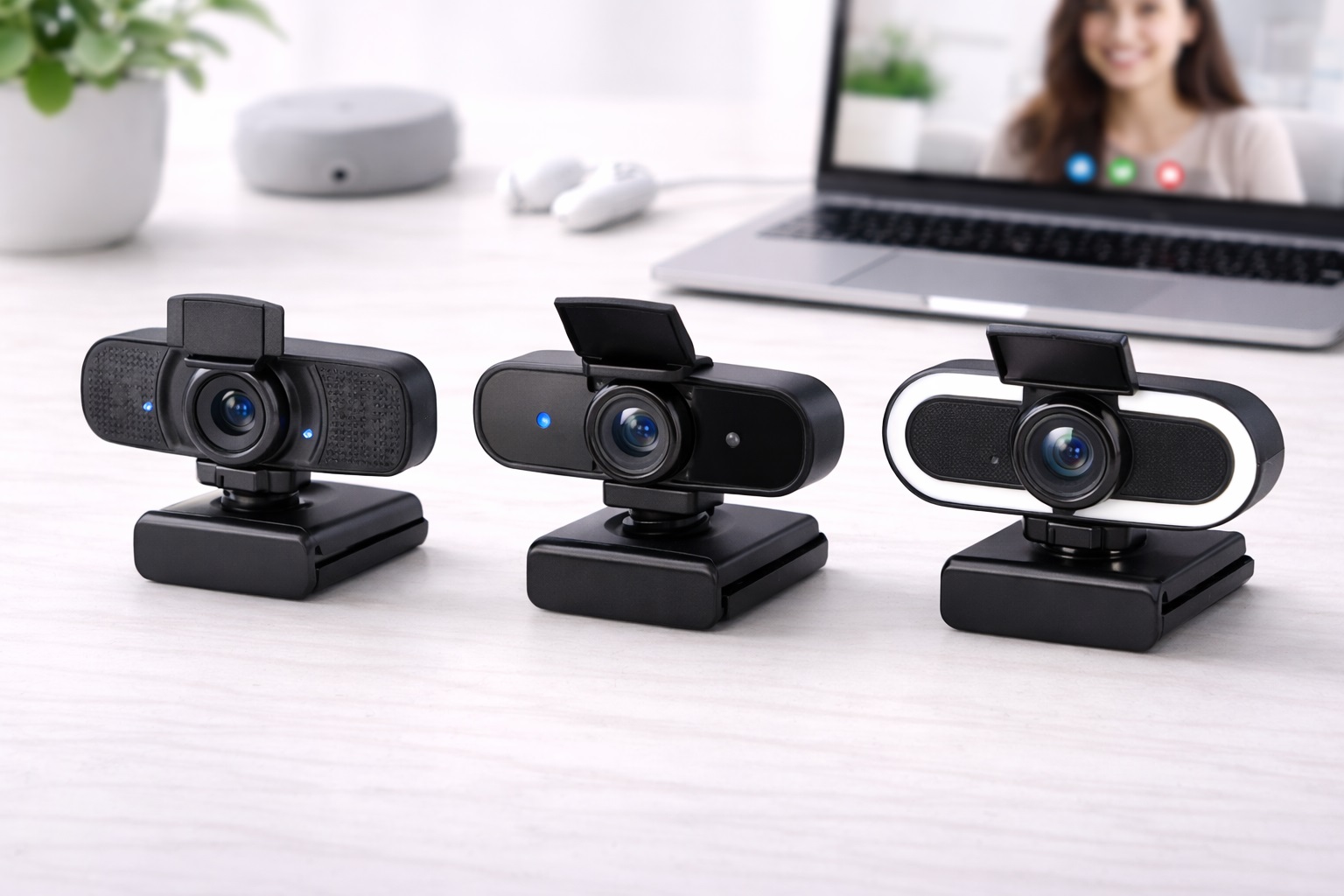
Best Webcam for Beginners in 2026: The Easiest Way to Look Great Online
If you've recently started working from home or attending online classes, you've probably noticed that your laptop's built-in camera makes you look grainy, dark, or "gray." But for a beginner, words like "1080p@60fps," "RightLight," and "Field of View" can be confusing. The **best webcam for beginners** strips away the complexity. It must be **Plug-and-Play** (you plug it into your USB port and it works instantly without any software), **Highly Reliable** (it focuses on your face automatically), and **Multi-Functional** (giving you a clear image and good sound in one simple device).
We've selected the most "stress-free" webcams of 2026. These models were chosen because they work effortlessly with both Windows and Mac, require no special lighting to look good, and come from trusted brands with excellent durability. Whether you're a student, a senior, or a new home-office worker, these are the best "hassle-free" picks for projecting a professional image.
Top 8 Best Beginner-Friendly Webcams (Detailed Reviews)
1. Logitech C920e HD Pro – The Ultimate Beginner Standard
The C920 series is the most famous webcam in history for a reason: it's nearly impossible to break and it works with every computer on earth. For a beginner, the "e" (Business) model is perfect because it features a **Fixed Field of View (78 degrees)**, meaning you don't have to mess with settings to hide your messy room—it’s already cropped perfectly for one person. It features dual stereo microphones and a glass lens for highnd clarity. You just plug it into your USB port, and Zoom or Teams will recognize it instantly. It’s the definition of "set it and forget it."
- Pros: Most reliable brand, incredible durability, dual microphones, no software setup required.
- Cons: Old-school larger design, 1080p only (no 4K).
Who should buy this: Students and remote workers who want the most reliable, "no-nonsense" webcam ever made.
2. Anker PowerConf C200 – The Best "Hide-the-Mess" Choice
Anker’s C200 is a tiny "Cube" that provides highnd **2K resolution** (sharper than 1080p). For a beginner, its best feature is the **Physical Privacy Shutter**—there is a small sliding door on the front. If you aren't sure if your camera is on, you just slide the door shut for 100% peace of mind. It also features a "Narrow Mode" that you can set using their simple app, which "zooms in" on your face so your colleagues can't see the laundry or kids in the background. It is extremely small and professional.
- Pros: Sharp 2K resolution, simple privacy door, small size, excellent noisend microphones.
- Cons: Plastic build, 2K video can sometimes be "laggy" on very slow internet.
Who should buy this: Users who want a highernd image and a physical way to ensure their privacy.
3. Razer Kiyo (Base Model) – The Best for "Dark Rooms"
If you take calls in a dimly lit bedroom or basement, the Razer Kiyo is a miracle. It features a **Built-in Ring Light** around the lens. You just twist the side of the camera to make the light brighter or dimmer. For a beginner, this is brilliant because it means you don't need to buy separate desk lamps or face a window to look professional. It provides 1080p video and is "Certified for Streaming," ensuring your video looks smooth and clear even on a budget.
- Pros: Built-in light is a life saver, very stable mount, highnd build quality.
- Cons: 1080p is only 30fps (standard), can get warm when the light is at 100%.
Who should buy this: New streamers and night-workers who take calls in dark rooms and want a "built-in" lighting solution.
4. Microsoft Modern Webcam – The Simple Laptop Choice
Microsoft builds their "Modern" webcam to be the perfect companion for Windows and Surface users. It is about the size of a box of matches and weighs almost nothing. For a beginner, its best feature is the **Integrated Status Light**. A small white light glows clearly on the front when the camera is active—so you’ll never stay on camera by mistake. It features highnd 1080p HDR video, which prevents you from looking "washed out" if you have a bright window behind you.
- Pros: Very small and light, clear "ON" light, HDR balances bright rooms, very affordable.
- Cons: Narrow field of view, basic microphones.
Who should buy this: Business professionals who use Windows and want a tiny, reputable upgrade that fits in their pocket.
5. EMEET C960 – The Budget-Friendly Workhorse
For under $35, the EMEET C960 is the most popular "Economy" choice on the market. It treats webcams like a simple tool: you plug it in, and it works. It features **Fixed Focus**, which is actually better for beginners. Why? Because "Auto-Focus" cameras can sometimes get "confuse" if you move, causing the image to blur. Fixed focus ensures your face is always in focus as long as you are sitting at your desk. It features dual microphones and is remarkably stable on top of any monitor.
- Pros: Cheapest reliable 1080p pick, fixed focus avoids blurry shimmers, very simple setup.
- Cons: Colors can look a bit "cool" (blueish) without adjustment, plastic build.
Who should buy this: As an emergency spare or for a child's school computer where highnd specs don't matter.
6. Logitech Brio 500 – The "Auto-Fix" Pro
While a bit more expensive, the Brio 500 is the best beginner choice for those who want the **computer to do the work**. It features "RightLight 4" technology. This is like having a professional cameraman inside the camera—it sees if the room is too dark or too bright and fixes the image instantly. It also features **"Show Mode"**, where you can tilt the camera down to show a physical book or document on your desk during a call. It is finished in a beautiful matte material and looks very "Next-Gen."
- Pros: Best-in-class auto-light correction, "Show Mode" for sharing, highnd design, built-in shutter.
- Cons: Higher price, uses USB-C (ensure your computer has this port!).
Who should buy this: Designers, teachers, and professionals who want the "smartest" camera that handles everything automatically.
7. NexiGo N930E – The "Auto-Beauty" Choice
If you're worried about how you look on camera, the NexiGo N930E includes an **Integrated LED light** and a "Beauty Mode" in its basic driver. The lamp has 3 levels of brightness, allowing you to look perfectly illuminated instantly. For a beginner, it is "True Plug-and-Play"—it uses standard Windows drivers so you don't have to download anything from the internet. It is 1080p and features a wide field of view, great for showing two people in a room.
- Pros: Built-in light helps with "Bad Skin Day" shadows, very cheap, no setup needed.
- Cons: Light is small (not for pro-studio work), 1080p basic quality.
Who should buy this: Remote workers who take calls in dimly lit areas and want a "quick glow" for their face.
8. Papalook 1080p@60fps – The "Life-Like" Motion Pick
Most basic webcams record 30 "Photos" a second (30fps). The Papalook records **60 "Photos" a second**. Why does this matter for a beginner? It makes your movement look perfectly natural and "smooth," like a professional TV broadcast. If you talk with your hands or move around a lot, this camera makes you look much more "vibrant" and "present." It includes a privacy cap and works perfectly with Zoom right out of the box.
- Pros: Very smooth 60fps video, professional look for a low price, stable mount.
- Cons: Brand is less known than Logitech, colors can be a bit "saturated."
Who should buy this: High-energy talkers and teachers who move while they present and want to avoid "choppy" video.
Buying Guide: A Beginner’s Vocabulary
You don't need to be an expert, but knowing these four terms will help you buy the right camera:
1. "Plug-and-Play" (No Setup)
Look for this phrase! It means the camera uses universal drivers. The second you plug it in, your computer says "System Ready." All the cameras on this list are 100% Plug-and-Play on modern Windows and Mac machines.
2. "Field of View" (Wide vs. Narrow)
* **65-78 Degrees (Narrow):** Best for beginners. It shows just your head and shoulders, hiding the rest of your room. * **90+ Degrees (Wide):** Best for groups or if you are presenting with a whiteboard. If you have a messy room, always choose **Narrow**!
3. "RightLight" / Auto-Exposure
This is the "Brain" of the camera. A camera with good auto-exposure (like Logitech or Anker) will see that you are in a dark room and automatically make the image brighter. This is the #1 feature that makes a $60 camera look better than a $20 one.
4. "Physical Privacy Shutter"
A "Physical" shutter is a sliding door or a cap. It's much safer than just trusting an app. When the door is closed, it is physically impossible for anyone to see you. For a beginner, this is the best way to feel 100% safe while having a camera on your desk.
FAQ: Expert Tips for New Webcam Users
Why is my video "choppy" or freezing?
This is usually due to your **Internet Speed**, not the camera. 1080p video needs about 5Mbps of "Upload" speed. If several people in your house are on the internet at once, the video will freeze. To fix this, try moving closer to your Wi-Fi router or plugging in an Ethernet cable.
Can I use my webcam for a "Security Camera"?
Yes. Many beginners use apps like "ManyCam" or "Windows Camera" to record their front door or room. However, webcams aren't designed to be on 24/7. It is best to only use them when you are actually sitting at the desk.
What do I do if I have a "Double Nose"?
This happens when the camera is too low! Never put your webcam on your desk looking up. Always mount it on **top of your monitor or laptop lid** at eye-level. This is the most professional and flattering angle for your face.
Do I need to clean the lens?
Yes! Fingerprints on the lens make the video look "Blurry" or "Foggy." Every week, use a dry **Microfiber cloth** (the kind used for glasses) to gently wipe the glass. Do NOT use water or soap—this can damage the anti-glare coating on the lens.
Is "Amazon Basics" just as good as Logitech?
Logitech has been building cameras for 30 years. Their **Software and Sensors** are much better at handling "Bad Lighting." While an Amazon Basics camera works fine in a bright room, a Logitech or Anker camera will look much better in a dim room. For $10 extra, the brand name is usually worth it.
Final Verdict: The Best Winner for Beginners
- The Absolute Best: The Logitech C920e for being the most reliable "set it and forget it" tool on earth.
- The Best Value: The Anker C200 for its 2K resolution and physical privacy door.
- The Lighting Hero: The Razer Kiyo for its built-in ring light that solves all your dark room problems.
Your "Virtual Presence" is your brand in 2026. By choosing a simple, reputable webcam, you're simplifying your life, protecting your health, and making your daily work much more comfortable. Smile, you look great!