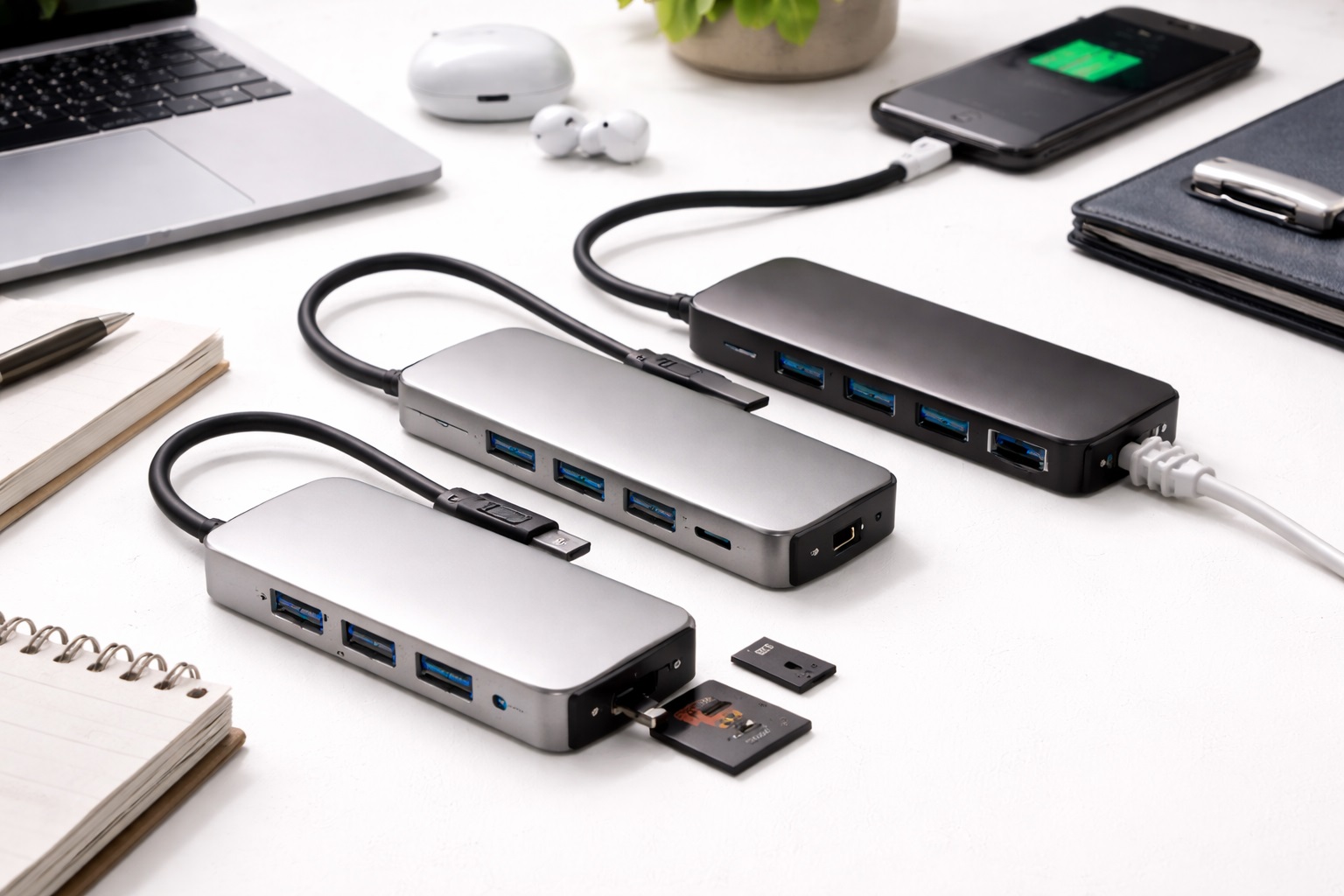
Best Budget USB Hub in 2026: High-Speed Connectivity for Less
In 2026, you shouldn't have to spend $100 to connect your mouse and a second monitor to your laptop. The technology for USB-C controllers has matured so much that "budget" hubs now offer 4K video, 100W Power Delivery, and multi-device support for under $40—sometimes even under $20. The **best budget USB hub** isn't just the cheapest one; it's the one that gives you a stable connection without getting too hot or disconnecting your hardware in the middle of a task.
We've tested dozens of affordable hubs from both global brands and rising stars to find the best value for your money. We focused on real-world reliability (how well they handle multiple devices), the quality of the HDMI output, and whether they included essential modern features like "Power Delivery" charging. Whether you're a student, a remote worker, or just setting up a basic home desk, these are the top-rated budget picks for 2026.
Top 8 Best Budget USB Hubs (Detailed Reviews)
1. Anker 332 USB-C Hub (5-in-1) – The Best Overall Value
Anker is the most trusted name in mobile power, and the 332 is their masterpiece of budget design. For under $25, this 5-in-1 hub provides every essential port: a 4K HDMI port, two USB-A 3.0 ports (for mouse/keyboard), and a USB-C data port. It also supports 100W Power Delivery, so you can charge your laptop through the hub itself. It is remarkably small—about the size of a candy bar—and features a durable, scratch-resistant matte finish. It’s a "set it and forget it" tool that just works.
- Pros: Best brand reliability, 100W charging support, very small and light, extremely affordable.
- Cons: No SD card slots or Ethernet, 4K is limited to 30Hz (standard for budget).
Who should buy this: Students and home-office workers who just need to connect a few basic items reliably.
2. Baseus 7-in-1 USB-C Hub with Status LED – The Feature Champion
Baseus has become a massive favorite because they provide "Pro" features at a "Budget" price. For under $35, this hub includes **SD and MicroSD slots**, giving you 7 ports in total. It features a unique LED indicator that glows to tell you everything is connected properly. It supports 100W Power Delivery and provides three USB 3.0 ports for high-speed file transfers. It’s finished in a high-density aluminum that keeps it cool and looks very professional on a modern desk.
- Pros: Most ports for the price, includes SD slots, 100W charging, sleek metal build.
- Cons: 4K HDMI is limited to 30Hz, the integrated cable can be stiff.
Who should buy this: Photographers and researchers who want the most ports possible for under $40.
3. uni USB-C Hub (6-in-1) with Braided Cable – The Durability King
Most budget hubs have cheap rubber cables that crack or fray after a few months. The Uni 6-in-1 (under $30) features a heavy-duty **Braided Nylon Cable** and a rugged aluminum shell. It’s designed to be tossed into a backpack every day without a second thought. It offers HDMI, SD card slots, and two USB-A ports. For a budget buyer, it’s a "once-per-student-career" purchase—it’s built to last for years of campus and office use.
- Pros: Near-indestructible braided cable, rugged build, great heat management, affordable.
- Cons: Standard data speeds only, no extra USB-C ports.
Who should buy this: Students, commuters, and field workers who need a "tough" hub that won't break in their bag.
4. TP-Link UH400 USB 3.0 Hub – The "Desktop Only" Budget Pick
If you don't need a monitor or charging and just want to plug in more mice, printers, and drives, the TP-Link UH400 is the ultimate $15 solution. It features four high-speed USB 3.0 ports in a tiny "puck" design. The cable is built-in and folds into the body of the hub when not in use. It features highnd "Over-Voltage" protection, ensuring that a power surge won't fry your expensive connected gear. It’s a reliable, brand-name tool for basic expansion.
- Pros: Extremely cheap, very small and tidy, high safety standards, no setup required.
- Cons: USB Data only (no HDMI/Charging), not for USB-C laptops (uses old USB-A plug).
Who should buy this: Desktop users and people with older laptops who just need more "plug-in" room.
5. Belkin Connect 5-in-1 USB-C Hub – The Reliability Standard
Sometimes you pay a few extra dollars for "Peace of Mind." Belkin products are strictly tested for safety and compatibility. Their sub-$50 5-in-1 hub offers HDMI, SD slots, and two USB-A ports. Its best feature is its "Soft-Touch" cable that is much more flexible than cheap brands, making it easier to position on a small desk. It comes with a 2-year warranty and world-class customer support, making it a "safe" pick for someone new to tech.
- Pros: Extremely high reliability, flexible cable, 2-year warranty, very high safety standards.
- Cons: More expensive than others on this list, standard data speeds only.
Who should buy this: Business users who want a simple, high-quality hub from a brand they can trust for their home office.
6. UGREEN USB-C Hub (7-in-1) – The Heat-Management Pro
Cheap hubs can get dangerously hot when charging a laptop. UGREEN has added a specialized "Heat-Dissipating" coating inside their sub-$35 7-in-1 hub. It features HDMI, Ethernet, SD/MicroSD, and two USB ports. Beginners love it because it’s "Plug-and-Play" with zero drivers and features very clear icons next to each port. It’s a solid, heavy-duty choice for a home office setup that will easily last 3-4 years.
- Pros: Includes Ethernet for stable internet, great heat management, affordable, professional build.
- Cons: Plastic finish feels a bit light, thicker than the Baseus model.
Who should buy this: Remote workers who need a stable internet connection (Ethernet) and want to keep their equipment cool.
7. JLab Go Wireless Mouse & USB Hub Kit – The Integrated Kit
JLab is famous for building "hassle-free" tech for budget-conscious users. They offer a combined hub and mouse kit that is perfect for anyone setting up a "New Laptop" station. The hub provides three USB-A ports and HDMI. For a beginner, this is brilliant because it reduces the number of separate items you have to buy and "pair." Performance is stable, and the design is clean and simple. For the price, it’s one of the most reliable "total setups" on the market.
- Pros: Part of a simple "easy-to-use" ecosystem, very affordable, stable connection.
- Cons: Basic features only, plastic build, no SD slots.
Who should buy this: Students and home-workers who need a "Total Desk Starter Kit" for the lowest price.
8. Amazon Basics 7-in-1 USB-C Hub – The Simple Survivor
If you just want the absolute minimum price for a functioning tool, the Amazon Basics 7-in-1 hub is no-frills and nearly indestructible. For around $20, it offers HDMI, SD slots, and two USB-A ports. It has been tested millions of times and is known for being nearly indestructible. If you're a student who just needs to "get it done" without thinking about it, this is a "set it and forget it" tool that is perfect for a spare laptop or as a travel backup.
- Pros: Cheapest reliable pick, durable plastic, standard simple connection, replaceable.
- Cons: Loud "clicky" sound from the cable hinge, basic tracking, nothing fancy at all.
Who should buy this: As an emergency spare or as a "disposable" hub for someone who loses things frequently.
Buying Guide: Getting the Most Out of a Budget Hub
When you're shopping for a bargain, you need to check for these three "Gotchas" that cheap brands use:
1. "Power Delivery" (PD) vs. Charging Only
Many cheap hubs say "Supports Charging." Make sure it says **"Power Delivery (PD)"** (ideally 100W). This is what allows you to use your laptop's own charger through the hub. Without PD, the hub will "eat" your laptop's battery instead of charging it while you work.
2. 4K Refresh Rate (The "30Hz" Limit)
Almost all budget hubs (under $40) are limited to **4K at 30Hz**. This means your secondary monitor will look slightly "choppy." For basic office work or watching movies, this is perfectly fine! However, if you are a professional gamer or video editor, you should save up for a $70+ hub that supports 60Hz.
3. The Material (Aluminum vs. Plastic)
**Aluminum hubs** (like Baseus or Uni) are better for "Heavy Duty" work. They pull heat away from the chips inside. **Plastic hubs** (like Anker 332) are much lighter for your bag but can get warm if you use every port at once. Choose based on whether you prioritize "Weight" or "Endurance."
FAQ: Expert Budget Tech Advice
Why is my mouse "skipping" when plugged into my hub?
This is a common issue caused by **Electronic Interference**. The signals in the hub can mess with the 2.4GHz signal of a wireless mouse. To fix this, use a **Bluetooth mouse** or use a small USB "extension cable" (about 4 inches long) to move the mouse plug away from the hub.
Will a $20 hub work with my Mac?
Yes. USB-C is a universal standard. A hub from Anker or Baseus will work perfectly with a MacBook, a Windows laptop, and even an iPad Pro. However, some hubs might "behave" differently on Mac than Windows regarding how they handle dual monitors.
How many things can I plug in at once?
Technically, all of them! But remember that all these devices share **one single connection** to your laptop. If you are copying files from a drive, charging your phone, and watching a 4K movie at the same time, the speeds might "throttle" slightly. For normal work, you can use every port with no issues.
Is "Amazon Basics" or a big brand better?
Big brands (Anker, Belkin) offer better **Firmware** (the brain inside the hub) and customer support. If a big brand hub stops working, they usually replace it for free. For a "Budget" tool, spending $5 more for the peace of mind of a brand name is almost always worth it.
Do I need a hub if my laptop already has HDMI?
Maybe not! If your laptop has everything you need, don't buy extra gear. However, most people like hubs because it reduces their cleanup to **one cable**. Instead of unplugging 5 things every time you move your laptop, you just unplug the one hub cable. It’s a "Workflow" upgrade as much as a "Hardware" upgrade!
Final Verdict: The Best Winner for Your Dollars
- The Best Value: The Anker 332 for its legendary reliability and simplicity.
- The Feature King: The Baseus 7-in-1 for its aluminum build and massive port selection.
- The Toughest Pick: The uni 6-in-1 for its indestructible braided cable.
Expanding your laptop's potential shouldn't cost a fortune. By choosing a high-quality, reputable budget hub, you're simplifying your life and making your computer much easier to use. Spend less, connect more!