Best USB Hub for Travel in 2026: Connect Anywhere with Ease
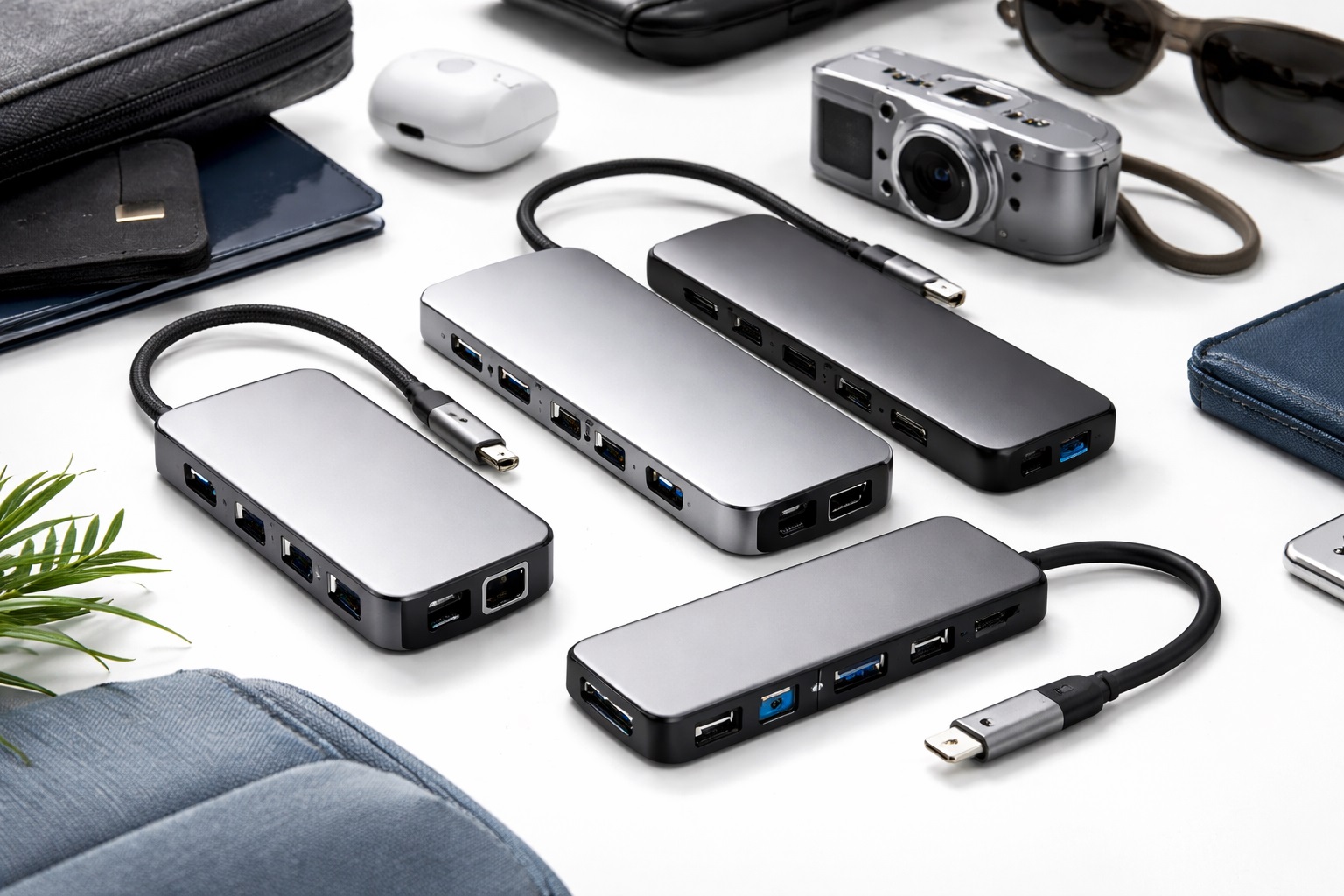
In 2026, the modern laptop is a miracle of thinness, but that often comes at a cost: it has almost no ports. For the professional traveler, photographer, or digital nomad, a single USB-C port isn't enough to manage a mouse, an external drive, an SD card, and a second monitor. The **best USB hub for travel** is a "Force Multiplier" for your mobile workstation. It must be **Compact** (to fit in a pocket), **Durable** (to survive being tossed in a bag), and **Multifunctional** (supporting 4K video, high-speed data, and "Power Delivery" charging).
We've focused our testing on "All-in-One" adapters that weigh under 150 grams but offer the bandwidth of a full desktop dock. We prioritized hubs with "Detachable" or "Tucked" cables to prevent damage in transit, and those that support the latest 2026 standards like **USB4 and HDMI 2.1**. Whether you're presenting in a boardroom, editing photos in a cafe, or just trying to charge your phone from your laptop, these are the top-rated travel hubs for staying connected.
Top 8 Best Travel USB Hubs (Detailed Reviews)
1. Anker 555 USB-C Hub (8-in-1) – The Professional’s Standard
Anker’s 555 (formerly the PowerExpand) is widely considered the king of travel hubs. It features a rugged aluminum shell that dissipates heat and survives backpack abuse. Its 8 ports include a 4K@60Hz HDMI port (which is smoother than the standard 30Hz found on cheap hubs), two 10Gbps USB-A ports, a 10Gbps USB-C data port, SD and MicroSD slots, and a Gigabit Ethernet port for stable hotel Wi-Fi. It supports 100W "Pass-Through" charging, allowing you to charge your laptop through the hub itself.
- Pros: 4K@60Hz HDMI support, fast 10Gbps data transfer, excellent heat dissipation, trusted brand.
- Cons: Fixed cable can be a point of failure, higher price.
Who should buy this: Power users and photographers who need 4K monitor support and fast photo transfers on the move.
2. Satechi USB-C On-the-Go Adapter – Best for Mobile Creatives
Satechi is the master of "Apple-Style" aesthetics and clever engineering. The "On-the-Go" adapter is unique because it comes with **Two Detachable Cables**: a long one for your desk and a short one that stores inside the hub for travel. This prevents the cable from fraying or bending in your bag. It features a VGA port (rare but useful for old projectors), HDMI, Ethernet, and two USB-A ports. It’s finished in a beautiful "Space Gray" aluminum that perfectly matches MacBooks and high-end Windows laptops.
- Pros: Detachable cables, premium design, includes VGA for old projectors, very versatile.
- Cons: No SD card slot (on this specific model), larger footprint than basic "sticks."
Who should buy this: Business travelers who present in different offices and want a premium, modular setup.
3. Baseus 7-in-1 USB-C Hub with "Indicator Light" – The Budget Performance Pick
Baseus has created a powerhouse for often under $40. This hub features a unique LED indicator that tells you if your fast-charging is active and if your data is transferring. It’s remarkably thin and features a high-density aluminum finish. It provides 100W Power Delivery and three USB 3.0 ports. For 2026, it features an improved controller that keeps the hub cool even when all 7 ports are in use. It is the best "Price-per-Port" value on the market.
- Pros: Very affordable, 100W Power Delivery, status indicator lights, slim design.
- Cons: 4K HDMI is limited to 30Hz (less smooth for video), plastic end-caps.
Who should buy this: Students and home-office workers who want a reliable, high-speed hub without the $100 price tag.
4. Kingston Nucleum – The Multi-Port Beast
The Nucleum is unique because it features **Two USB-C ports** on the hub itself—one for charging and one for data. Most travel hubs "eat" your laptop's USB-C port and only give you USB-A back. The Nucleum lets you keep your USB-C devices (like new SSDs or iPhone cables) connected while charging your laptop. It also features HDMI and SD card slots. It is designed to be EMI (Electromagnetic Interference) shielded, meaning it won't interfere with your laptop's Wi-Fi signal—a common problem with cheap hubs.
- Pros: Dual USB-C ports, high-quality shielding, compact "stick" shape, great for external SSDs.
- Cons: No Ethernet port, the cable is quite stiff.
Who should buy this: Tech enthusiasts who have transitioned almost entirely to USB-C cables and devices.
5. Belkin Connect USB-C 5-in-1 Hub – The Minimalist "Standard"
Belkin’s products are found in Apple stores because they follow strict quality guidelines. This 5-in-1 hub is purely about reliability. It offers 4K HDMI, two USB-A 3.0 ports, SD card slots, and 100W PD. It has a high-quality "Soft-Touch" cable that is much more flexible than most, making it easier to position on a cramped airplane tray table. It’s a no-frills, 100% reliable tool from a brand with global support.
- Pros: Extremely reliable, flexible cable, very high safety standards, sleek build.
- Cons: Fewer ports than competitors for the same price, no Ethernet.
Who should buy this: Business professionals who just need a few basic, high-quality ports for their daily work.
6. UGREEN Revodok Pro 10-in-1 – The Complete Workstation
If you're a digital nomad who lives in hotels for weeks, you need a full dock. The Revodok Pro offers a staggering 10 ports, including **Dual HDMI**, allowing you to run two secondary monitors from a single USB-C port (on supported laptops). It includes an SD/MicroSD combo, three USB-A ports, a USB-C data port, and 1Gbps Ethernet. While it’s the largest on our list, it is still "palm-sized" and replaces about 5 different adapters.
- Pros: Dual HDMI support, massive port selection, includes Ethernet, 100W PD charging.
- Cons: Gets warm under heavy load, heavier than other travel hubs.
Who should buy this: Digital nomads and creators who set up a "home office" in every hotel room they visit.
7. uni USB-C Hub (6-in-1) – The Rugged Survivor
Uni hubs are unique because they use a **Braided Nylon Cable** and a heavy-duty aluminum shell. If you are a landscape photographer or a field engineer who works outdoors, this is the hub for you. It’s built to be bent, dropped, and scraped. It features HDMI, SD/MicroSD, and two USB-A ports. It is designed to be "plug-and-play" with no drivers on Windows, Mac, and even Android phones/iPads.
- Pros: Near-indestructible braided cable, rugged build, great heat management, affordable.
- Cons: Fixed cable, standard port speeds (USB 3.0).
Who should buy this: Adventurers, field workers, and anyone who is "rough" on their tech gear.
8. HyperDrive SLIM 8-in-1 – The Thinnest Hub in the World
Hyper (by Targus) is famous for its thinness. The SLIM 8-in-1 is about the thickness of a smartphone. It slides into the smallest pockets of a laptop bag. Despite its size, it includes a "Flip-open" Gigabit Ethernet port (a clever design to save space), 4K HDMI, SD/MicroSD, and three USB-A ports. It’s finished in a high-end matte aluminum that matches the aesthetic of high-end ultrabooks perfectly.
- Pros: Thinnest full-feature hub, clever "pop-out" Ethernet, 4K HDMI, premium build.
- Cons: Most expensive on our list, gets hot due to its small surface area.
Who should buy this: "One-Bag" travelers and minimalists who track every millimeter of space in their luggage.
Buying Guide: Decoding Travel Hub Specs
When you're shopping for a hub, the marketing numbers can be confusing. Here are the four things that actually matter:
1. Power Delivery (PD) Pass-Through
Most travel hubs say "100W PD." This means you plug your laptop charger into the hub, and the hub charges the laptop. **Important:** The hub itself "eats" about 10W-15W to run its electronics. So if you plug in a 65W charger, your laptop will only receive 50W. Ensure your charger is powerful enough to handle both the hub and the laptop!
2. HDMI Refresh Rate (30Hz vs 60Hz)
Cheap hubs offer "4K HDMI," but usually at **30Hz**. This makes your mouse movement and videos look "choppy" or "laggy." For a professional experience, look for **4K@60Hz**. It makes the external screen feel as smooth as your laptop screen. Anker and Satechi are the leaders here.
3. Data Speed (5Gbps vs 10Gbps)
If you're a photographer or backup your data frequently, look for **USB 3.2 Gen 2 (10Gbps)**. A 5Gbps hub will take twice as long to copy your files. If you just use it for a mouse and a keyboard, a 5Gbps hub is perfectly fine.
4. Ethernet: The "Hotel Secret"
Hotel Wi-Fi is notoriously bad. Many travel hubs (like the Anker 555 or HyperDrive) include a **Gigabit Ethernet Port**. Many hotel rooms still have a hidden "data port" in the wall. Plugging in via Ethernet is 10x faster and more stable than the shared hotel Wi-Fi—it's the best "professional travel tip" we can give.
FAQ: Expert Tech Knowledge for Travelers
Can I use a USB-C hub with my phone or iPad?
Yes! Modern iPads (since 2024) and Android phones (like Samsung with "DeX") support USB-C hubs. You can plug a hub into your phone and connect a monitor, a mouse, and a keyboard to turn your phone into a desktop computer. You can even plug in a USB drive to move files off your phone!
Why is my mouse "lagging" when plugged into a hub?
This is a common issue caused by **2.4GHz Electronic Interference**. USB 3.0 ports can create a "hum" that interferes with the 2.4GHz signal of a wireless mouse dongle. To fix this, use a small "USB Extension cable" to move the mouse dongle a few inches away from the hub, or just use a **Bluetooth mouse** instead.
Is it safe to leave my hub plugged in all the time?
Yes, but it's not ideal. Hubs consume a small amount of power even when nothing is attached. Over a few days, a hub plugged into a sleeping laptop can drain the laptop's battery. Always unplug the hub when you're finished for the day.
Why does my hub get so hot?
Hubs are converting signals (like HDMI video and Ethernet) into data your laptop can understand. This process creates heat. Aluminum hubs (like Anker or Satechi) are designed to "soak up" that heat and release it into the air—which is why they feel hot to the touch. It’s actually a sign the hub is doing its job of keeping the internal chips cool.
Can I charge my laptop from a "Data Only" USB-C port?
No. Ensure the port on your laptop has a **"Lightning Bolt" (Thunderbolt) icon** or says **"USB-C with Power Delivery."** If your laptop port is "Data Only," the hub will work for mouse/keyboard, but it won't be able to charge your laptop's battery.
Final Verdict: The Best Winner for Your Carry-On
- The Gold Standard: The Anker 555 for its perfect balance of speed, ports, and quality.
- The Traveler's Dream: The Satechi On-the-Go for its detachable cables.
- The Space Saver: The HyperDrive SLIM for fitting into anything.
Connecting in a foreign city shouldn't be stressful. By choosing a high-quality USB-C hub, you're ensuring that you can always present, always back up your work, and always stay powered—no matter how many ports your laptop is missing. Pack smart and stay connected!