Best USB Hub for Students in 2026: The Ultimate Campus Connection Kit
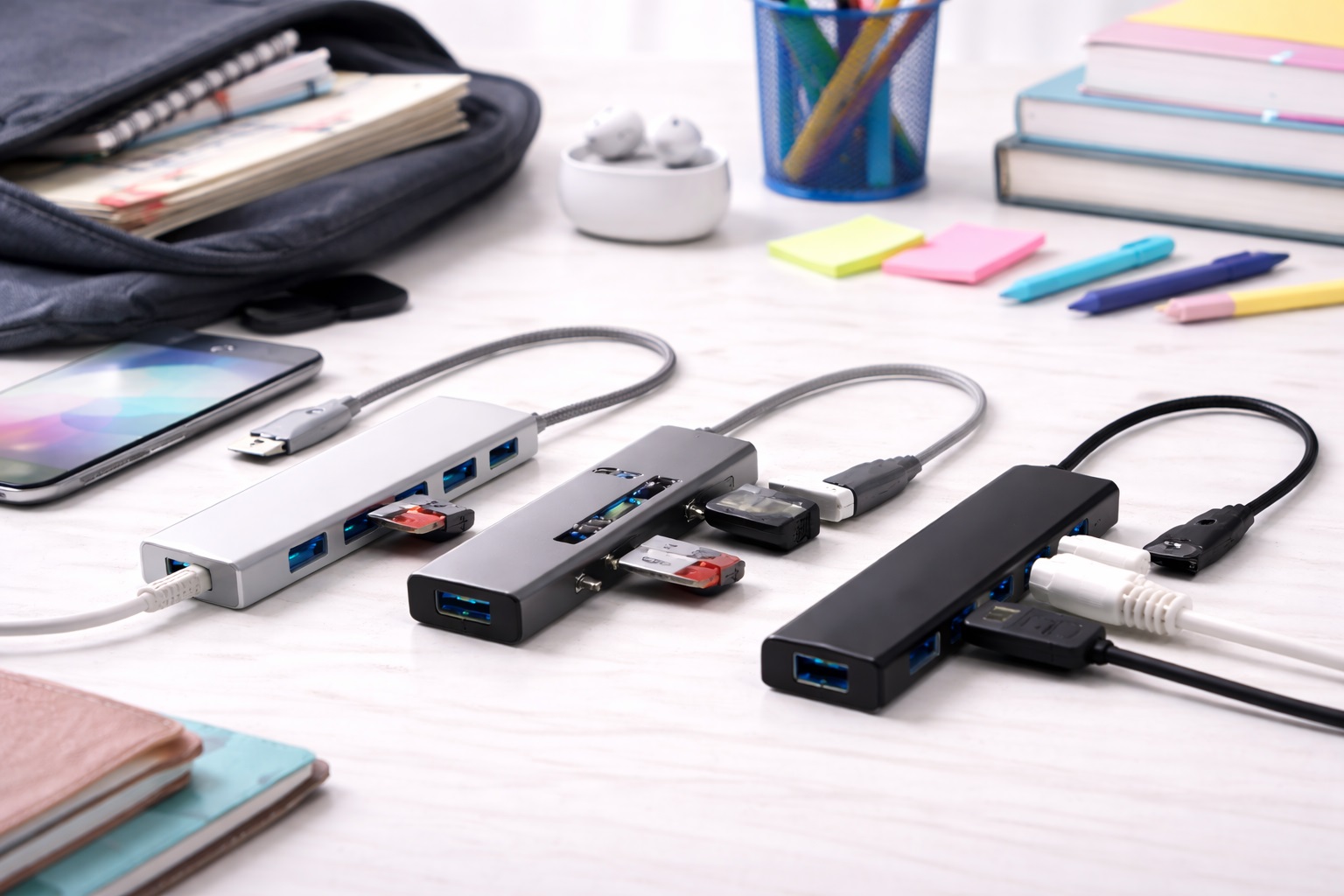
In 2026, the life of a student is almost entirely digital. From submitting assignments via USB drives to connecting a second monitor for massive research projects, your laptop’s limited ports can quickly become a problem. A high-quality USB-C hub is now a required piece of your "Back-to-School" kit. The **best USB hub for students** must be **Affordable**, **Portable** (to handle being tossed in a backpack), and **Versatile** (allowing you to connect everything from a printer to your phone and an external display).
We've focused our testing on hubs that respect the student budget without sacrificing reliability. We looked for models that are durable enough to survive a 4-year degree, feature the latest USB standards for fast file transfers, and provide "Pass-Through Charging" so your laptop stays powered even when its only port is being used by the hub. Whether you're in a dorm, a library, or a lecture hall, these are the top-rated picks for staying connected.
Top 8 Best Student USB Hubs (Detailed Reviews)
1. Anker 332 USB-C Hub (5-in-1) – The All-Rounder's Choice
Anker is the most trusted name in mobile peripherals, and the 332 is their masterpiece of value. For often under $25, this 5-in-1 hub provides every essential port: a 4K HDMI port for your TV/Monitor, two USB-A ports for your mouse and keyboard, and a USB-C data port. It also supports 100W Power Delivery, so you can charge your laptop through the hub. It is remarkably small—about the size of a candy bar—and features a durable, scratch-resistant matte finish. It’s the perfect "First Hub" for any student.
- Pros: Most reliable brand, 100W charging support, very small and light, extremely affordable.
- Cons: No SD card slots or Ethernet, 4K is limited to 30Hz.
Who should buy this: Students who just need to connect a mouse, keyboard, and an extra screen for writing essays.
2. Baseus 7-in-1 USB-C Hub with Status LED – The Feature Champion
Baseus has become a massive favorite because they provide "Pro" features at a "Student" price. For under $35, this hub includes **SD and MicroSD slots**, giving you 7 ports in total. This is a game-changer for digital art or photography students who need to move files off their cameras. It features a unique LED indicator that glows to tell you everything is connected properly. It’s finished in a high-density aluminum that keeps it cool during long study marathons.
- Pros: Most ports for the price, includes SD slots for photos, 100W charging, sleek metal build.
- Cons: 4K HDMI is limited to 30Hz, the integrated cable can be stiff.
Who should buy this: Creative, arts, and communications students who need to handle many different types of memory cards and drives.
3. uni USB-C Hub (6-in-1) with Braided Cable – The Durability King
Student life is rough on gear. Most budget hubs have cheap rubber cables that crack after a semester of being stuffed into a backpack. The Uni 6-in-1 features a heavy-duty **Braided Nylon Cable** and a rugged aluminum shell. It’s designed to be tossed into a bag every day without a second thought. It offers HDMI, SD card slots, and two USB-A ports. It’s a "once-per-degree" purchase—it’s built to last for your entire academic career.
- Pros: Near-indestructible braided cable, rugged build, great heat management, affordable.
- Cons: Standard data speeds only, no extra USB-C ports.
Who should buy this: Commuters, field researchers, and anyone who treats their backpack like a piece of luggage.
4. UGREEN Revodok 105 (5-in-1) – The "Thin and Light" Minimalist
If you have an ultrathin laptop and want a hub that matches, the Revodok 105 is the winner. It is incredibly slim—about the thickness of a pencil. It provides 4K HDMI and three USB 3.0 ports. For 2026, it features an improved internal controller that keeps the hub cool even if you're using all five ports at once during a study session. It’s the most portable high-quality hub on our list, fitting into even the smallest tablet sleeve.
- Pros: Thinnest high-quality hub, very affordable, stable connection, no-frills reliability.
- Cons: No Power Delivery (you can't charge your laptop through it), plastic build.
Who should buy this: Students who have laptops with multiple USB-C ports and just want a simple, light way to add some USB-A ports.
5. Satechi USB-C Multi-Port Adapter with Foldable Cable – The Design Leader
Satechi is the master of aesthetic engineering. This hub is perfect for small dorm desks because its **connecting cable is foldable**—it tucks into the side of the hub when not in use. This prevents the "cable jumble" on your desk. It features HDMI, SD slots, and two USB-A ports. While more expensive than others, its build quality is exceptional, featuring a robust aluminum shell that matches a MacBook or Surface perfectly.
- Pros: Foldable cable reduces clutter, stunning design, high-quality ports, very reliable.
- Cons: Higher price, no Power Delivery charging on this specific model.
Who should buy this: Style-conscious students and those who work in very tight spaces where cable management is key.
6. Belkin Connect 7-in-1 USB-C Hub – The IT Department Standard
Belkin’s products are a staple in professional offices for a reason: they are strictly tested for safety. This 7-in-1 hub offers HDMI, SD slots, and two USB-A ports. Its best feature is the "Soft-Touch" cable that is much more flexible than cheap brands, making it easier to position on a cramped library desk. It comes with a 2-year warranty and world-class customer support, making it a "safe" pick for a student investment.
- Pros: Extremely high reliability, flexible cable, 2-year warranty, high safety standards.
- Cons: More expensive than generic brands, standard 5Gbps speeds.
Who should buy this: Students who want a name-brand tool they can trust to never fail them during an exam or project deadline.
7. Amazon Basics 7-in-1 USB-C Hub – The Emergency Budget Hero
If you just want the absolute minimum price for a functioning tool, the Amazon Basics hub is no-frills and nearly indestructible. For around $20, it offers HDMI, SD slots, and two USB-A ports. It has been tested millions of times and is known for its stability. It’s a "set it and forget it" tool that is perfect for a spare laptop or to keep in your drawer as a backup in case your main hub breaks.
- Pros: Cheapest reliable pick, durable plastic, standard simple connection, replaceable.
- Cons: Gets warm under load, 4K is basic 30Hz, nothing fancy at all.
Who should buy this: As an emergency spare or for someone who just wants to connect basic items for the lowest price.
8. HyperDrive SLIM 8-in-1 – The Future-Proof Pro
While a bit more expensive, the HyperDrive SLIM is the hub you buy if you want to keep it after graduation. It features a "Flip-open" Gigabit Ethernet port—allowing you to connect to high-speed campus internet for faster downloads. It features 4K@60Hz HDMI, which makes your second monitor feel much smoother. It’s finished in a high-end matte aluminum and is the thinnest "full-featured" hub in the world.
- Pros: Thinnest full-feature hub, includes Ethernet for stable library internet, 4K@60Hz support.
- Cons: Most expensive on our list, can get quite hot due to its small size.
Who should buy this: Engineering, CS, and Design students who need high performance (60Hz video) and stable internet (Ethernet).
Buying Guide: Choosing Your Campus Connection
Your hub is your bridge to all your school work. Here are the four things to check before you buy:
1. "Power Delivery" (PD): Don't Lose Your Only Port
Most student laptops only have one or two USB-C ports. If you plug in a hub that *doesn't* have Power Delivery, you can't charge your laptop while using the hub. Look for **"PD" or "Pass-Through Charging"** (ideally 60W or 100W). This allows you to plug your charger into the hub, which then powers your laptop.
2. Port Mix: What are you plugging in?
* **USB-A (Rectangular):** You need these for 90% of budget mice, keyboards, and old USB drives. * **SD Slots:** Essential for art, film, and photography majors. * **Ethernet:** Critical for gaming or taking online exams in dorms where the Wi-Fi can be unstable.
3. Thermal Performance (Heat Management)
Hubs get hot as they convert data. Cheap plastic hubs can "throttle" (slow down) if they get too hot. **Aluminum Hubs** (like Anker or Baseus) act as a giant heat sink, keeping your data speeds high even during 4-hour study sessions. If you can afford it, always choose aluminum over plastic.
4. Cable Quality and Length
For a student, the cable is the first thing to break. Look for **Braided Nylon** or **Reinforced Connectors**. Also, check the length—a cable that is too short can leave the hub "dangling" from your laptop if you're using a stand, which can damage your laptop's port over time.
FAQ: Expert Tech Knowledge for Students
Can I use a USB-C hub with my iPad or Tablet?
Yes! Every hub on this list works perfectly with iPads (since 2024) and high-end Android tablets. You can use it to connect a keyboard and mouse, or to view your lecture notes on a larger TV in your dorm room.
Why is my mouse "lagging" when plugged into the hub?
This is a common issue caused by **Interference**. The high-speed data transfer in USB 3.0 ports creates a tiny bit of "noise" that can mess with the signal of a wireless mouse. To fix this, use a **Bluetooth mouse** instead, or use a small USB extension cable to move your mouse plug a few inches away from the hub.
Is it safe to leave the hub plugged in all the time?
Yes, but it's not ideal. Hubs use a tiny amount of electricity even if nothing is attached. Over a weekend, a hub plugged into a sleeping laptop can drain the battery by 10-15%. Always unplug it when you're finished for the day to save your laptop's battery health.
Do I need to install any apps?
No. Every hub in this guide is **"Plug-and-Play."** Your computer (Windows, Mac, or Chrome) will automatically recognize the hub and start using it immediately. If a hub asks you to download "special software," be careful—reputable brands don't need it.
What do I do if my hub gets too hot to touch?
Unplug it for 5 minutes. This usually happens if you are charging your laptop and running a second monitor through the hub at the same time. Ensure the hub isn't under papers or a blanket so it can "breathe." Aluminium hubs are *supposed* to feel hot—it means they are pulling heat away from the inside!
Final Verdict: The Best Winner for Your Degree
- The Student Standard: The Anker 332 for its reliability, price, and simple charging.
- The Creative's Choice: The Baseus 7-in-1 for its aluminum build and SD card slots.
- The Toughest Pick: The uni 6-in-1 for its indestructible braided cable.
Your degree is a marathon, and your gear should help you finish strong. By choosing a high-quality, reputable USB-C hub, you're simplifying your study sessions and making your digital life more efficient. Stay connected, work fast, and get those A's!